


Pictory is an AI video tool that does the slowest parts of video editing for you. It turns scripts, blog posts and long recordings into short, captioned videos, and it can edit footage by editing the transcript. If you’ve ever spent an evening trimming pauses and adding subtitles to a two-minute clip, it’s worth knowing what Pictory can do.
What Pictory Does
- Script to video: paste a script and Pictory builds scenes with stock footage, music and captions.
- Article to video: paste a blog post URL and it summarizes the post into a video.
- Edit video using text: upload a recording, get a transcript, and delete words or sentences to cut them from the video.
- Auto-captions: subtitles in different styles, important because many people watch on mute.
- Highlights and clips: pull short clips from long videos for social media.
- AI voiceovers and brand kits for consistent logos, colors and fonts.
How to Use Pictory: Step by Step
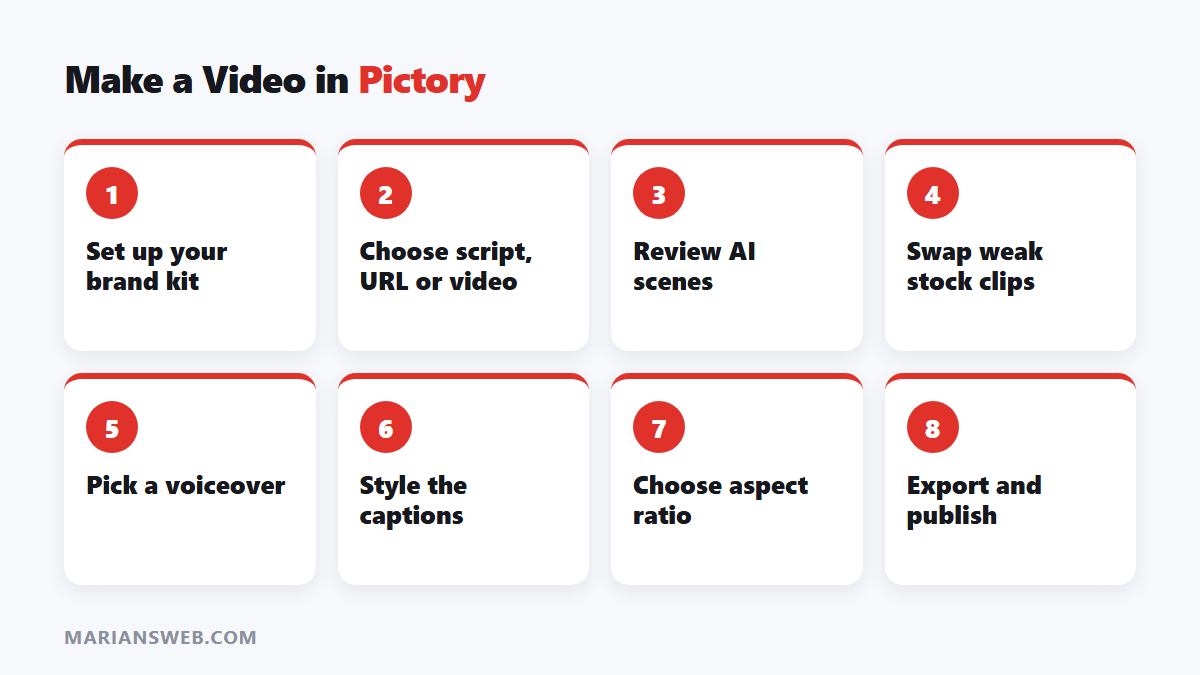
- Sign up and set up your brand kit (logo, colors, fonts).
- Choose an input: script, article URL or your own video.
- Review the scenes Pictory creates and swap any stock clips that don’t fit.
- Pick a voiceover (AI voice or your own recording) and background music.
- Adjust captions and the aspect ratio (16:9 for YouTube, 9:16 for Shorts, Reels and TikTok).
- Export and publish.
Best Uses for Pictory
Social media clips
Cut a webinar, podcast or long YouTube video into short clips with captions. See short-form video for affiliate income.
Blog posts into videos
Turn existing articles into videos for YouTube and social media, reaching people who prefer watching to reading.
Faceless YouTube channels
Combine scripts, voiceovers and footage for review or educational channels. Mix in real footage where you can; fully generic videos tend to perform poorly. More in Amazon affiliate marketing on YouTube and faceless YouTube channels.
Marketing and training videos
Product explainers, onboarding videos and course lessons are faster to produce when captions and editing are automated.
Pros
- Saves hours on captions, trimming and resizing
- Text-based editing is easy for non-editors
- Large stock library and AI voices built in
- Good for repurposing content into many formats
Cons
- Stock footage can look generic; review every scene
- Less creative control than a full video editor
- Paid plans needed for serious use (check current pricing and limits)
- AI voices still sound less natural than a real human for some content
Pictory Alternatives
- InVideo AI: similar script-to-video approach
- CapCut: free editor with auto-captions, great for short-form
- Descript: powerful text-based editing for podcasts and talking-head videos
For more AI tools, see 5 types of AI tools to make money online.
Pictory FAQ
Is Pictory free?
It has usually offered a free trial; ongoing use requires a paid plan. Check the current offer on Pictory’s website.
Can I use Pictory videos commercially?
Paid plans generally allow commercial use of the stock media included. Check the licence for your plan.
Do I need editing skills?
No. If you can edit a document, you can edit a video in Pictory.
Bottom Line
Pictory is a strong choice if you want to publish more video without learning complex editing software. Use it for the repetitive work, and spend the time you save on better scripts and ideas. When your videos start bringing traffic, capture it with my free guide The $0 Funnel.