


If you want to sell digital products on Threads, you have a rare advantage right now: Meta’s text-first app still shows posts from small accounts to people who don’t follow them yet. A clear, useful post about a problem you can solve can reach thousands of people with zero followers, and a simple $9 to $27 PDF is often the easiest thing to sell to them.
Disclosure: I mention my own product, the Claude Business Toolkit, near the end. If you buy it I earn money. Income figures you see from other Threads creators are their claims, not typical results.
This guide walks you through the whole system: picking a problem, building a small product in a weekend with AI, choosing where to sell it, and posting in a way that turns readers into buyers without being spammy.
Why Threads Works for Selling Digital Products
- Reach without followers. The “For You” feed mixes in posts from accounts people don’t follow, so new creators get discovered.
- Conversation beats polish. Threads rewards replies and discussion. You don’t need video, design skills or a camera.
- Connected to Instagram. You can sign in with an Instagram account, and your best Threads posts can be reused as Instagram carousels.
- Links are allowed. You can put links in your bio and in posts, so you can point readers to your product page.
The catch: Threads is noisy, and people scroll fast. Generic “make money online” posts disappear. Specific posts that solve a specific problem are the ones that sell.
Step 1: Pick One Specific Problem
Your first product should solve one narrow problem for one type of person. Good sources of ideas:
- What do friends or coworkers already ask you for help with?
- What did you struggle with two years ago that you can now do easily?
- What questions keep coming up in your niche’s comments on Threads and Reddit?
Examples that work as small products: “a 7-day meal-prep plan for night-shift workers”, “a checklist to land your first freelance writing client”, “50 Canva templates for real estate agents”. Notice each one names the person and the result.
Check demand before you build. Search the topic on Threads and look for posts with lots of replies. Then look in Google Trends and in Etsy or Gumroad search to see if people already pay for similar things. Competition is a good sign: it proves people buy.
Step 2: Choose a Simple Product Format
| Format | Typical price | Effort |
|---|---|---|
| Checklist or cheat sheet (PDF) | $7 to $17 | A few hours |
| Short guide or workbook (10 to 25 pages) | $17 to $37 | A weekend |
| Template pack (Canva, Notion, spreadsheets) | $9 to $47 | A weekend |
| Prompt pack for a specific job | $9 to $27 | A few hours |
| Mini video course | $47 to $97 | One to two weeks |
Start low and fast. A cheap first product lets you learn what your audience buys before you spend weeks on a course. My 48-hour digital product blueprint breaks the build into a weekend schedule.
Step 3: Build It With AI (and Your Own Know-How)
AI is a great co-writer, but buyers pay for your experience. Use AI to speed up structure and drafting, then add your own examples, mistakes and shortcuts. A prompt that works well:
I’m creating a [format] for [audience] who want to [result]. My own experience: [3 to 5 bullet points of what you know]. Create a detailed outline with a quick-win section first, step-by-step chapters, a checklist at the end and three common mistakes to avoid.
Then draft each section separately, edit it in your own voice and design it in Canva (search “workbook” or “ebook” templates). Export as a PDF and check it on your phone, because most Threads buyers will read it there. For better prompts, see how to write AI prompts that get great results.
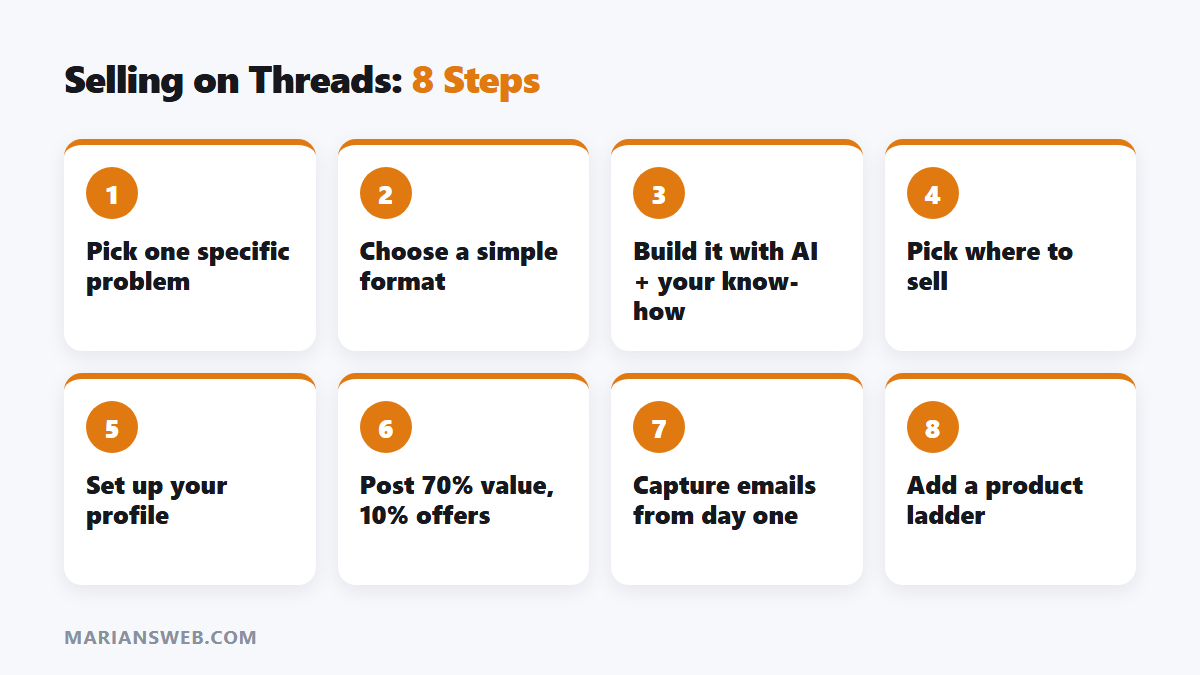
Step 4: Pick Where to Sell
| Platform | Good for | Cost model |
|---|---|---|
| Gumroad | Simplest start, built-in checkout and email | No monthly fee, percentage per sale |
| Payhip | Low fees, coupons, affiliates | Free plan with a small fee per sale, or paid plans |
| Stan Store | Link-in-bio storefront built for creators | Monthly subscription |
| Etsy | Printables and templates with built-in search traffic | Listing fee plus transaction fees |
Fees change, so check each platform’s pricing page. If you’re starting with no budget, a free-to-start option like Gumroad or Payhip makes the most sense.
Step 5: Set Up Your Threads Profile to Sell
- Name and bio: say who you help and with what. “I help new freelancers land their first 3 clients” beats “Entrepreneur | Dreamer”.
- Bio link: your product page or a free lead magnet that leads to the product.
- Pinned post: your best story or tip, ending with a soft mention of the product.
Step 6: Post Content That Sells Without Spamming
A simple weekly mix that works for most niches:
- 70% pure value: tips, mini-tutorials, mistakes, before/after lessons.
- 20% story and proof: what you tried, what happened, what a customer said.
- 10% direct offers: “I put everything about X into a $17 guide, link in bio.”
Write strong first lines, since that’s all people see in the feed. Reply to every comment in the first hour, because conversations push posts to more people. Spend 15 to 20 minutes a day leaving thoughtful replies on bigger accounts in your niche. That is how most small accounts get their first followers.
Posting more often helps, but quality matters more than volume. Three to five good posts a day is plenty. Track which topics get replies and turn the best ones into longer posts or new product ideas. You can get more mileage from the same ideas with my guide to short-form video and by using free traffic tactics on other platforms.
Step 7: Build an Email List From Day One
Threads could change its algorithm tomorrow. Every buyer and every free-guide download should land on your email list, so you can sell your next product without starting from zero. Most sales platforms collect buyer emails for you. For non-buyers, offer a free checklist in exchange for an email.
New to email lists? My free guide The $0 Funnel shows how to build one without spending anything.
Step 8: Scale With a Product Ladder
Once your first product sells consistently, add higher-priced products for the buyers who want more:
- Entry product ($9 to $27): the quick win.
- Core product ($47 to $97): a mini-course or complete template system.
- Premium ($200+): group coaching, done-with-you service or a membership.
Email your buyers first when you launch the next level. People who already bought from you are by far your best customers.
A Shortcut for the Product-Building Part
If you’d like ready-made prompts for outlining products, writing sales pages and planning content, my Claude Business Toolkit packs thousands of business prompts organized by task. You don’t need it to follow this guide. It just saves time. I show some of the prompts in 7 Claude prompts for business.
Selling Digital Products on Threads: FAQ
Do I need followers before I sell?
No. Many creators make their first sale with a few hundred followers. Being useful and specific matters more than follower count.
How long until my first sale?
It varies. Some people sell within days of their first helpful posts. For most it takes a few weeks of daily posting to build enough trust.
Can I sell PLR products on Threads?
Yes, if your licence allows it, but rewrite and rebrand them so they’re clearly yours. See the best PLR niches for ideas.
What if Threads stops working for me?
Your product, your email list and your posting skills move with you to any platform. That’s why the list matters so much.
Start Today
Pick one problem, outline a small product with AI this week, and write your first three helpful posts before you even publish it. Watching which posts get replies is the best market research you’ll ever do. Have a question? Ask in the comments.
Earnings disclaimer: results vary and depend on your niche, effort, skills and market conditions. No income is guaranteed.




Pingback: Legit Websites to Make Money Online for Free (2026)
Pingback: Book-in-a-Day Review: Publish a Book in 24 Hours?