
Why Pinterest + AI Is a Goldmine in 2026
- Pinterest = Search Engine – Unlike TikTok or Instagram, Pinterest works like Google/YouTube. Pins that rank for the right keywords keep pulling traffic for months or years.
- SEO‑Driven Traffic – No need to grow followers or spend on ads. Good SEO = perpetual organic views.
- AI Super‑charges Content – What used to take a week can now be done in an afternoon with tools like ChatGPT, Google Gemini, and AI image generators.
- High Commission Affiliate Programs – Fiverr pays up to 70 % on the first order + 10 % revenue share for 12 months on repeat purchases.
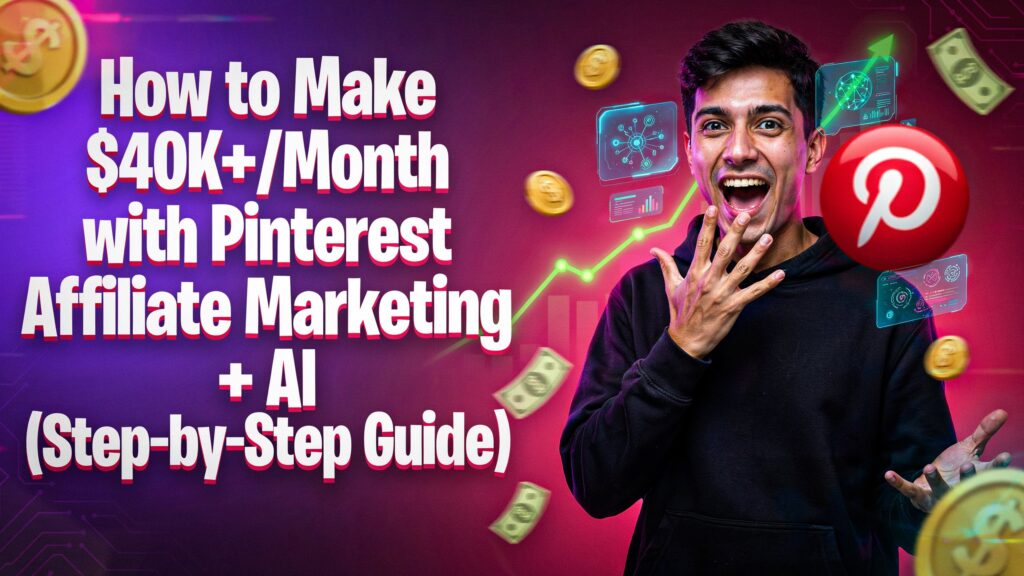
Result: $45,761 earned in a single month, $32,719 in the first 21 days, and the potential to scale to $40 K+/month.
Step 1 – Join a High‑Paying Affiliate Program (Fiverr)
| Action | Details |
|---|---|
| Visit | Search “Fiverr Affiliate” on Google and click the first link. |
| Sign up | Use your email, set a password, choose “Affiliate” account type. |
| Traffic source | Select Pinterest and add a Pinterest profile link (you’ll create it in Step 2). |
| Approval | Fiverr checks your Pinterest profile and usually approves within minutes. |
| Dashboard | After login you’ll see clicks, CTR, commissions, and revenue share stats. |
🔗 Pro tip: Enable the “Referral source – Pinterest” field so Fiverr knows you’ll drive traffic from Pinterest.
Step 2 – Set Up a Pinterest Business Account
- Go to Pinterest.com → search “Pinterest Business Account”.
- Sign up with an email (avoid a personal account – business mode gives analytics and Rich Pins).
- Fill out a few brand questions; you can keep the profile faceless.
- Verify your email and you’re ready to start pinning.
Why a Business Account?
- Access to Pinterest Analytics → see which pins convert.
- Ability to claim a website (your landing page) for SEO benefits.
Step 3 – Find Hot Niches & Keywords on Pinterest
How to Research
- Use the Pinterest search bar.
- Type a broad term (e.g., “t‑shirt”, “logo”, “social media”, “Pinterest marketing”).
- Pinterest auto‑suggests related topics—these are what users are actively searching for.
Example Keywords
- t‑shirt design ideas
- logo design inspiration
- social media post templates
- Pinterest marketing services
Rule: Only promote services that match popular search terms. Ignoring keyword research leads to zero commissions.
Step 4 – Choose Top‑Rated Fiverr Sellers
When you find a service that matches your keyword:
- Filter by Level 1, Level 2, Top‑Rated, or Pro sellers.
- Look for high review counts and multiple orders in queue – signals of a “green” service.
- Copy the seller’s profile URL (you’ll turn it into an affiliate link later).
Why top sellers? Buyers trust high‑rated freelancers, increasing click‑through and conversion rates.
Step 5 – Create Your Affiliate Deep Link
- In your Fiverr Affiliate Dashboard, go to Marketing Tools → Deep Links.
- Paste the seller profile URL into the field.
- Save – you’ll receive a link that looks like:
https://track.fiverr.com/visit?bta=12345&url=SELLER_PROFILE
- Use the “new plan” (Fiverr marketplace new plan) for most services.
- Keep a spreadsheet of service → deep link → commission rate for easy tracking.
Step 6 – Generate Viral Pin Images with AI
Tools Used
- ChatGPT – to craft a viral image prompt.
- Google Gemini (Gemini AI Image) – to generate the pin image.
Workflow
- Ask ChatGPT: “Give me a viral prompt for a Pinterest pin promoting a Fiverr Pinterest‑marketing service.”
- Copy the prompt and paste it into Gemini → Create Image.
- Click Submit → wait seconds for a high‑resolution, eye‑catching image.
- Download the image to your computer.
Result: A polished, click‑bait pin created in < 2 minutes.
Step 7 – Write SEO‑Optimized Titles & Descriptions (AI‑Assisted)
- Return to ChatGPT (or Gemini) and ask:
“Give me 4 SEO‑friendly pin titles and a description with hashtags for a pin promoting Fiverr Pinterest‑marketing services.” - Test the four title options in Pinterest’s analytics to see which gets the most clicks.
- Copy the best title and the description (include relevant keywords and hashtags).
Example Title
How to Get FREE Traffic from Pinterest – Hire a Pro Today!
Example Description
🚀 Boost your business with expert Pinterest marketing! 🎯 Get more clicks, sales & organic traffic. 👉 [Your Landing Page] #PinterestMarketing #Fiverr #PassiveIncome #AI #SideHustle
Step 8 – Build a Landing Page & Publish Your Pin
Landing Page Essentials
- Fast loading (use a lightweight template or AI‑generated static site).
- Clear CTA – “Hire the Service Now” button linking to your Fiverr deep link.
- Disclosure – “This is an affiliate link” (helps stay compliant).
Avoid Direct Affiliate Links on Pinterest: Direct links can get you banned. Use a landing page or a simple website instead.
Publishing the Pin
- In Pinterest, click Create Pin.
- Upload the AI‑generated image.
- Paste the SEO title and description (with hashtags).
- Add your landing page URL.
- Choose a board (create niche‑specific boards – e.g., “Pinterest Marketing Services”).
- Click Publish.
Scaling Tips & Common Mistakes to Avoid
✅ Scaling Strategies
- Batch create pins: Use AI to generate 20–30 pins for a single service, then schedule them over weeks.
- Diversify services: Promote multiple Fiverr gigs at different price points (e.g., $20, $50, $150) to capture various buyer budgets.
- Analyze & double down: Every 2–3 weeks, review pin analytics. Replicate the top‑performing titles, images, and keywords.
- Cross‑promote: Repurpose the same AI‑generated content on YouTube Shorts, TikTok, Reddit, and Quora for extra traffic.
🚫 What NOT to Do
- Never post unrelated niches on the same board – Pinterest’s algorithm penalizes mixed content.
- Don’t ignore keyword research – Random promotion = zero clicks.
- Avoid posting the affiliate link directly – You’ll be flagged and lose commission.
- Don’t forget the landing page – It protects you from bans and improves conversion.
FAQ
| Question | Answer |
|---|---|
| How much can I earn per sale? | Example: Fiverr’s Pinterest marketing gig starts at $130. With a 25 % commission, you earn ≈$32 per first purchase, plus 10 % recurring for each repeat order. |
| Do I need any money to start? | No. All tools used (ChatGPT, Gemini, Pinterest) have free tiers; Fiverr affiliate sign‑up is free. |
| Can I run this from any country? | Yes – Fiverr accepts affiliates worldwide; Pinterest is available globally. |
| What AI tools are mandatory? | ChatGPT (or any LLM) for copy, Google Gemini (or DALL‑E, Midjourney) for images. |
| Do I need a website? | A simple landing page is recommended to avoid Pinterest bans and to track conversions. |
Take Action Now!
- Sign up for Fiverr Affiliate – fiverr.com/affiliates
- Create your Pinterest Business account – free in minutes.
- Grab an AI tool (ChatGPT, Gemini) and start generating your first pin today.
- Publish, monitor, and scale – repeat the workflow and watch the commissions roll in.


