

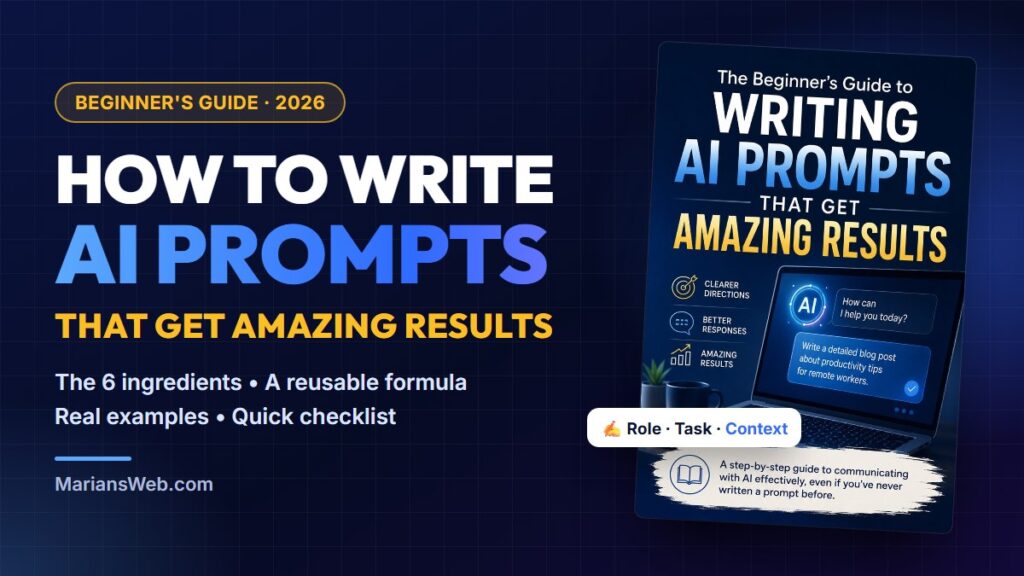

If you have ever typed a question into ChatGPT and got back something bland, generic or just plain wrong, you are not alone. Learning how to write AI prompts is the single fastest way to fix that. The AI is rarely the problem. The prompt is.
In this beginner-friendly guide you will learn what a prompt really is, the six ingredients every good prompt contains, a simple formula you can reuse for anything, ready-to-copy examples, and the common mistakes that hold most people back. No technical skills needed. At the end I will also show you a finished, fully editable guide on this topic that you can read, rebrand and offer to your own audience.
Key takeaways
- A prompt is simply the instruction you give an AI. The more specific it is, the better the answer.
- Great prompts contain six ingredients: role, task, context, audience, format and limits.
- You rarely get a perfect answer in one go. Treat AI as a conversation and refine the result.
- Save the prompts that work for you as templates. A small prompt library saves hours every week.
- Prompting is a learnable skill that works in any AI tool: ChatGPT, Claude, Gemini, Copilot and more.
Table of contents
- What is an AI prompt?
- Why better prompts get better results
- The 6 ingredients of a great prompt
- A simple prompt formula you can reuse
- Before and after: real prompt makeovers
- 4 techniques the pros use
- Ready-to-use prompt examples
- Common beginner mistakes
- Quick prompt checklist
- Want the complete guide? (With full PLR rights)
- FAQ
How to Write AI Prompts: What Is a Prompt?
A prompt is the instruction, question or request you give an AI tool. “Write a birthday invitation” is a prompt. So is “Explain how solar panels work” or “Summarise this document in five bullet points”.
Think of AI as an incredibly knowledgeable assistant who started working for you five minutes ago. It knows a lot about the world, but it knows nothing about you: your business, your audience, your style or what you actually want. Everything it needs to know has to come from your prompt.
Imagine asking someone to “build a table”. Would they know whether you wanted a dining table, a coffee table or a spreadsheet? Now imagine saying, “Build a modern wooden dining table that seats six people.” The instructions are far clearer, and the result will be too. AI works in exactly the same way.
Why Better Prompts Get Better Results
Modern AI models are trained on huge amounts of text. When your request is vague, the model fills the gaps with the most average answer it can think of. That is why short prompts so often produce content that sounds like it was written for everybody and nobody.
A detailed prompt changes that. When you tell the AI who it is writing for, what tone to use, how long the answer should be and what to avoid, it no longer has to guess. Here is the difference in a nutshell:
| Vague prompt | Well-written prompt | |
|---|---|---|
| What the AI knows | Only the topic | Topic, audience, goal, tone and format |
| Typical result | Generic, safe, forgettable | Specific, useful, close to what you wanted |
| Editing needed | Lots of rewrites and follow-ups | A few small tweaks |
| Time spent | Ten messages back and forth | One good prompt, one or two refinements |
The good news: writing better prompts doesn’t require programming knowledge or fancy “prompt engineering” jargon. It just requires a few simple habits.
The 6 Ingredients of a Great AI Prompt
Almost every strong prompt is built from the same six ingredients. You don’t need all six every time, but the more you include, the less the AI has to guess.
1. Role
Tell the AI who to be: “You are an experienced email copywriter”, “Act as a friendly fitness coach” or “You are a patient maths tutor for a 12-year-old”. A role sets the expertise and the voice in a single sentence.
2. Task
State clearly what you want done, using an action verb: write, summarise, explain, compare, list, rewrite, plan. “Write a welcome email” is a task. “Something about emails” is not.
3. Context
Give the background the AI can’t know: what your business does, what happened before, why you need this. “I sell handmade candles online and this email goes to people who just joined my list” changes the result completely.
4. Audience
Who will read or use the answer? Beginners or experts? Busy parents, small business owners, teenagers? The audience decides the vocabulary, the examples and the level of detail.
5. Format and length
Do you want bullet points, a table, a numbered list, a 300-word article or three short options to choose from? Say so. If you don’t, the AI picks a format for you, and it may not be the one you need.
6. Tone and limits
Describe the tone (friendly, professional, playful, calm) and add any rules: “avoid jargon”, “no more than 150 words”, “don’t mention prices”, “use British spelling”. Limits are where good prompts become great ones.
A Simple Prompt Formula You Can Reuse
Put the six ingredients together and you get a formula you can use for almost anything:
Act as [role].
Your task is to [task].
Context: [background information].
The audience is [who it’s for].
Format: [structure and length].
Tone and rules: [tone, things to include or avoid].
Copy this into a note on your computer or phone. Next time you open ChatGPT, fill in the brackets instead of typing a one-liner. You will notice the difference straight away.
Before and After: Real Prompt Makeovers
Here is what the formula looks like in practice.
Makeover 1: A blog post
Before: “Write a blog post about productivity.”
After: “You are an experienced productivity coach and blogger. Write a blog post with 7 practical productivity tips for remote workers who struggle with distractions at home. Use a friendly, encouraging tone with no jargon. Include a catchy title, a short introduction, numbered tips with one real-life example each, and a quick summary. Keep it to about 800 words.”
Makeover 2: A customer email
Before: “Reply to a customer complaint.”
After: “Act as a friendly customer support manager for a small online shop. Write a reply to a customer whose order arrived two days late. Apologise sincerely, explain that we have changed couriers, and offer free shipping on their next order. Keep it under 120 words, warm and professional, and end with my name, Anna.”
Makeover 3: Learning something new
Before: “Explain cryptocurrency.”
After: “Explain how cryptocurrency works to a complete beginner aged 60 who has never invested before. Use one everyday analogy, avoid technical terms, and finish with three questions they should ask before buying anything. Use short paragraphs and no more than 300 words.”
Same AI, same topic. The only thing that changed is the prompt, and the answers will be worlds apart.
4 Prompting Techniques the Pros Use
Once you are comfortable with the basics, these four techniques will take your results to the next level.
- Give examples. Paste a sample of the style you like and say “Write in a similar style to this example.” AI is excellent at copying a pattern once it can see one.
- Break big tasks into steps. Instead of “Write my whole ebook”, ask for an outline first, then chapter one, then chapter two. Smaller steps give you more control and better quality.
- Refine through conversation. Your first answer is a draft, not a final product. Follow up with “Make it shorter”, “Add a real example to point 3” or “Rewrite the introduction to be more curious”.
- Chain your prompts. Use the output of one prompt as the input of the next: brainstorm ten ideas, pick the best one, outline it, write it, then turn it into social media posts. This is called prompt chaining, and it is how professionals produce a lot of quality content quickly.
If you want to go even further and let AI carry out multi-step tasks on its own, read my guide to AI agents for beginners. Clear prompting is the foundation of every good agent.
Ready-to-Use AI Prompt Examples
Here are a few prompts you can copy, adapt and use today. Replace the words in [brackets] with your own details.
- Writing: “Act as a professional editor. Improve the clarity and flow of the text below without changing its meaning. Keep my voice, fix grammar and point out any sentence that is hard to understand. [paste text]”
- Marketing: “You are a social media marketer. Write 5 Facebook post ideas promoting [product] to [audience]. Each post should be under 60 words, start with a question and end with a soft call to action.”
- Business: “Act as a small business consultant. Give me 10 low-cost ways to get my first customers for [business]. Present them in a table with columns for idea, effort (low/medium/high) and first step.”
- Research: “Summarise the main arguments for and against [topic] in plain English. Use two short lists and finish with one balanced sentence.”
- Images: “Create an image of [subject] in [style], with [mood] lighting, [colour palette] colours and a [wide / square / portrait] format.”
- Everyday life: “Plan a 7-day vegetarian meal plan for a family of four on a budget. Use simple recipes under 30 minutes and include one shopping list for the week.”
Once a prompt works well for you, save it. A simple document with your best prompts, sorted by topic, quickly becomes one of the most valuable tools you own.
Common Beginner Mistakes When Writing AI Prompts
- Being too short. One-line prompts force the AI to guess. Add context, audience and format.
- Asking for everything at once. Ten requests in one prompt produce ten mediocre answers. Split them up.
- Not saying what you don’t want. If you hate buzzwords, long introductions or emojis, say so.
- Accepting the first answer. The first response is a starting point. Ask for improvements.
- Trusting facts blindly. AI can sound confident and still be wrong. Always check important facts, figures and claims, especially for health, money or legal topics.
- Sharing private data. Never paste passwords, personal details of customers or confidential business information into an AI tool.
Quick Prompt Checklist
Before you press Enter, run through these questions:
- Is my request clear?
- Have I given the AI a role?
- Have I included enough context?
- Have I identified the audience?
- Did I specify the tone?
- Did I ask for a format and length?
- Have I included any important rules or limits?
A ten-second check like this often makes the difference between a generic answer and one you can actually use.
Want the Complete Guide? (With Full PLR Rights)
Everything above is a condensed version of a much bigger topic. If you want the full, structured version to work through at your own pace, or if you would like a ready-made, beginner-friendly AI product to offer to your own audience, I have put together exactly that.
The Beginner’s Guide to Writing AI Prompts That Get Amazing Results
A 39-page step-by-step ebook + editable DOCX + cover, with Unrestricted PLR rights.
Grab It While the Price Is Low →
Dimesale: starts at $1 and the price rises with every copy sold, up to $17
What’s inside the guide
Full disclosure: this is my own product. It follows the same journey as this article in much more depth, written in plain English for complete beginners.
- Chapter 1, Understanding AI Prompting: what a prompt is, how AI reads your request, common beginner mistakes and the golden rule of prompting.
- Chapter 2, The Anatomy of a Great Prompt: instructions, context, goals, tone, length, examples and reusable templates.
- Chapter 3, Prompting Like a Professional: roles, breaking down big tasks, refining through conversation and prompt chaining.
- Chapter 4, Practical Prompt Examples: writing, marketing, business, research, coding, image generation and everyday tasks.
- Chapter 5, Advanced Prompting Skills: building a prompt library, testing approaches, solving common problems and saving time with templates.
- Bonus toolkit: 25 ready-to-use prompts, a prompt formula cheat sheet, a quick prompt checklist, daily practice exercises and an AI glossary.
What you get in the package
- The 39-page ebook in PDF, ready to read or share
- The fully editable DOCX source file, which works in Word, Google Docs or LibreOffice
- A professional high-resolution ebook cover
- An Unrestricted PLR licence: put your name on it, edit it, sell it, bundle it, give it away to build your list, add it to a membership, print it, and even pass on resale, master resale or PLR rights
7 ways to use your PLR rights
- Learn from it yourself and keep it as your personal prompting reference.
- Rebrand it as your own ebook with your name, colours and links.
- Use it as a lead magnet for people interested in AI.
- Offer it as a bonus alongside AI tools you recommend.
- Add it to a membership site as fresh content.
- Repurpose it into blog posts, an email series, social posts or a mini-course.
- Print it as a workbook or workshop handout.
New to PLR? My guides on creating digital products in 24 hours with PLR and AI and the 48-hour digital product blueprint show you how to rebrand and launch a product like this quickly. As always, any results depend on your own work.
Why acting early matters
The package is on a dimesale. The price starts at just $1 and goes up a little with every copy sold until it reaches $17. There’s no fake countdown timer. The buy button always shows the real current price, so the earlier you get it, the less you pay.
Learn to Prompt Like a Pro, and Own the Rights
39 pages · editable DOCX + PDF · hi-res cover · bonus prompt toolkit · Unrestricted PLR
Yes! Show Me the Current Price →
Dimesale: starts at $1 and the price rises with every copy sold
How to Write AI Prompts: Frequently Asked Questions
What is the best way to write an AI prompt?
Be specific. Give the AI a role, a clear task, some context, the audience, the format you want and any rules. Then refine the answer with follow-up messages instead of starting over.
Do these tips work in ChatGPT, Claude and Gemini?
Yes. The principles of good prompting work in every chat-based AI tool, including the free versions. Each tool has its own strengths, but clear instructions improve the results in all of them.
How long should a prompt be?
As long as it needs to be to remove guesswork. For simple questions one sentence is fine. For content you plan to publish or send, a short paragraph covering role, task, audience, format and tone usually works best.
Do I need to learn “prompt engineering”?
Not as a beginner. Prompt engineering sounds technical, but for everyday use it mostly means giving clear instructions, adding context and refining the answer. The six ingredients in this guide cover most of what you need.
What does “Unrestricted PLR” mean?
It means you can do almost anything with the content: edit it, put your name on it, sell it, give it away, bundle it or even resell the rights. For The Beginner’s Guide to Writing AI Prompts, every licence option is a “yes”.
Final Thoughts
Learning how to write AI prompts is one of the most useful skills you can pick up right now. You don’t need technical knowledge, just a few habits: give the AI a role, be specific about the task, add context, name your audience, ask for a format and set clear limits. Then treat every answer as a draft you can improve.
Start with the formula and the checklist above, save the prompts that work, and you will be getting better answers than most AI users within a week. And if you want the complete step-by-step version, with the rights to make it your own, The Beginner’s Guide to Writing AI Prompts is ready for you. On the dimesale, the best price is always the one available right now.
Get “The Beginner’s Guide to Writing AI Prompts” With Full PLR Rights
Instant download · Secure checkout via WarriorPlus · Questions? Just email me at support@mariansweb.com, I’m happy to help.