
Disclosure: Some links in this ViralForge review are affiliate links. If you buy through them, I may earn a commission at no extra cost to you. I only write about tools I’d be comfortable recommending to my own list, and I’ll tell you where I think this one falls short.
If you’ve been in the “make money with short videos” world for more than five minutes, you’ve heard the same advice over and over: just post consistently.
So people do. They post every day to an account nobody watches, get 47 views, and quit after three weeks. I’ve seen it happen to friends, to subscribers, and honestly, to me.
The problem was never posting. The problem is not knowing what to post. That’s exactly the gap ViralForge is trying to close, so in this ViralForge review I’ll walk you through what it does, how it works, what it costs (including every OTO), who it’s for, and who should skip it.
ViralForge Review: Quick Summary
- Product: ViralForge (AI viral video remaker)
- Creator: Abhi Dwivedi (VineaSX Solutions)
- Launch: October 27, 2026 on JVZoo, cart closes November 2, 2026 at 11:59 PM ET
- Front-end price: $37 one-time founding price (it goes up during launch, then becomes $97/year)
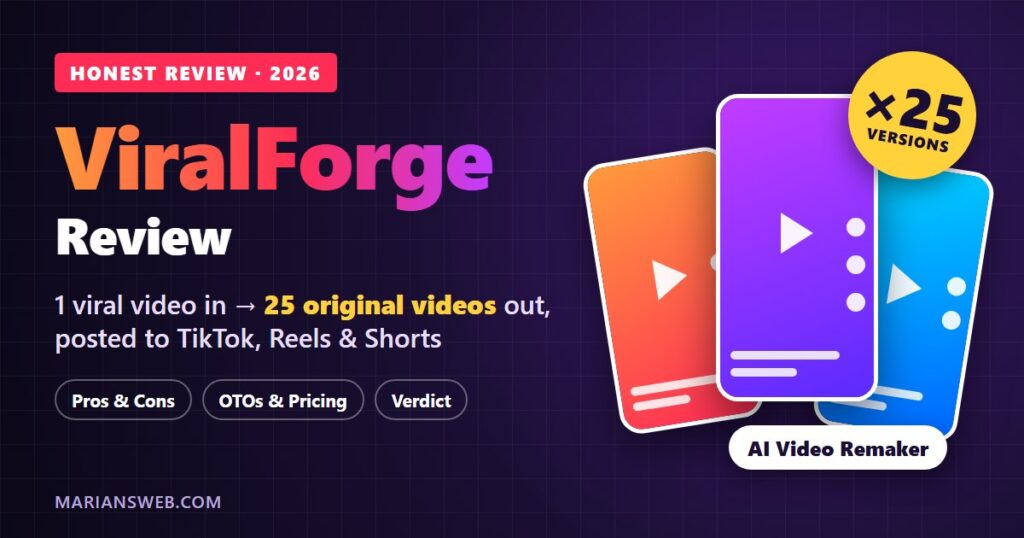
- What it does: Takes one video that’s already going viral and turns it into 25 brand-new, original short videos with your link, then schedules them to TikTok, Instagram and YouTube
- API keys needed: None. AI costs are covered
- Guarantee: 14-day First-Batch Guarantee
- My verdict: A smart idea that fixes the “what do I post?” problem. Worth it at the founding price if you’ll actually show up and post for 30 days
What Is ViralForge?
ViralForge is a web-based AI video app that starts from proof instead of a blank prompt.
Most AI video tools give you an empty box and a blinking cursor. You type an idea, it spits out a nice-looking video, and… nobody watches it. Because a great-looking guess is still a guess.
ViralForge flips that. You pick a video that’s already blowing up in your niche (or let it find one for you). The AI breaks down why it worked (the hook, the structure, the pacing, the caption style), keeps that formula, and rebuilds it as a completely new video with a new script, a new AI presenter, a new voice and your offer. Then it makes 25 different versions, each with its own hook, and schedules them out for you.
The key point: it copies the format, never the footage. The original video never appears in yours. That matters a lot right now, and I’ll explain why in a minute.
Watch the ViralForge Demo
Before I go deeper, here’s the official demo. It’s short, and it shows the whole “one viral video in, 25 out” process better than I can describe it:
Why This Approach Makes Sense in 2026
Two things have changed on social media, and ViralForge is built around both of them.
1. You don’t need followers to get views anymore
TikTok, Instagram Reels and YouTube Shorts now push new videos to strangers first. TikTok has said follower count isn’t a direct factor in what it recommends. Instagram even tests Reels on non-followers before showing them to your audience. So a brand-new account with zero followers can get views, as long as the video is something people actually want to watch.
2. Reposting other people’s clips is getting punished
The old “faceless repost page” shortcut is dying. Instagram says it only recommends the original when it finds duplicates, and Meta cuts reach and monetization for accounts that keep reposting other people’s content. At the same time, Meta openly encourages creators to “join in on a trend” with their own take.
That’s precisely the lane ViralForge sits in: ride a proven trend, but make something original. (If you want the bigger picture on this, I wrote a separate guide on posting other people’s content on socials safely.)
How ViralForge Works (Step by Step)
Here’s the workflow, in plain English:
- Find a winner (TrendRadar). Pick a niche and it shows you the videos and ads climbing fastest right now, pulled from sources like TikTok Creative Center and the Meta Ad Library. Or just paste any TikTok, Reel, Short or ad link.
- Decode it (DNA Decoder / ViralDNA). The AI breaks the video down into what made it work and shows you, on one screen, what it will keep and what it will change.
- Make it yours (SwapEngine + Offer Library). Choose what to promote. You can search JVZoo, ClickBank and WarriorPlus offers inside the app, or use your own product. Pick a presenter, voice and language, and it writes the script around your offer. A Claims & Trademark Guard flags risky wording before anything renders.
- Multiply it (Multiplier + FreshHooks). Slide to 25 and click once. Each version gets its own opening hook, caption, hashtags and on-screen text, so they post as 25 separate videos, not 25 duplicates.
- Post everywhere (Smart Scheduler). Schedule everything to TikTok, Instagram and YouTube from one calendar. By default they drip out 3 a day, with the AI label switched on. You can also download any video as an MP4 for Facebook or anywhere else.
- Get paid and clone the winner. Every video points to your bio-link page. Analytics shows which hook pulled the most views and clicks, and “Clone Again” turns that winner into your next batch.
The money path is simple: someone watches the video, taps your profile, clicks the link in your bio, buys, and you get the commission. Nothing fancy, and that’s a good thing.
One practical tip: start on Instagram Reels. A brand-new Instagram account can add a bio link on day one. On TikTok, the bio link only unlocks as the account grows.
ViralForge Features at a Glance
- TrendRadar: what’s going viral in your niche right now, ranked by momentum
- DNA Decoder: hook, structure, pace and caption style, broken down
- SwapEngine: rebuilds the video around your niche, presenter, voice, language and link
- FreshHooks + Multiplier: 25 versions in one click, each with a different opening
- AI presenters & voices: multiple languages, in 9:16, 1:1 or 16:9
- Smart Scheduler & Content Calendar: TikTok, Instagram and YouTube with drag-and-drop scheduling
- Bio-link page + Analytics + Clone Again
- Offer Library: JVZoo, ClickBank and WarriorPlus offers built in
- Claims & Trademark Guard: catches wording that could get an account flagged
- Saved Formats: rerun a winning format with a new offer in one click
- Works on your phone: trend to scheduled post without opening a laptop
- No API keys, no AI bills
Who Is ViralForge For?
I think ViralForge is a good fit if you are:
- A beginner affiliate with no list, no followers and no idea what to post
- Camera-shy and want faceless videos that still feel like real content
- A burned repost-page owner whose reach got crushed and who wants originals instead
- Someone who bought AI video tools before and got great-looking videos that nobody watched
- A freelancer or small agency that wants to sell short-form video as a service (the Agency upgrade covers that)
Who should skip it? If you want money without posting anything, or you expect sales on day one, this isn’t for you. It’s a content engine, not a magic button. You still need to pick decent offers, let the videos run for a few weeks, and double down on what works.
ViralForge Pros and Cons
✅ What I Like
- Starts from proven formats, so you never stare at a blank page
- Makes originals, not reposts, which is what the platforms reward now
- 25 versions with different hooks = built-in split testing
- No API keys or surprise AI bills
- Offer Library solves “what do I promote?”
- Claims & Trademark Guard is a thoughtful safety net
- Experienced vendor with a long JVZoo track record and a support desk
- 14-day guarantee
❌ What to Watch Out For
- Front end is capped at 100 videos; heavy users will want Unlimited
- The funnel has quite a few upsells (FastPass, 4 OTOs, Done-For-You)
- Several upgrades are yearly subscriptions, not one-time
- TikTok bio links aren’t available on brand-new accounts
- No posting to Facebook directly (you download and upload manually)
- It’s a new launch, so there’s no long-term user track record yet
- Results still depend on your offers and consistency
ViralForge Pricing and OTOs (Upsells) Explained
I always like to know the whole funnel before I buy, so here it is. The front end is all you need to get started. Everything else is optional.
| Offer | Price | What you get |
|---|---|---|
| Front end: ViralForge Premium | $37 one-time (founding price, rises during launch) | All core engines, AI presenters & voices, scheduler, bio-link page, Offer Library, up to 100 videos in batches of up to 25 |
| FastPass | $230/year | All 4 upgrades below plus ContentReel26 and ViralReelAI, for $98 less than buying them one by one |
| FastPass Platinum | $380/year | Everything in FastPass plus 3 live VIP calls, 2 agency trainings, extra apps and a private group |
| OTO 1: Unlimited | $97/year | Removes the 100-video cap (2,000/month fair use), batches of 100, AutoPost |
| OTO 2: Vault | $67 | Pre-analyzed viral blueprints, personalized to you, cloned in one click |
| OTO 3: Agency | $97 | White-label, client and team access, LeadFinder, OutReach, agency website, reseller rights |
| OTO 4: Ultra | $67/year | Sharper AI presenters, voices and B-roll, plus a priority render queue |
| Done-For-You | $197 | Branded workspace, 10 blueprints, 90 ready-to-post videos and a 30-day calendar set up for you |
| Bundle | $317/year ($267 with coupon VBUNDLE50) | Front end + all 4 upgrades + ContentReel26 and ViralReelAI in one purchase |
| Bundle Platinum | $467/year ($417 with coupon VPLATINUM50) | Everything in the Bundle plus all Platinum extras and a review of your first batch by their team |
My take on the upsells: start with the front end. Use it for a couple of weeks. If you’re hitting the 100-video limit, Unlimited is the one that makes sense first. If you already know you want everything, the Bundle with the VBUNDLE50 coupon works out to the same price as the front end plus FastPass, in a single checkout.
After launch, the front end switches to $97/year and the Bundle to $997/year, so the founding price is the cheapest it will be.
Launch Bonuses Included ($919 Value)
Everyone who buys during launch week gets these from the vendor, and they disappear when the cart closes:
- RedCarpet LIVE Training
- The 100 Viral Hooks Swipe File
- The Top 50 Offers List (JVZoo, ClickBank and WarriorPlus offers that suit short video)
- The 30-Day Posting Plan
- The Bio-Link Click Playbook
- The New Account Setup Checklist
- The Black Friday Video Playbook
The Black Friday one is timely. The cart closes November 2 and Black Friday is November 27, so even if you buy on the last day you’d still have more than three weeks of videos posting before the biggest shopping weekend of the year.
How I’d Use ViralForge in the First 30 Days
If I were starting from zero, this is the plan I’d follow:
- Pick one niche you can stick with (make money online, fitness, personal finance, AI tools, whatever you like).
- Open a fresh Instagram account for that niche and set up the bio-link page.
- Pick one or two offers from the Offer Library that match the niche. Don’t scatter.
- Forge your first batch of 25 from a trending video and let the scheduler drip them out.
- After 7 to 10 days, check Analytics. Find the hook that pulled the most clicks and hit Clone Again.
- Repeat. Once Instagram is working, add YouTube Shorts and TikTok.
This is the same “find what works, then do more of it” idea I covered in how to turn one viral short-form video into $30K in a month. ViralForge mostly automates the boring parts of it.
ViralForge Review FAQ
Do I need followers or an email list?
No. TikTok, Instagram and YouTube show new videos to people who don’t follow you yet.
Do I have to show my face or record my voice?
No. AI presenters and AI voices do that part, in multiple languages.
Isn’t this just reposting? Will my account get flagged?
It copies the format, not the footage. Each version gets its own hook, caption and on-screen text, and the AI label is set on every post. That’s very different from reposting someone else’s clip.
Do I need an OpenAI or other API key?
No. The vendor covers the AI costs, so there’s no separate AI bill.
What can I promote with it?
Any affiliate link or your own product. The built-in Offer Library lists JVZoo, ClickBank and WarriorPlus offers.
Is ViralForge a one-time payment?
The front end is a one-time $37 during the launch. After launch it becomes $97/year. Some upgrades (FastPass, Unlimited, Ultra and the Bundles) renew yearly.
Is there a refund policy?
Yes, there’s a 14-day First-Batch Guarantee.
Final Verdict: Is ViralForge Worth It?
Here’s how I see it. Most people who fail with short-form video don’t fail because of editing or cameras. They fail because they post random stuff, get no views, and give up.
ViralForge goes straight at that problem. It starts from something people already proved they want to watch, makes it yours, gives you 25 shots at the right hook, and shows you which one won. That’s a much smarter starting point than a blank AI prompt.
It’s not a get-rich-quick button, and you’ll want to ignore the upsells until you know you need them. But at a $37 one-time founding price with a 14-day guarantee, the risk is low, and the timing before Black Friday is hard to beat.
My rating: 4.5 / 5, recommended for beginners and affiliates who are willing to post for at least 30 days.
Looking at other ways to make money with AI? Check out my list of the top AI tools that help you make money online.
Earnings disclaimer: ViralForge does not guarantee income. Any examples of earnings mentioned by the vendor come from published reports about people who did not use ViralForge, are not typical, and don’t predict what you will earn. Your results depend on your niche, offers, effort and consistency.