

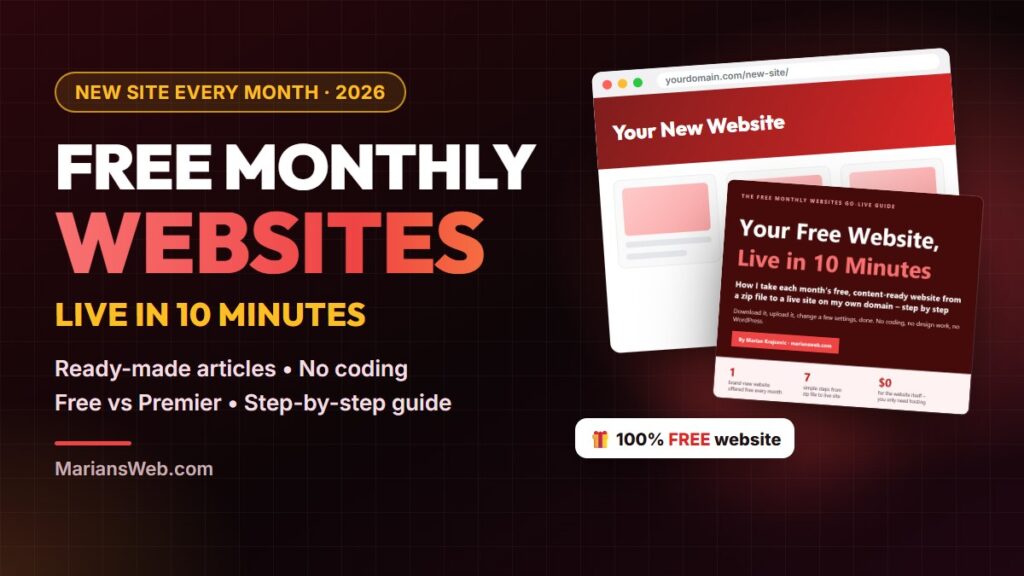

What if you could get a brand-new, content-ready website every single month, without paying a cent for it? That is exactly what Free Monthly Websites offers, and it is one of the few “free website” deals online that actually lives up to the name. I have used these sites myself: I uploaded one into a subfolder of this very site, and it was live in a few minutes, articles and all.
In this guide I will show you what Free Monthly Websites is, what you get each month, how the free version compares with the paid Premier upgrade, and the simple steps to get your first site online. At the end you can grab my free step-by-step go-live guide, so you can have this month’s site running before the countdown ends.
Key takeaways
- Free Monthly Websites gives away a new, ready-made website on a different niche every month.
- Each site comes with ready-written articles, an easy admin panel, an opt-in page and advert spots.
- The free version is enough to get started. The optional Premier upgrade adds more content and control.
- You need normal web hosting with PHP. Uploading and setting up a site takes about 10 minutes.
- Each month’s site is free only until the countdown on their page runs out, so grab it early.
Table of contents
- What is Free Monthly Websites?
- What you get inside each free website
- See it live: my free website from this month
- Free vs Premier: which one do you need?
- Who Free Monthly Websites is for
- How to get your free website live in 10 minutes
- 5 ways to make your free website work for you
- Common mistakes to avoid
- Get my free go-live guide
- FAQ
What Is Free Monthly Websites?
Free Monthly Websites is a long-running service from the internet marketers John Thornhill and Dave Kitching. The idea is simple: every month they release a brand-new website built around one niche, and anyone can download it for free while that month’s countdown is running.
According to their own page, they have been doing this for more than ten years, and over 50,000 people have downloaded their monthly sites. Recent topics have included AI income ideas, side hustles, affiliate marketing, backlinks, Google AdSense, Forex and fitness, so there is usually something that fits your interests or your audience.
Why give websites away? They are refreshingly honest about it. The sites include a few product placements, and they earn a little when people buy through them. You can connect your own affiliate IDs, so the built-in offers can earn you a commission too. It is a win-win model, and it is the reason the free sites have kept coming year after year.
What You Get Inside Each Free Website
Each monthly download is a complete, working website, not a template you have to fill from scratch. Here is what you can expect:
- Ready-written articles. A full set of articles on the month’s topic, already laid out as pages and ready to read.
- A point-and-click admin panel. You change the title, colours, home page, articles and SEO settings from a simple dashboard. No HTML or coding needed.
- Opt-in and download pages. Paste in a sign-up form from your autoresponder and your website starts building your email list from day one.
- Advert and affiliate spots. Space for ClickBank offers and Google AdSense, so your site has built-in ways to earn.
- A bonus ebook. Recent editions also include a PDF ebook on the same topic, served from the site’s own download page.
In other words, the boring and time-consuming parts (design, structure and first content) are already done. Your job is to put the site online, make it your own and send people to it.
See It Live: My Free Website From This Month
Want to see what you actually get? This month’s free site is called How to Advertise on Smart Phones. I downloaded it, uploaded it to my own domain and had it live the same morning. Then I spent a few minutes in the admin panel making it my own.
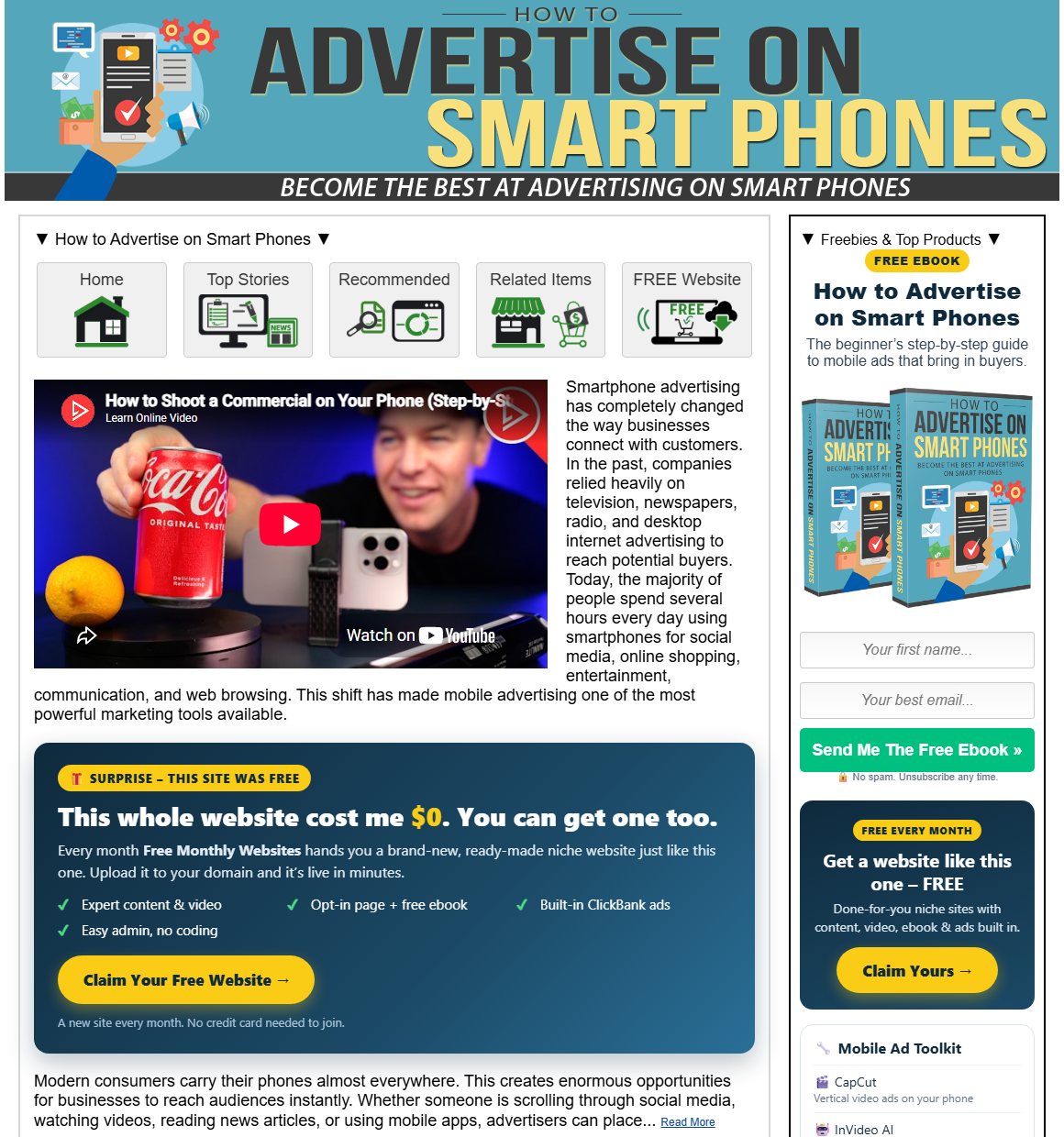
The free “How to Advertise on Smart Phones” site, live on my domain. Click the image to visit it.
Here’s what came in the download, and what I changed:
- Ready out of the box: header graphic, video, a full article on mobile advertising, extra content pages, an opt-in page, a download page and a free PDF ebook.
- My ClickBank ID in every ad. One box in the design settings, and every built-in ad now pays commissions to me instead of the vendor.
- Connected to my email list. I created a new GetResponse list, pasted its token into the opt-in settings and added a welcome email that delivers the ebook. Every visitor who wants the guide becomes a subscriber.
- My own recommendations. I added a “Mobile Advertising Toolkit” with the tools I use, and real privacy and terms pages.
No coding and no design work. It took less time than writing one blog post, and the site is already building my list.
Want a Site Like This Every Month, Free?
Take a look at the live example, then grab this month’s website for yourself.
Free vs Premier: Which One Do You Need?
Free Monthly Websites has a free plan and an optional Premier membership. Here is how they compare, based on the features listed on their page in October 2026:
| Feature | Free | Premier ($10/month) |
|---|---|---|
| New website every month | Yes | Yes |
| Article content | The monthly set | 20+ pages of PLR content each month |
| Edit text, pages and basic design | Yes | Yes |
| Custom header, sidebar layouts, more themes | No | Yes |
| Your own ads / remove their ClickBank offers | No | Yes |
| Edit or remove “Powered by” branding | No | Yes |
| Bonus content, training and priority support | No | Yes |
My honest advice: start with the free version. Get one site live, see how you like the admin panel, and only then decide whether the Premier extras are worth it for you. Prices and features can change, so always check their page for the current offer.
Who Free Monthly Websites Is For
Free Monthly Websites is a great fit if you:
- Want your first website but feel overwhelmed by WordPress, themes and plugins.
- Are building an affiliate business and want niche sites without writing every article yourself.
- Want to build an email list in a new niche and need a simple site with an opt-in page.
- Already have a website and want to add a second topic in a subfolder, the way I did.
- Like to test niches before investing serious time or money in one.
It is not a “push a button and get rich” system, and nobody honest will tell you it is. A free website is a head start. What you do with it (making it unique, adding content and sending visitors) decides the results.
How to Get Your Free Website Live in 10 Minutes
Here is the short version of the process. My free guide walks you through every click.
1. Grab this month’s free website
Sign up for free on the Free Monthly Websites page and download the zip file before the countdown ends. Unzip it on your computer. The folder you will upload is called Free_Website.
2. Register the free licence (newer editions)
Recent editions run on a page builder that needs a free single-site licence for your domain. It takes about a minute, using the link included in your download.
3. Upload it to your hosting
You need normal web hosting with PHP. I use Hostinger, because its File Manager can unzip files for you, which makes this step very easy. Upload the contents of the Free_Website folder into a new folder (for example yourdomain.com/side-hustle/) or into the main folder of a fresh domain. If you have never set up hosting before, my step-by-step Hostinger guide will help.
4. Log in and change the default password
Add /admin to your site address and log in with the default details from the setup instructions. Then change the username and password straight away. Everyone knows the defaults, so do not skip this.
5. Make it yours
Change the site title, home page text, colours and privacy details, and tweak the SEO settings for each page. Ten minutes here makes a big difference.
5 Ways to Make Your Free Website Work for You
- Connect your email list. Paste your autoresponder form into the opt-in settings. Visitors come and go; subscribers can hear from you again. Not sure which tool to use? See my AWeber vs GetResponse comparison.
- Make the content unique. Rewrite the first paragraph of each article, add your own tips and experiences, and add an “About” page. Thousands of people download the same site, so this is how you stand out.
- Use your own affiliate IDs. Where the admin panel allows it, enter your own ClickBank ID, and add AdSense once Google approves your site.
- Get your first visitors. Submit the site to Google Search Console, link to it from your main site and share the articles on social media. My post on free traffic tactics that cost nothing but time has plenty more ideas.
- Add a new site every month. One hosting plan can hold many sites. Grab each new release and you build a small network of niche sites over time.
Common Mistakes to Avoid
- Missing the countdown. Each month’s site is only free for a limited time. Set a reminder for the first days of every month.
- Leaving the default login. It is the first thing to change after uploading.
- Uploading the wrong folder. Upload the contents of Free_Website, so index.php sits directly in your folder. If you see a 404 or a file list, the files are one folder too deep.
- Never changing anything. An untouched copy looks like every other copy, to visitors and to Google.
- Sharing the files. The sites are licensed for your own use. You can publish and edit yours, but you cannot resell or pass the files on. Send friends to the official page instead.
Get My Free Go-Live Guide
To make this as easy as possible, I wrote a short guide that takes you from the downloaded zip file to a live website, step by step, with a checklist and quick fixes for the most common problems. It is free, and after you grab it I will show you where to download this month’s site.
Your Free Website, Live in 10 Minutes
My free step-by-step PDF guide: 7 steps · go-live checklist · quick fixes · recommended tools
100% free · Instant download · Unsubscribe any time
What’s inside the guide
- What you get each month, and the free vs Premier differences explained simply.
- Exactly what you need before you start (and what you don’t).
- Uploading made easy: the File Manager method and the FTP method, with exactly where each file should end up.
- The admin settings that matter, and which ones to change first.
- Connecting your email list so the site builds your list from day one.
- Troubleshooting for 404 errors, blank pages, licence messages and settings that won’t save.
- A 10-minute go-live checklist you can tick off as you go.
Free Monthly Websites: Frequently Asked Questions
Is Free Monthly Websites really free?
Yes. Each month’s website can be downloaded for free while the countdown on their page is running. There is an optional Premier membership with extra features, but you do not need it to get started. You will need your own web hosting to put the site online.
Do I need technical skills?
No. If you can upload a photo and log in to a website, you can do this. Everything is edited from a point-and-click admin panel, and my free guide walks you through each step.
What hosting do I need?
Standard shared hosting with PHP support and a File Manager or FTP access. Most hosts offer this. Free “website builder” platforms will not run these sites.
Can I put the site in a subfolder of my existing website?
Yes. That is exactly what I did. Upload the files into a new folder such as yourdomain.com/new-topic/ and the site runs there, separately from your main site.
Can I make money with a free website?
You can, through affiliate offers, AdSense and building an email list, but results are never guaranteed. They depend on your niche, the work you put into making the site unique and how many visitors you send to it.
Final Thoughts
Free Monthly Websites is one of the simplest ways to get a real, content-ready website online without paying for design or writing every article yourself. Start with the free version, upload this month’s site, change the default login, make it your own and connect your email list. Then do it again next month.
The only real mistake is waiting too long, because each site is free only until the countdown ends. Grab my free go-live guide below, and you can have this month’s site live today.
Get This Month’s Free Website Live, Step by Step
Free PDF guide · I’ll also show you where to grab this month’s site · Questions? Email me at support@mariansweb.com
Disclosure: some links in this post are affiliate links. If you buy through them I may earn a commission, at no extra cost to you. Free Monthly Websites is a product of its owners; this article and the go-live guide are my own independent walkthrough. Any results depend on your own work.