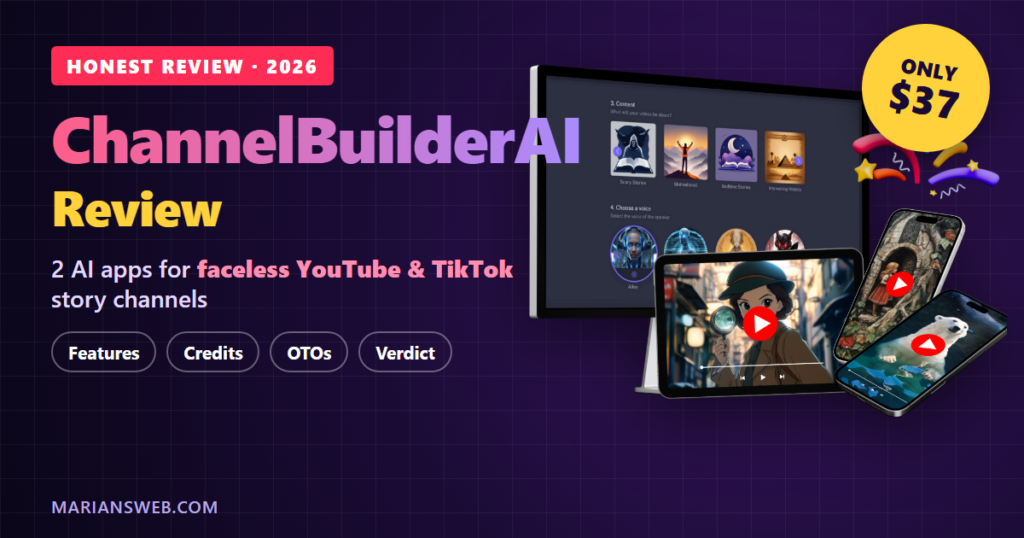

Looking for an honest ChannelBuilderAI review before you buy? Good call. Faceless YouTube and TikTok channels are one of the hottest topics in online marketing right now, and ChannelBuilderAI promises to build those channels for you with AI: the story, the voice, the visuals, the posting and even the SEO. In this review I’ll show you what you actually get, how it works, what it costs (including the credit catch most reviews skip), the upsells, and who should or shouldn’t buy it.
Disclosure: Some links in this review are affiliate links. If you buy through them, I may earn a commission at no extra cost to you. The details below come from the vendor’s sales page, affiliate documents and JVZoo checkout, and I’ll point out the limits as well as the good parts.
You’ve probably seen these channels yourself. Spooky bedtime stories narrated over moody artwork. Stoic quotes with dramatic music. “Interesting history” shorts with an animated narrator. Nobody ever shows their face, and some of these channels have millions of subscribers.
The hard part has never been the idea. It’s the grind: writing a script, finding a voice, making the images, editing everything together, writing titles and tags, and then doing it all again tomorrow. ChannelBuilderAI is built to take that grind off your plate.
ChannelBuilderAI Review: Quick Summary
- Product: ChannelBuilderAI Premium (sold on JVZoo)
- Vendors: Ben Murray and Abhi Dwivedi (the team behind DoodleMaker and VidToon)
- What it is: two cloud apps, MagicFlixAI and FacelessReel, plus channel training, for creating and auto-posting faceless AI videos
- Platforms: YouTube, TikTok and Meta (Facebook and Instagram)
- Price: $37 one-time at the JVZoo checkout (checked November 2, 2026)
- The catch: MagicFlixAI includes about 100 videos’ worth of AI characters, then you plug in your own OpenAI key. FacelessReel has unlimited credits
- License: commercial rights to sell the videos you make
- Guarantee: 14-day money-back guarantee
- My verdict: a lot of video tech for $37 if you want to test faceless channels or sell short story videos. Go in with realistic expectations and add your own creative touch
What Is ChannelBuilderAI?
ChannelBuilderAI is a bundle of two AI video apps from two different vendors who, by their own story, built similar tools at the same time and decided to launch them together:
- MagicFlixAI (Ben Murray’s team) creates AI story videos from a theme or prompt: script, narrator, art, music, subtitles and transitions. It can run a whole video series on autopilot and post it on a schedule.
- FacelessReel (Abhi Dwivedi’s team) turns a script or topic into faceless videos up to 10 minutes long, with slideshow-style videos, AI avatars with lip-sync, stock footage from Pexels, Pixabay and Unsplash, batch creation and trending topic ideas.
- Channel training on building a faceless YouTube channel, plus training on finding clients if you want to sell videos.
The big idea is that it’s not just a video maker. It’s meant to run a channel: pick a theme once, and the app keeps producing videos in the same style, with the same kind of narrator and art, so the channel feels consistent instead of random.
Here’s the vendors’ own demo of both apps, so you can see the interface before you decide:
How ChannelBuilderAI Works in 4 Steps
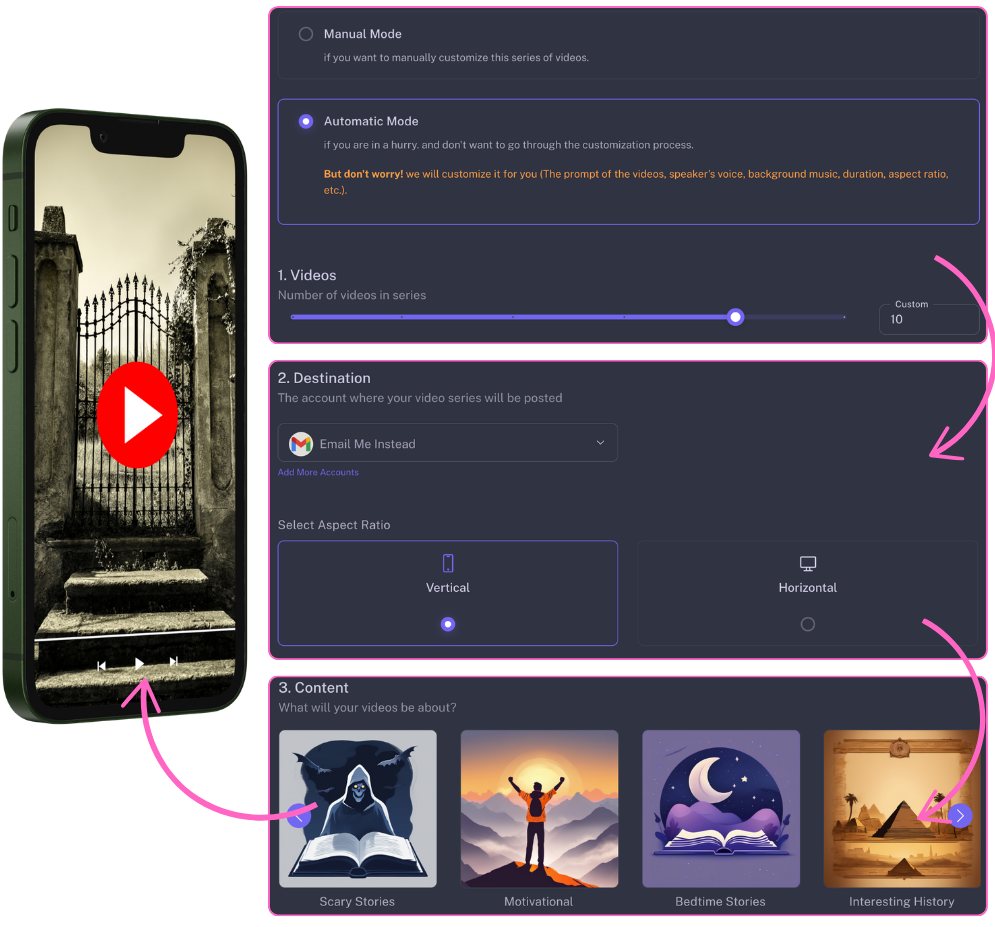
Step 1: Choose automatic or manual mode and a channel theme
In automatic mode you set how many videos you want in a series, where they should be posted, the format (vertical for Shorts and TikTok, horizontal for regular YouTube) and a ready-made theme like scary stories, motivational, bedtime stories or interesting history. In manual mode you control every scene yourself.
Step 2: Pick a narrator and an AI art style
Next you choose a human-sounding AI voice, background music, language, video length and an art style such as comic book, Disney-style toon, anime, photorealism or children’s book. This is what gives a channel its “look”. A bedtime story channel in soft storybook art feels very different from a horror channel in dark realism.
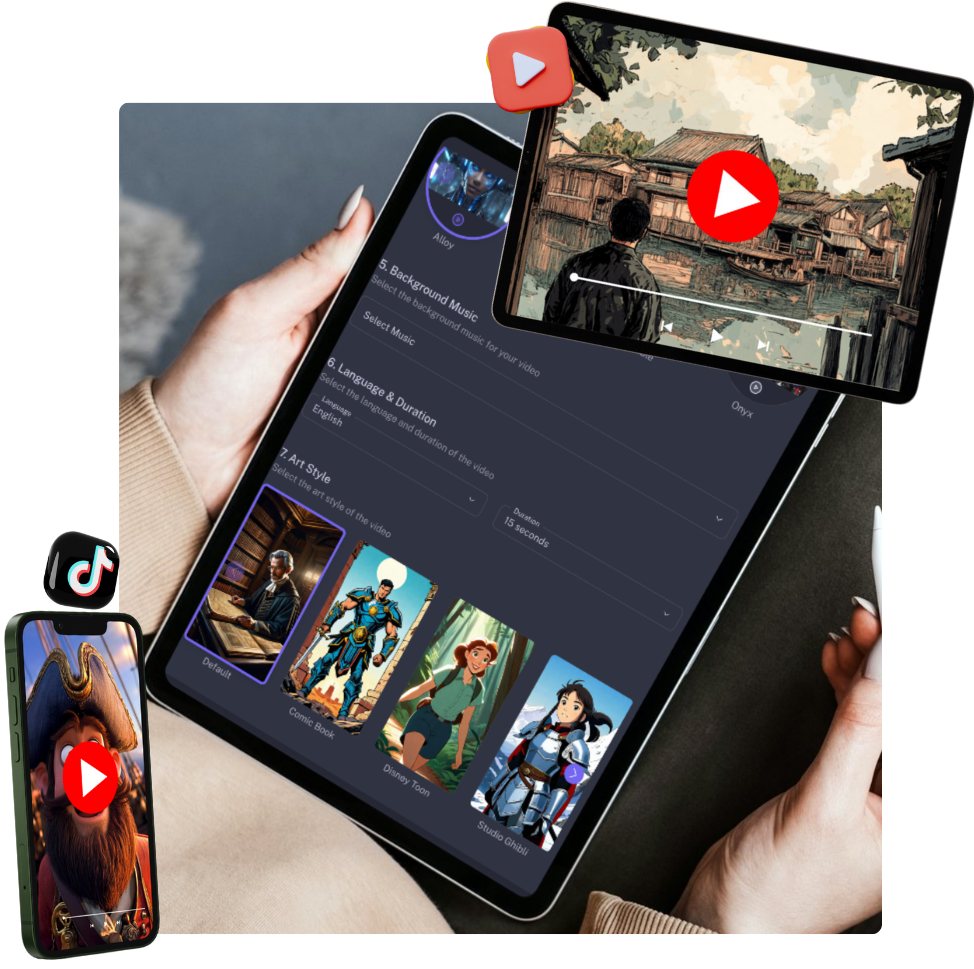
Step 3: Edit the script and timeline (if you want to)
The AI writes a story script for each video. You can edit it, swap scenes, add your own images or clips, generate custom AI images, change transitions and adjust timing on a drag-and-drop timeline. Honestly, this is the step I’d never skip. A few minutes of your own edits is what separates a channel people subscribe to from one that feels like a conveyor belt.
Step 4: Schedule, post and optimize
Connect your YouTube, TikTok or Meta accounts and the videos post on a calendar while you do something else. In automatic mode the app keeps creating new videos for the series and adds them to the schedule.

The AI SEO Tools: Keywords, Hashtags and Thumbnails
This is the part that surprised me most on the sales page, because a lot of AI video tools stop at the video. ChannelBuilderAI also includes an SEO toolkit for your channel:
- Keyword finder that shows long-tail video keywords with competition level and potential
- Trending topic and content ideas for your niche
- Title, description and hashtag generators
- AI thumbnail generator in YouTube size (1280×720)
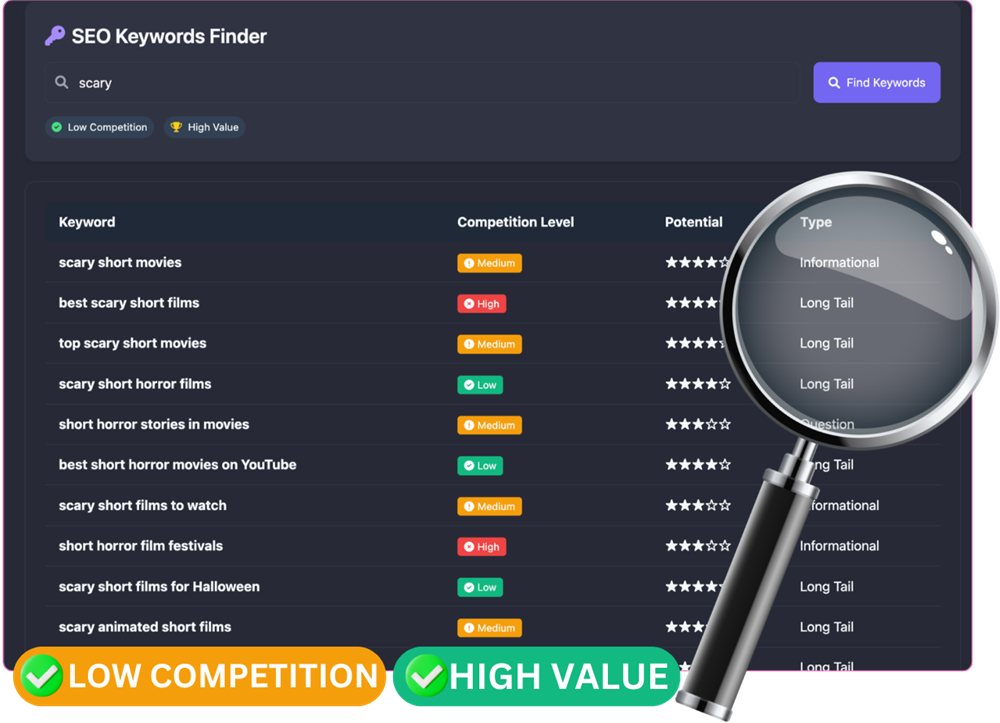
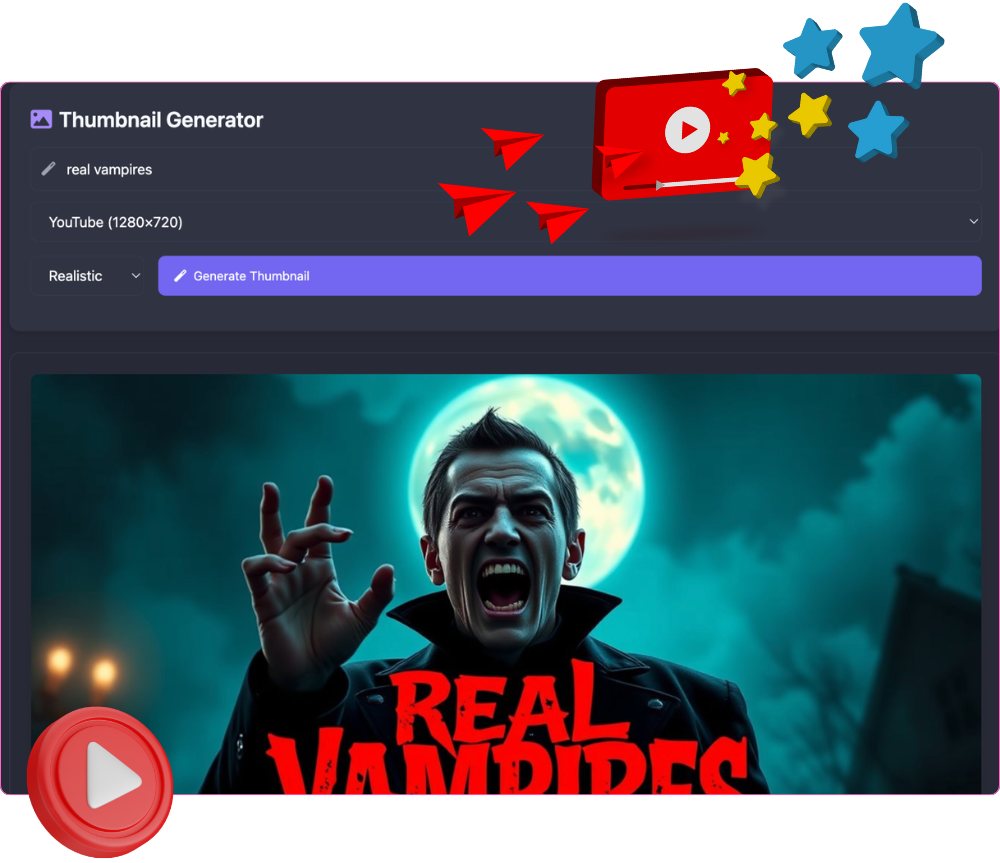
Thumbnails and titles decide whether anyone clicks, so having these in the same place you make the video is a real time saver. If you want to write better instructions for any AI tool, my guide on how to write AI prompts that get great results will help you get more out of the script and thumbnail prompts too.
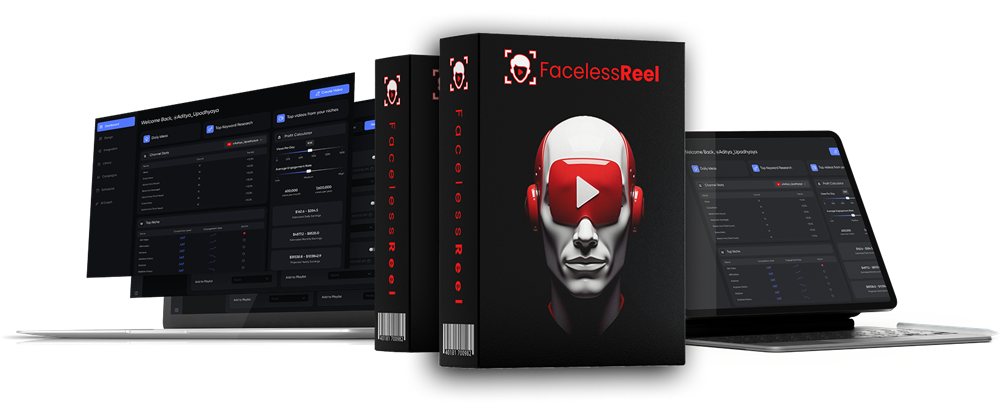
FacelessReel: The Second App
FacelessReel covers what MagicFlixAI doesn’t. MagicFlixAI videos run up to about 1.5 minutes, which is perfect for Shorts, Reels and TikTok. FacelessReel makes videos up to 10 minutes, better for long-form YouTube where watch time matters. It also adds AI talking avatars with lip-sync, a slideshow video maker for tutorials and promos, batch creation and a big built-in stock library.
ChannelBuilderAI Price, Credits and Limits
When I checked the JVZoo checkout on November 2, 2026, ChannelBuilderAI Premium was $37 one-time. The sales page still uses launch-style “today only” wording and says the price goes up over time, so check the checkout for the current price.
According to the sales page, Premium includes both apps, automatic and manual mode, all themes and art styles, auto-posting, up to 50 connected channels, up to 1,000 videos a month and commercial rights.
Now the part to read twice: the FAQ explains that MagicFlixAI comes with 100,000 characters for AI videos (roughly 100 videos). After that you connect your own OpenAI API key to keep going, which means you pay OpenAI for usage. It’s usually small money per video, but it’s not “free forever”. FacelessReel, on the other hand, comes with unlimited credits and no key needed.
There’s also a 14-day money-back guarantee. The wording ties it to not getting results, so read the refund terms on the sales page before you buy, and test the apps properly in your first two weeks.
ChannelBuilderAI Upsells (OTOs)
Like most JVZoo launches, there are upgrades after you buy. None are required. These are the upgrades listed in the vendor’s affiliate documents (prices from the launch and may have changed):
- Fastpass Bundle ($230): all the main upgrades in one deal
- Gold ($197): 15 agency accounts, more videos and storage, unlimited series and social accounts, faster rendering, full HD, 20 extra themes and art styles, videos up to 20 minutes
- Elite ($127): 15 done-for-you channels, multilingual voiceovers, removes the “Created by” end branding, multiple voices in FacelessReel, a DFY agency site
- Enterprise ($197): white label and reseller rights, 100 client accounts, team members
- $37 add-ons: ARMagic (AR experiences), Voiclet (video funnels), Voicely (text to speech) and AIOffices (AI employee agency)
My take: start with the $37 front end. The one upgrade worth a look if you get serious is Elite, mainly because removing the “Created by MagicFlix / FacelessReel” ending looks more professional, especially if you sell videos to clients.
Before You Start: What YouTube and TikTok Expect
This is the honest part most ChannelBuilderAI reviews leave out. AI faceless channels can work, but the platforms are watching for low-effort, mass-produced content:
- YouTube monetization rules don’t reward repetitive, templated or mass-produced videos. Channels made of near-identical clips can be turned down for the Partner Program. Edit the scripts, vary your formats and add your own angle.
- AI labels: YouTube and TikTok both ask you to label realistic AI-generated content. Use the label when it applies.
- Quality over quantity: 1,000 videos a month is possible, but 10 good videos beat 100 forgettable ones. Use automation to save time, not to replace your judgment.
Also keep your income expectations sane. The sales page shows testimonials with big numbers, but the vendors themselves say in the FAQ that some channels make very little and only some take off. Treat it as a test-and-scale tool: start a few channels in different niches, see which one gets traction, and double down there.
Who Is ChannelBuilderAI For?
- Beginners who want to try faceless YouTube or TikTok without learning video editing
- Affiliate marketers who want short videos to drive free traffic to their offers
- Freelancers who want to sell story videos, Shorts or video ads on Fiverr or Upwork (commercial rights included)
- Bloggers and small business owners who want to repurpose content into short videos
Who it’s probably not for: people looking for a “set it and forget it” money button, and creators who already have a video workflow they love. If you mainly want cartoon-style marketing videos, you might also like my RocketToons review.
ChannelBuilderAI Review: Pros and Cons
What I like
- Two apps for one low price: short videos (MagicFlixAI) and long-form videos up to 10 minutes (FacelessReel)
- Channel themes and art styles keep a channel consistent
- Built-in SEO tools: keywords, titles, hashtags and thumbnails
- Auto-scheduling to YouTube, TikTok and Meta
- Full editing control when you want it
- Commercial rights and a 14-day guarantee
What to keep in mind
- MagicFlixAI needs your own OpenAI key after about 100 videos (small extra cost)
- “Created by” branding on videos unless you buy the Elite upgrade
- Hype-heavy sales page with launch-style countdown wording
- Fully automated, unedited videos risk running into YouTube’s monetization rules
- Several upsells to click past
ChannelBuilderAI Review FAQ
Is there a monthly fee?
No. The $37 Premium front end is a one-time payment. The only possible ongoing cost is your own OpenAI usage once MagicFlixAI’s included characters run out.
How long can the videos be?
Up to about 1.5 minutes with MagicFlixAI and up to 10 minutes with FacelessReel. The Gold upgrade raises the limit to 20 minutes.
Where can I post the videos?
YouTube, TikTok and Meta (Facebook and Instagram), either manually or on an automatic schedule.
Are the videos unique?
Yes. The scripts, voiceovers and visuals are generated new for each video. They’re not reposts of other people’s content.
Can I sell the videos to clients?
Yes, commercial rights are included with Premium.
Is there a refund policy?
Yes, a 14-day money-back guarantee. Read the conditions on the sales page before you buy.
My ChannelBuilderAI Review Verdict: Is It Worth It?
For $37 you get two AI video apps, a channel scheduler, an SEO toolkit and commercial rights. That’s a lot of tools for the price, and it’s one of the more complete “faceless channel” packages I’ve seen, mainly because it covers the boring parts (titles, hashtags, thumbnails and posting) as well as the videos.
Just go in with your eyes open: budget a little for OpenAI once the included characters run out, edit your videos instead of posting them raw, and treat each new channel as a test. Do that, and ChannelBuilderAI can save you hours of work every week.
That’s my ChannelBuilderAI review. If faceless video is on your list for 2026, it’s a low-risk way to start, especially with the 14-day guarantee behind it.
Earnings and results disclaimer: Features, prices, limits and upgrade details are taken from the vendor’s sales page, affiliate documents and JVZoo checkout on November 2, 2026 and may change. Images are from the vendor’s sales page. Results from any channel depend on your niche, content and effort, and nothing in this review is a promise of income. YouTube, TikTok and Meta are trademarks of their owners and aren’t affiliated with this product.