

Disclosure: Some links in this RocketToons review are affiliate links. If you buy through them, I may earn a commission at no extra cost to you. I only write about products I’d be comfortable showing my own list, and I’ll be straight with you about where this one has limits.
Be honest. How many times have you scrolled past a cartoon short with millions of views and thought, “I could do that… if I could draw. And animate. And do voices. And had six months free.”
Yeah. Me too.
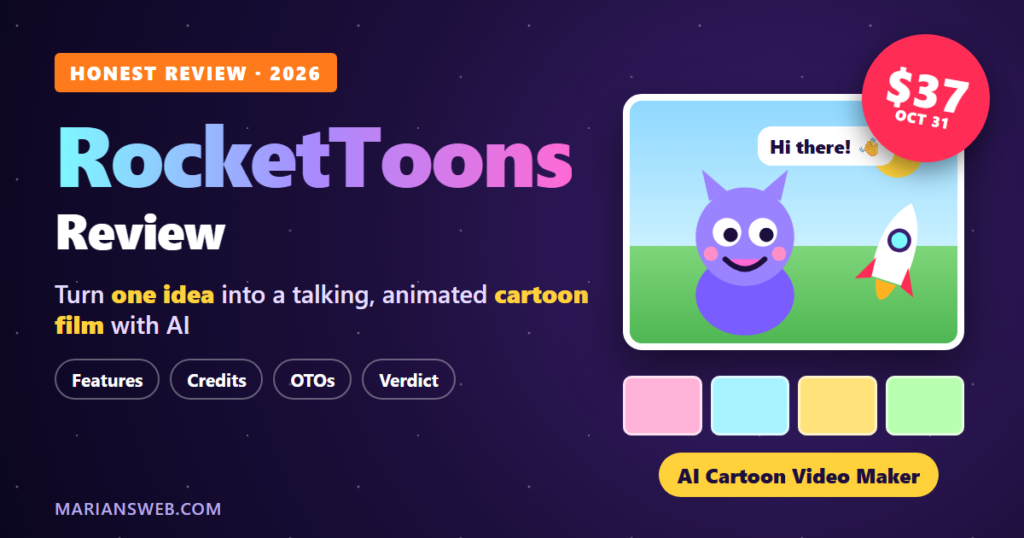
That’s exactly the itch RocketToons wants to scratch. You give it one idea (or paste a full script), and the AI builds the story, the characters, the scenes, the voices and the music, then hands you an animated cartoon film you can edit, export and post. No drawing. No animation software. No recording booth in your closet.
It launches on JVZoo on Halloween, October 31, 2026 at 11 AM Eastern, and in this RocketToons review I’ll walk you through what it does, what each upgrade adds, how the credits really work (read that part, it matters), and whether it’s worth your money.
RocketToons Review: Quick Summary
- Product: RocketToons AI (web-based AI cartoon video creator)
- Creators: Tim Verdouw & Ankit Mehta
- Launch: October 31, 2026 at 11 AM Eastern on JVZoo
- Front-end price: $37 one-time (coupon EARLYTOONS takes 10% off)
- All-in-one bundle: $317 one-time (coupon TOON50 takes $50 off)
- What it makes: Animated cartoon films with consistent characters, AI voices, music and captions
- Skills needed: None. If you can type a sentence, you can direct a cartoon
- Commercial license: Yes, included on the front end
- Guarantee: 30-day money-back guarantee
- My verdict: One of the most complete “idea to finished cartoon” tools I’ve seen at a one-time price. Just understand the credit system before you buy
What Is RocketToons?
RocketToons is an AI cartoon video creator. The creators sum it up as “vibe your ideas into cartoon shows,” and that’s a pretty fair description.
Here’s the part that got my attention: these aren’t still images with a robot voice reading over them (we’ve all seen enough of those). RocketToons animates the scenes. The characters move, talk with lip-sync, and keep looking like themselves from the first shot to the last, and even into the next episode.
That last bit is a bigger deal than it sounds. Anyone who has played with AI image or video tools knows the pain: your hero has brown hair in scene one, a different face in scene two, and somehow a third arm in scene three. RocketToons is built around a Consistent Character Engine to stop exactly that.
How RocketToons Works (In Plain English)
- Drop in your idea. Type one line (“a shy little dragon who’s scared of the dark”) or paste your own script. The AI script writer turns it into a titled screenplay with scenes, dialogue and narration. You get 11 story formats, 88 ready-made ideas and 26 occasion presets if your brain is empty that day.
- Meet your cast. RocketToons designs the characters, places and props in the style you pick. Or upload your own characters, or turn a real photo (you, your kids, your product) into a cartoon star.
- Preview before you spend. You approve the storyboard stills and hear a voiced animatic first. Each approved still becomes the first frame of its clip, so what you signed off on is what gets animated. No slot-machine surprises.
- Direct the shots. Control the camera, action, sound effects and clip length. @-mention a character to drop them into any shot.
- Add the polish. 40 natural AI voices (cast to each character automatically), 25 languages, 38 music tracks, 9 transitions, zoom & pan and word-by-word captions.
- Export and post. 16:9 for YouTube, 9:16 for Shorts, Reels and TikTok, or 1:1. Then one-click post to Facebook, Instagram, YouTube and LinkedIn, or share a private client watch page.
Made a typo in one line of dialogue? You can fix just that line without redoing the whole scene. And RocketToons keeps your last 6 takes on every shot, so you can switch back to an earlier version for free. Small things, but they’re the kind of small things that save your sanity.
RocketToons Features I Like Most
1. 8 signature cartoon styles
Pixar-style 3D, Classic 2D, Preschool 2D, Storybook, Ghibli-style, Action Anime, Comic Book and Claymation. Pick one and every scene follows it, so your film doesn’t look like it was stitched together from six different apps.
2. Build a series, not just a video
This is where it gets exciting for channel builders. RocketToons tracks episodes by character and suggests next-episode ideas. Same hero, same house, same dog, episode after episode. That’s how kids’ channels and story channels grow: viewers come back for characters they know.
3. Cartoon yourself (or your product)
Upload a photo and turn real people or real products into cartoon characters. Think about that for local businesses: the bakery owner as a cartoon hero, or a product that “talks” in its own ad. That’s an easy service to sell.
4. Voices and music handled for you
You don’t record a single line. The AI voices come with lip-sync in 25 languages, and the AI music composer creates background music to match the mood of each scene.
5. Commercial license from day one
Even the $37 front end gives you HD MP4 exports with no watermark and a Commercial License to sell the videos you make. A lot of tools hide that behind an upgrade. Not here.
Who Is RocketToons For?
- Faceless YouTube and Shorts creators who want a character-driven channel without ever showing up on camera
- Kids’ content and storytelling channels (preschool cartoons, bedtime stories, moral tales)
- Faith-based creators. RocketToons has a Faith Story format built to tell scripture faithfully and keep stories child-safe
- Marketers and small businesses who want scroll-stopping explainer and promo videos with a mascot
- Freelancers and agencies who want a new video service to sell to clients
- Parents and teachers who’d love to turn their kids, or a lesson, into a cartoon
If you’re into faceless video, you might also enjoy my Jean Phil Effect review, which is all about building AI characters that pull in views.
How RocketToons Credits Really Work (Read This Before You Buy)
Okay, here’s the part most reviews will skip. I won’t, because I’d rather you be happy with your purchase than surprised by it.
RocketToons runs on credits, and the credits are one-time. There’s no monthly top-up on any plan. According to the JV doc, here’s what uses them:
- Animated video: 4 credits per second
- Each picture (storyboard still): 1 credit
- AI-composed music score: 10 credits
- Free: story writing, voices, captions, exports and re-dos
The front end comes with 1,000 credits. Do the math and that’s about 250 seconds of animated footage, a little over four minutes, or roughly fifty 5-second clips. Elite adds 2,500 bonus credits (3,500 total), and the bundle gives you 6,000.
Is that a dealbreaker? Not at all for Shorts, Reels and short story clips. That’s plenty to test the waters, build a few episodes and see if your channel takes off. But if you’re dreaming of pumping out ten-minute cartoon episodes every week, plan on Elite or the bundle from the start. I’d rather tell you now than have you find out on day three.
RocketToons Pricing and Upgrades (OTOs)
Everything is a one-time payment. Here’s the full funnel:
| Product | Price | What it adds |
|---|---|---|
| Front End: Commercial | $37 | The full cartoon studio, 8 styles, 40 voices, 25 languages, 1,000 credits, commercial license |
| Upgrade 1: Elite | $47 | +2,500 credits, unlimited films (no 50-film cap), 15-minute movies, 180-day storage, content calendar, batch publishing, AI captions and hashtags, analytics |
| Upgrade 2: Pro | $47 | Pro video engine with smoother motion, sharper images, 6 extra styles (14 total), 30 Pro voice actors, Voiceover Studio, multi-track timeline editor, 1080p exports, priority rendering, 5 team users |
| Upgrade 3: Studio | $37 | Instant clips from one sentence, animate any photo, extend videos, product photo to video ad, memes and talking characters, 7 camera styles |
| Upgrade 4: Agent | $37 | Run RocketToons from ChatGPT, Claude, Gemini and other MCP-ready AI agents, with a credit quote before every job |
| Upgrade 5: Reseller | $97 to $197 | Sell 25 or 100 client accounts and keep 100% of the profits |
Which upgrades actually matter? If you’re serious about building a channel, Elite is the one I’d look at first, because of the extra credits and the removed film cap. Pro is for people who care about quality and want the timeline editor and 1080p. The Agent upgrade is a genuinely cool one if you already live inside ChatGPT or Claude: you literally type “make a 60-second cartoon of a kitten knight who finds a golden key” in your chat and it does the work. The rest are nice to have, not need to have.
The RocketToons Bundle: The Smart Money Move?
If you already know you want more than one upgrade, the All-In-One Bundle is where the value is. For $317 one-time (or $267 with coupon TOON50) you get all six products: Commercial, Elite, Pro, Studio, Agent and Reseller (25 accounts). On top of that, the bundle includes extras you can’t buy anywhere else:
- 6,000 credits. Buying every product separately only gets you 3,500
- Founders’ Pass: every new style, voice, feature and model upgrade released in the next 12 months, free. And if RocketToons moves to a monthly fee later, you stay on one-time
- Permanent storage + 10 team seats (instead of 180 days and 5 seats)
- Bonuses: Kids Channel Starter Pack, Bible Story Script Vault, Viral Shorts Prompt Library and a Live Agency Training Call
Add up the front end and every upgrade separately and you’re already at around $302 to $402, and that’s without the extra credits, the Founders’ Pass or the bonuses. For anyone who’s planning to use RocketToons seriously, the bundle is the no-brainer option. It’s a launch-only deal, though.
RocketToons Pros and Cons
What I like
- Goes all the way from one idea to a finished, voiced, scored cartoon film
- Characters stay consistent across scenes and episodes, which is the #1 headache with AI video
- You preview stills and a voiced animatic before spending credits on animation
- 8 styles, 40 voices and 25 languages on the front end
- Commercial license and no watermark at $37
- Built-in posting to 4 social platforms plus private client watch pages
- One-time price and a 30-day money-back guarantee
What to keep in mind
- Credits are one-time. The front end’s 1,000 credits cover roughly four minutes of animation
- The front end caps you at 50 films and 60-day storage, so download what you want to keep
- 1080p exports, the timeline editor and the extra styles are in the Pro upgrade
- It’s a brand-new launch, so expect some rough edges as it matures (the bundle’s 12-month Founders’ Pass helps here)
RocketToons Coupon Codes
- EARLYTOONS: 10% off the $37 front end
- TOON50: $50 off the $317 bundle
Early-bird coupons like these usually don’t last the whole launch, so if you’re going to buy, do it early.
RocketToons FAQ
Do I need any drawing or animation skills?
No. You type an idea or paste a script, and RocketToons creates the characters, scenes, animation, voices and music.
Can I sell the videos I make?
Yes. The front end includes a Commercial License, so you can make videos for clients or use them in your own business.
Is there a monthly fee?
Not during the launch. Every product is a one-time payment. Just remember the credits are one-time as well.
Can I use my own characters?
Yes. You can upload your own characters or turn a photo of a person or product into a cartoon.
Which video formats can I export?
16:9 (YouTube), 9:16 (Shorts, Reels, TikTok) and 1:1, as HD MP4 with no watermark.
Is there a refund policy?
Yes, RocketToons comes with a 30-day money-back guarantee.
My Verdict: Is RocketToons Worth It?
Here’s how I see it. A year ago, making a short cartoon meant hiring an animator, a voice actor and a composer, or spending weeks learning software you’d probably give up on. RocketToons squeezes that whole studio into one browser tab, and it actually takes on the hard problem (keeping characters consistent) instead of ignoring it.
At $37 one-time with a commercial license, the front end is an easy way to start your first cartoon channel or offer a fun new service to clients. Go in knowing the credits are limited, and you’ll be happy. If you already know you’re going to go big, grab the bundle with TOON50 and get the extra credits, the Founders’ Pass and the bonuses.
Either way, you’re protected by the 30-day guarantee, so the only real risk is watching other people’s cartoons rack up views while yours is still just an idea.
Doors open Saturday, October 31 at 11 AM Eastern. 🎃
Earnings and results disclaimer: Features, prices, credits and coupons are taken from the vendor’s JV page, JV doc and sales pages before launch and may change. Results from any software depend on your own effort, niche and audience. Nothing in this review is a promise of income or views.