

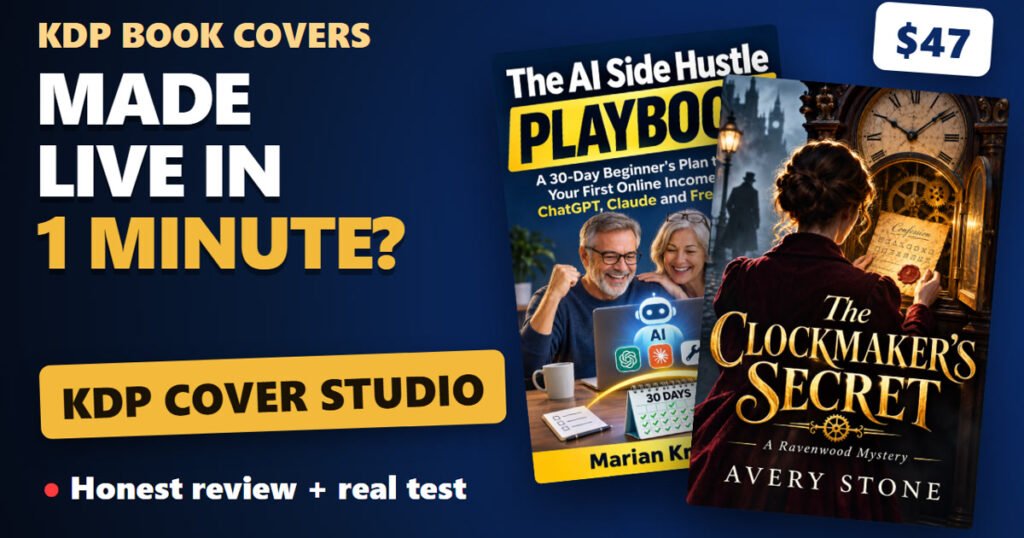

Disclosure: Some links in this KDP Cover Studio review are affiliate links. If you buy through them, I may earn a commission at no extra cost to you. I tested both apps myself, live on my own computer, before writing this, and I’ll tell you honestly where they fall short.
A good cover sells a KDP book before anyone reads a single word. But if you’re not a designer, “make me a nice book cover” in ChatGPT usually gives you something generic. KDP Cover Studio promises to fix that: you answer a few questions about your book, and it turns them into a detailed, genre-smart cover brief.
So I put it to a real test. In this KDP Cover Studio review I used both apps live: one cover for my own Amazon book, The AI Side Hustle Playbook, and one for a mystery novel. I pasted the prompts into ChatGPT and got two real covers in under a minute each. Below you’ll see exactly what you get, what the prompts look like, the finished covers, the price, and the catches.
KDP Cover Studio Review: Quick Summary
- What it is: two browser apps (Fiction and Non-Fiction) that ask you questions about your book and write a detailed cover prompt, plus a strategy brief, typography plan, color palette and checklist
- What it is not: an image generator. You paste the prompt into ChatGPT, Midjourney, Ideogram, Leonardo or Adobe Firefly
- Vendor: Digital Rocket Hub, sold on WarriorPlus
- Price: $47 one-time for both apps, two quickstart guides and four bonuses
- My test: two real covers made in ChatGPT, each in under a minute, with every word spelled correctly
- Biggest catch: it’s a template, not AI. Your answers are pasted into its sentences, so how you type them matters. Front covers only
- My verdict: not an AI designer, but a very good cover brief writer. Worth it if you publish regularly and struggle to describe the cover you want
Watch My KDP Cover Studio Video Review
Everything in this post is shown in the video below, recorded live on my screen: both apps, the prompts, and the two covers ChatGPT made from them.
What Is KDP Cover Studio?
KDP Cover Studio is a guided cover prompt builder for Amazon KDP authors and publishers. You fill in a short form about your book: the title, the genre or category, the reader, the mood and the main promise. The app combines your answers with built-in genre knowledge and writes a long, structured prompt you can paste into an AI image tool.
This is the most important thing to understand before you buy: KDP Cover Studio does not make images. It has no AI inside and needs no API key. It builds the prompt from rules, right in your browser. The picture itself comes from your own image tool. I used ChatGPT, and the app also has settings for Midjourney, Ideogram, Leonardo AI and Adobe Firefly.
What You Get Inside
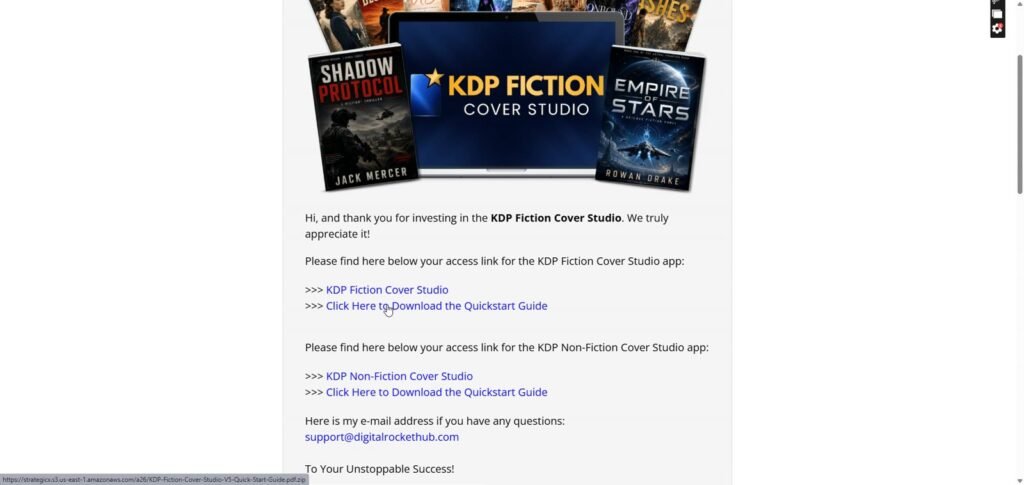
After purchase, the members page gives you links to two separate web apps. There’s no login, you just open them in your browser:
- KDP Fiction Cover Studio: 12 core fiction genres and more than 60 subgenres, a Quick Cover form, three cover directions per book, and a Prompt Lab with one-click refinements like “Simplify for Thumbnail” and “Create a Series System”
- KDP Non-Fiction Cover Studio (included free): a five-step guided form (foundation, positioning, concept, typography and output) for business, self-help, health, finance and other non-fiction books
- Two quickstart guides (PDF), one for each app
- Four bonuses: a Fiction Cover Prompt Starter Pack, a KDP Fiction Cover Checklist, a Fiction Genre Color Palette Guide and a Fiction Series Branding Worksheet
My Live Test, Part 1: A Non-Fiction Cover for My Own Book
I started with a real project: my own KDP book The AI Side Hustle Playbook, a 30-day beginner’s plan for earning a first online income with AI tools.
Step 1 and 2: The book and the reader
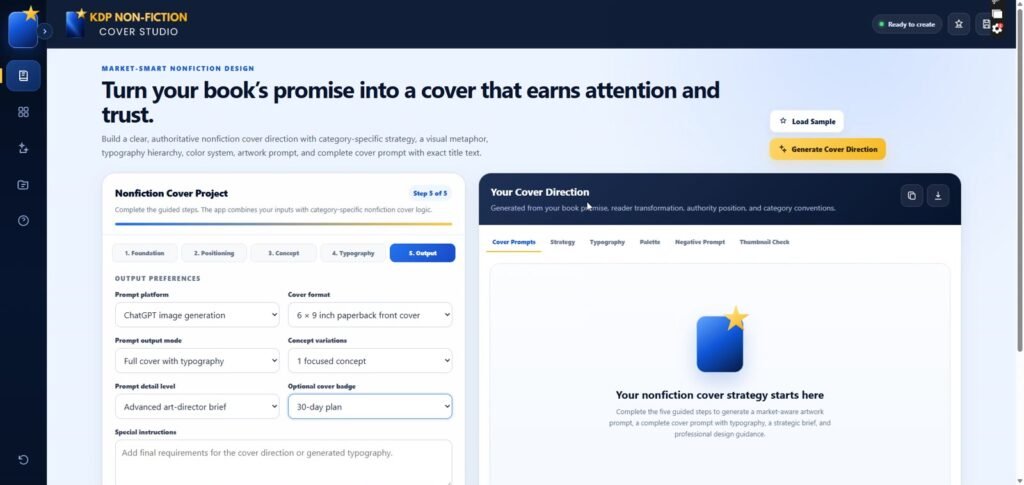
Step 1 asks for the foundation: title, subtitle, author, category, book type, tone, the book’s core promise and the method behind it. Step 2 is about the reader: who the book is for, their main problem, the change they want, the emotion that should drive the cover, and how you want to be positioned as the author.
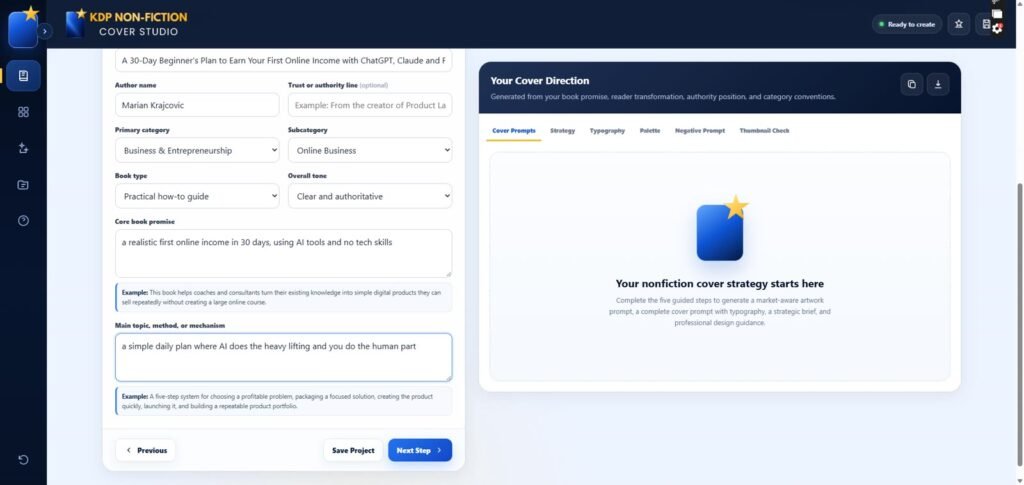
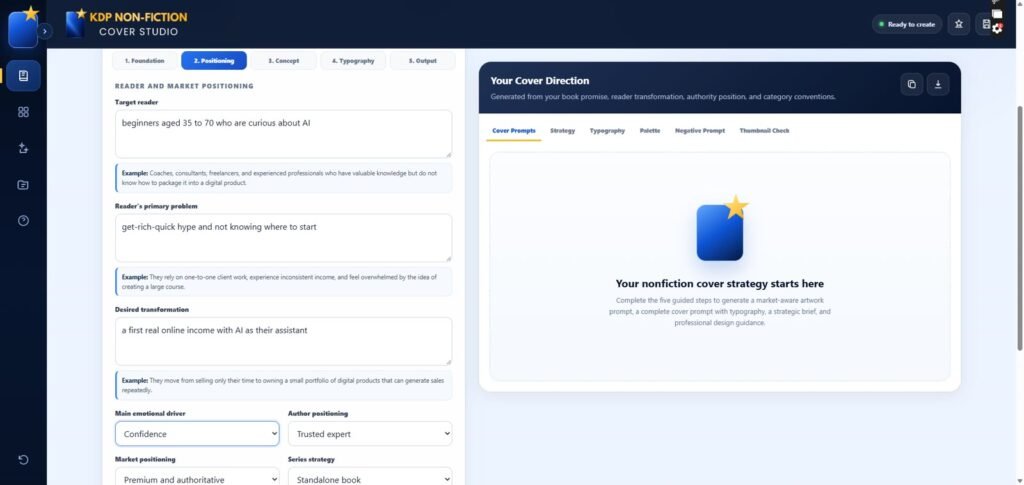
Tip from my test: type your answers as short, lowercase phrases, not full sentences. The app drops them straight into its own sentences, like “The book promises [your promise] through [your method]” and “Design for [your reader], who want [your transformation]”. Short phrases make the prompt read naturally. Full sentences make it clunky.
Step 3 to 5: Concept, typography and output
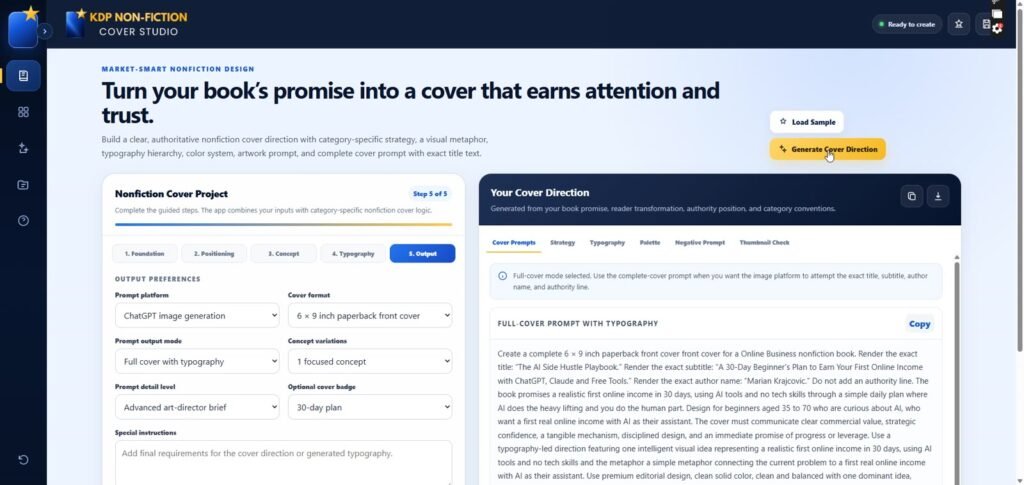
I left concept and typography on the “category-smart” defaults. In step 5 I chose ChatGPT image generation as the platform, a 6 × 9 inch paperback front cover, a full cover with the text included, one focused concept, and the optional “30-day plan” badge. Then I clicked Generate. The result appears instantly, because nothing is sent to an AI service.
More than one prompt: the 6 output tabs
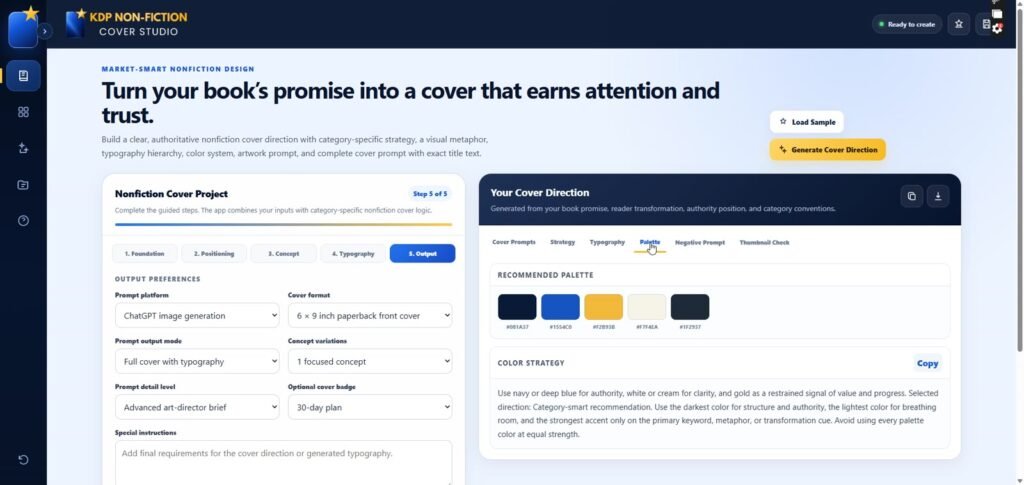
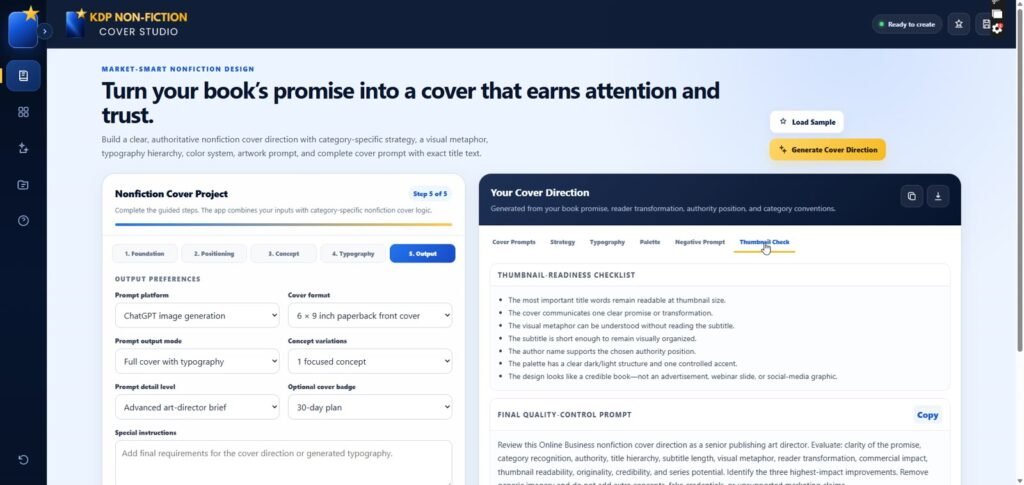
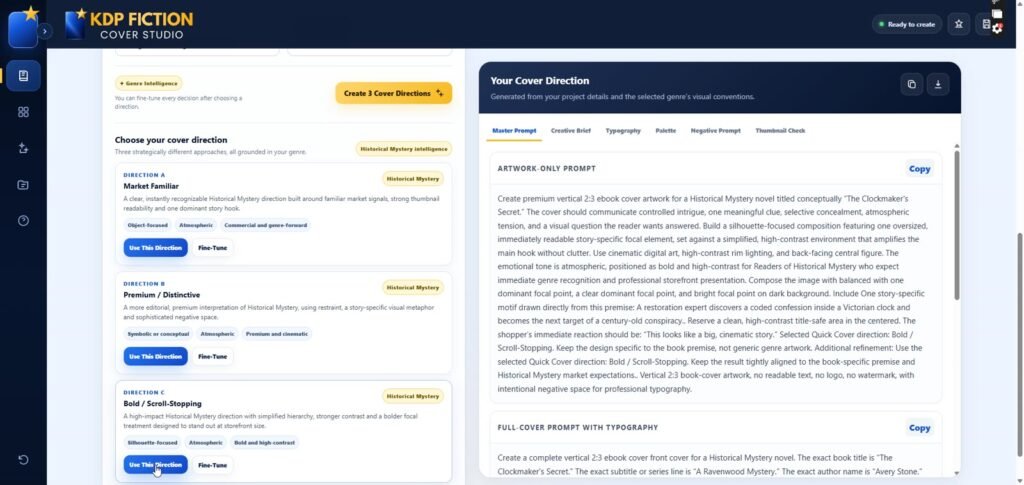
This is where KDP Cover Studio gives you more than a one-line prompt would. Next to the cover prompts you get a strategic cover brief, a typography blueprint for the title, subtitle and author name, a recommended palette with hex codes, a negative prompt listing what to avoid (stock handshakes, fake bestseller labels, misspelled titles and so on), and a thumbnail-readiness checklist with a final quality-control prompt.
Into ChatGPT: the result
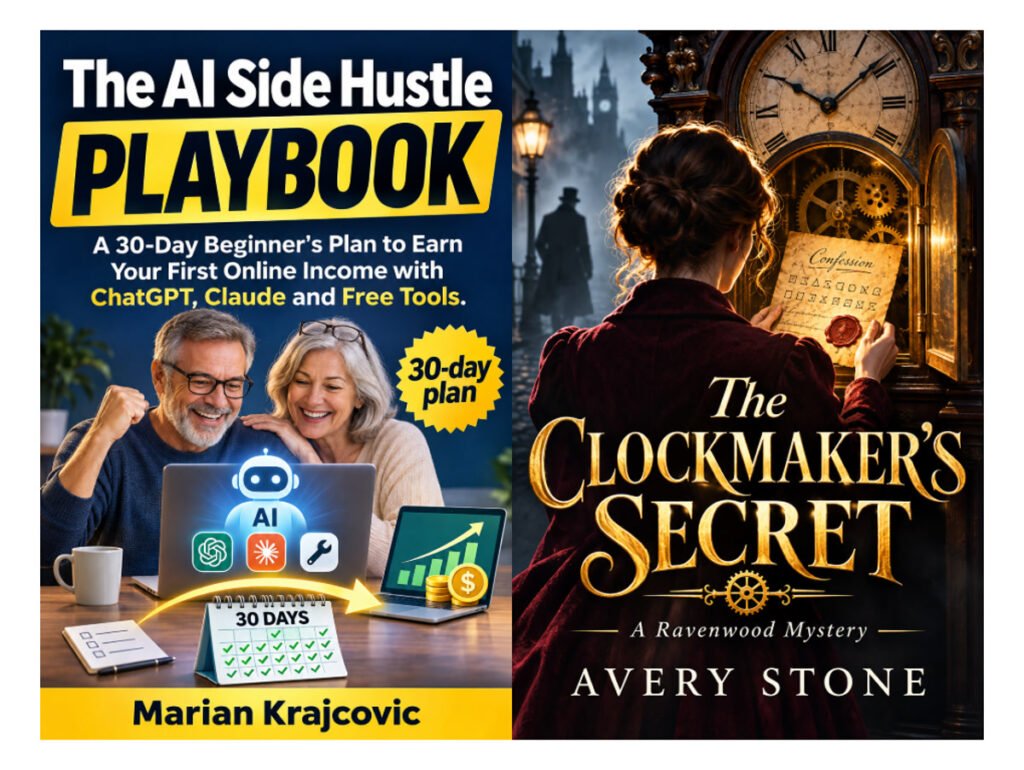
I copied the full-cover prompt, opened ChatGPT, pasted it and pressed Enter. No extra instructions. About 46 seconds later the cover was there. The title, the full subtitle, my name and the “30-day plan” badge were all spelled correctly, which is still not a given with AI images.
One honest note: the prompt asked for a clean, typography-led design on a solid background, and ChatGPT made something busier, with two people, a laptop and icons. It looks commercial and readable, but it isn’t quite what the brief described. So the prompt helps a lot, and you still need your own eye.
My Live Test, Part 2: A Fiction Cover
For the fiction app I used the built-in sample: a historical mystery called The Clockmaker’s Secret by “Avery Stone”. After clicking Create 3 Cover Directions you get three approaches grounded in the genre: Market Familiar, Premium / Distinctive and Bold / Scroll-Stopping. I picked the bold one, and the prompts rewrote themselves for that direction.
I copied the full-cover prompt into ChatGPT and about 30 seconds later had a cover that really looks like a mystery novel you’d find on a shelf: a woman in a Victorian dress opening a clock with a sealed confession inside, a shadowy figure in the street, and gold lettering. Title, series line and author name were all correct.
KDP Cover Studio Price
KDP Cover Studio costs $47 one-time on WarriorPlus. That gets you both apps, the two quickstart guides and the four bonuses. The sales page also mentions a satisfaction guarantee: if the tool hasn’t delivered real value, you contact the vendor and they’ll make it right.
Your image tool is a separate cost. I used my existing ChatGPT plan. I only reviewed the front-end product, not any upgrades.
Pros and Cons
What I like
- The guided questions really help when you don’t know how to describe a cover
- Good genre knowledge built in, for both fiction and non-fiction
- You get a brief, a typography plan, a palette, a negative prompt and a checklist, not just one prompt
- Works with six image tool settings, including ChatGPT and Midjourney
- Instant, no API key, no extra credits inside the app
- Both covers in my test looked professional, with the text spelled correctly
What I don’t like
- It’s a template, not AI: your words are pasted into its sentences, so badly phrased answers give an awkward prompt
- Small text glitches, for example “front cover front cover” and “for a Online Business” in my non-fiction prompt
- Projects are saved only in your browser, so clearing it or switching computers loses them
- Front covers only: for a paperback you still need the spine and back cover
- If you’re already good at writing image prompts, you could do this in ChatGPT yourself for free
Who Is KDP Cover Studio For?
It’s a good fit for KDP publishers who release many books, low-content creators, and authors who want covers that fit their genre without hiring a designer for every title. It’s especially useful if you look at a blank ChatGPT box and don’t know how to describe the cover you want.
Skip it if you already write strong image prompts, or if you want one tool that also designs the spine and back cover. If you’re promoting KDP books, you may also like my Nazo Box review (puzzle books for KDP) and my BookBloom AI review (Pinterest promotion for books).
KDP Cover Studio FAQ
Does KDP Cover Studio create the cover image?
No. It writes the prompt and the design brief. You create the image in ChatGPT, Midjourney, Ideogram, Leonardo AI, Adobe Firefly or a similar tool.
Do I need an API key or credits?
Not for KDP Cover Studio itself. It runs in your browser with no AI service behind it. You only need access to an image tool, which may have its own cost.
Can I use AI covers on Amazon KDP?
Yes, but KDP asks you to disclose AI-generated content, including images, when you publish. Also zoom in and check every word on the cover before you upload it.
Does it make full paperback wraps?
No. It’s built for the front cover (ebook, 6 × 9 or 5 × 8 front, or a square audiobook cover). You’ll need a separate tool or template for the spine and back.
Final Verdict
KDP Cover Studio isn’t an AI designer. It’s a very good cover brief writer. In my live test it turned a few answers into detailed prompts that gave me two professional-looking covers in ChatGPT in under a minute each. For $47, if you publish regularly and struggle to describe your covers, it saves time and gives you much better results than a one-line prompt. Just phrase your answers carefully, check every cover before uploading, and tell KDP when you use AI images.
Disclaimer: I can’t promise book sales or income from KDP Cover Studio or any tool. Results depend on your books, your market and your own work. Price and features were checked on November 25, 2026, and may change.