

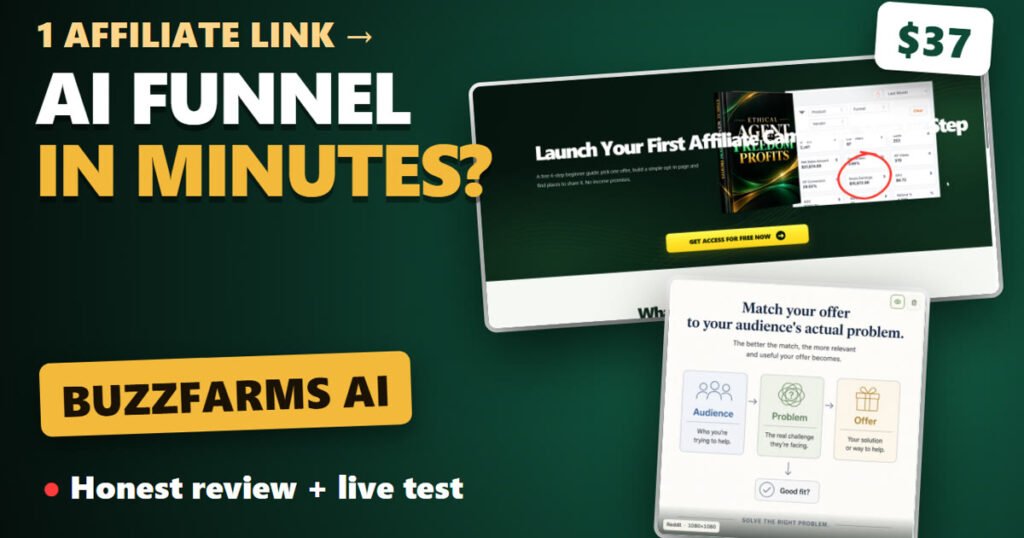

Disclosure: Some links in this BuzzFarms AI review are affiliate links. If you buy through them, I may earn a commission at no extra cost to you. The vendor gave me free review access. I tested the software myself, live on my own computer, and I’ll tell you honestly where it falls short.
Most “AI site builder” launches promise traffic and commissions on autopilot. BuzzFarms AI from VineaSX goes a step further: it says AI agents will build your funnel, write your posts, find the places where buyers are talking and keep improving your “Farm” while you sleep.
So for this BuzzFarms AI review I tested it live, on camera. I gave it one affiliate link and built a full campaign: an opt-in page, a free PDF guide, a Reddit post with an image, and a list of places to share it. Then I built an Advanced Farm, a complete affiliate site. Here’s what worked, what didn’t, the price, the upgrades and who it’s really for.
BuzzFarms AI Review: Quick Summary
- What it is: a cloud app that builds an opt-in page, a lead magnet, promo posts, images and whole AI “Farm” sites around an affiliate offer, then suggests places to share them and tracks visitors, clicks and leads
- Vendor: VineaSX (Ben Murray), sold on JVZoo. The launch runs November 24 to 30, 2026
- Price: $37 one-time for the front end (called Premium, with commercial rights). The bundle starts at $317, and coupon FARM takes $50 off
- My test: a live opt-in page, a 21-page PDF guide, a Reddit post (about 20 seconds) and an image (about 45 seconds) in a few minutes. An Advanced Farm site with 6 articles was ready a couple of minutes after I approved its plan
- Biggest catches: some defaults push income claims, the opportunity finder lists subreddits instead of live buyer threads, and you still post everything yourself
- My verdict: a solid content and funnel helper for $37, with better writing than I expected. It won’t find buyers and earn money on autopilot
Watch My BuzzFarms AI Video Review
Everything in this review was recorded live on my screen. In the 6-minute video you’ll see the whole Starter campaign being built, the Opportunities finder, the Advanced Farm site, the price and my verdict.
What Is BuzzFarms AI?
BuzzFarms AI is a web app from VineaSX, the team behind tools like ChannelBuilderAI. Its big idea is the “Farm”: a website or campaign built around one offer, with a team of AI agents (the vendor calls them a “Farmer” and “Farm Hands”) that write content, look for traffic opportunities, prepare posts and track the “Harvest”, meaning your visitors, clicks and leads.
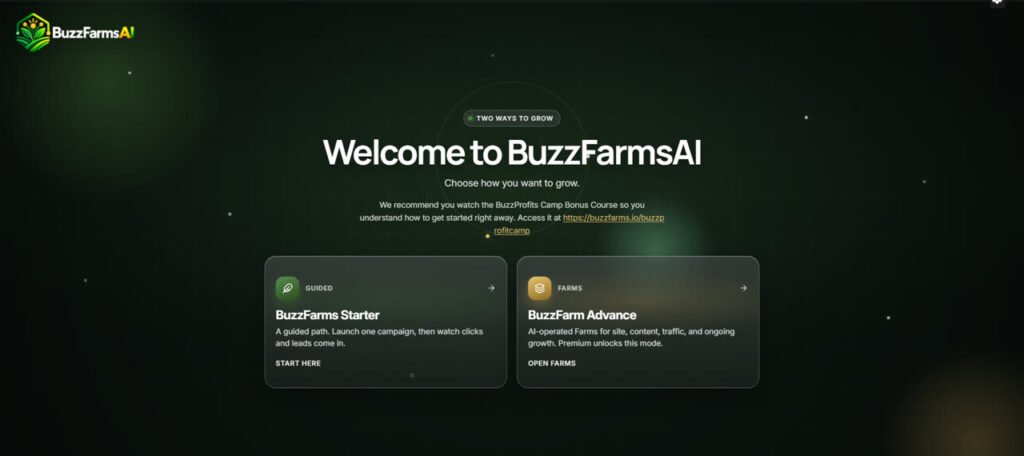
When you log in, you choose between two ways in:
- BuzzFarms Starter: a guided path. One campaign with a ready-made funnel: offer, lead magnet, opt-in page, then promo content
- BuzzFarm Advance: full AI Farms, which are complete websites built from a plan you approve, with articles, lead capture and tracking. The welcome screen says Premium unlocks this mode, and the $37 front end is called Premium
Building a Starter Campaign Live
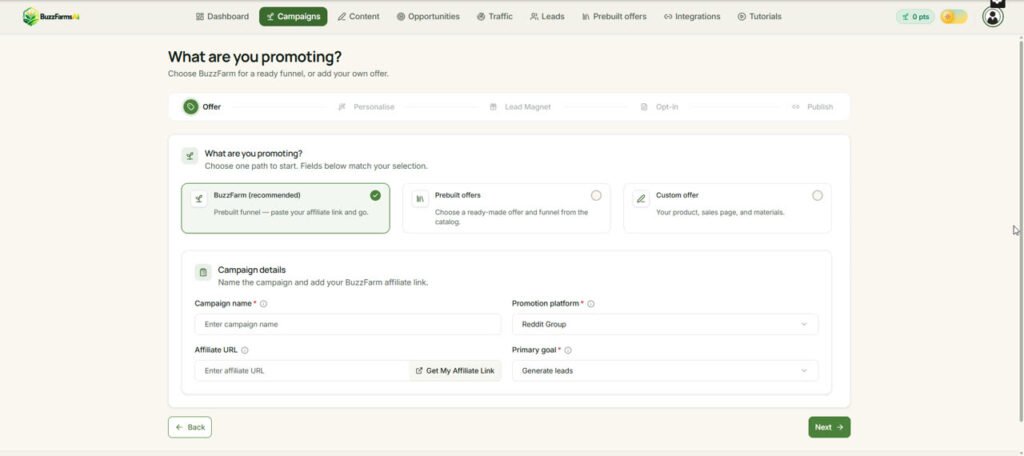
I clicked Create New Campaign and chose the BuzzFarm path. That’s a ready-made funnel for BuzzFarms itself, so all you add is your own affiliate link. You can also pick one of your saved offers or set up a custom offer with your own sales page and materials. I named the campaign, kept Reddit as the platform, pasted my JVZoo link and clicked Next.
The ready-made lead magnet
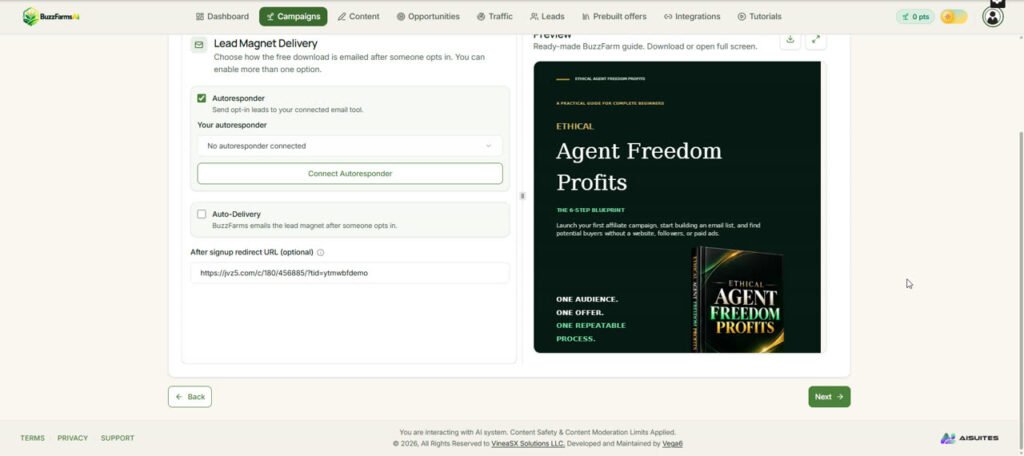
Next, BuzzFarms suggests a lead magnet: a 21-page PDF guide called “Agent Freedom Profits”, a six-step blueprint for beginners who want to launch a first affiliate campaign. You can also switch to an AI-generated lead magnet instead.
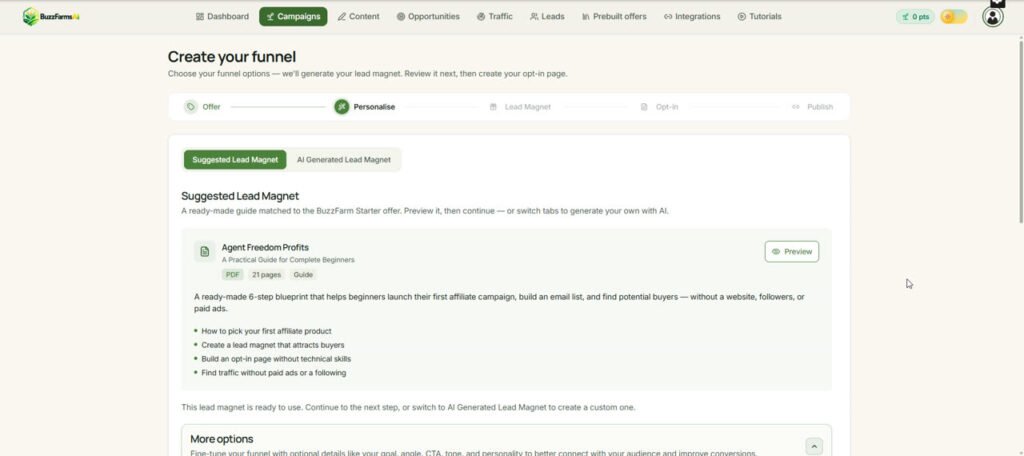
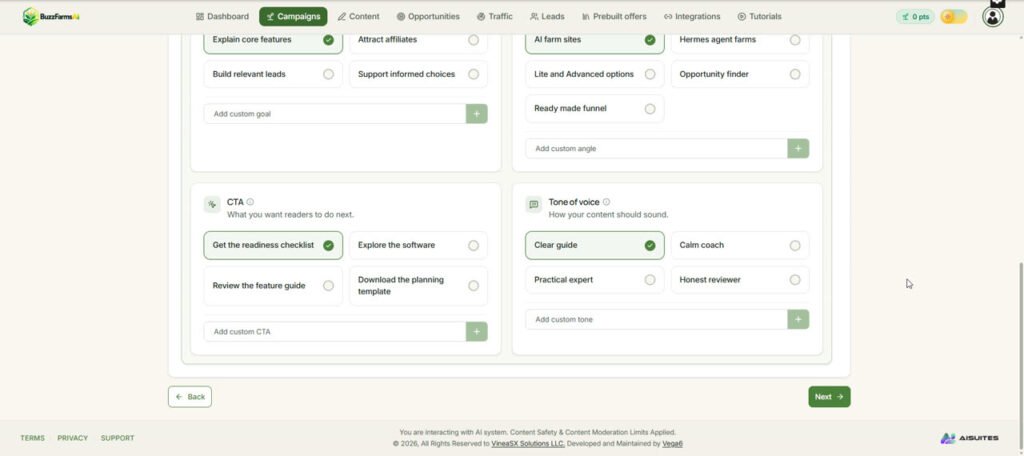
Under “More options” you can fine-tune the goal, the story angle, the call to action and the tone of voice. The choices change with the campaign; mine even offered an “Honest reviewer” tone, so I picked that.
After that, the next page shows a preview of the PDF and how it gets delivered. You can connect an autoresponder, or tick Auto-Delivery so BuzzFarms emails the guide itself. After people sign up, they’re sent to your affiliate link.
The Opt-In Page (and an Income Claim I Removed)
Here’s my first real warning. The default opt-in page headline says: “How I Earn $4,598/Month 100% Automatically Like ClockWork”, and the subheadline repeats that number. That’s not my income, and it won’t be yours on day one either. Publishing a claim like that under your name can break advertising rules and the rules of most platforms.
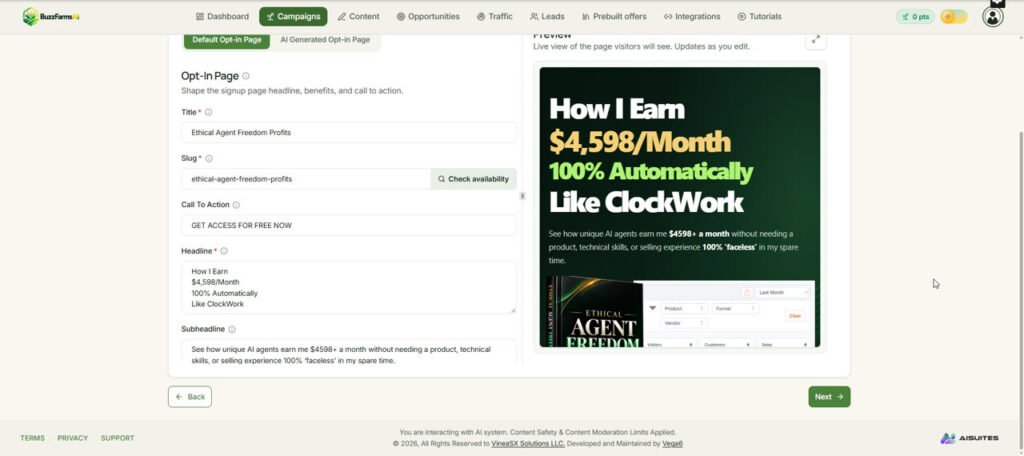
Fortunately, you can edit every line. I replaced the headline with “Launch Your First Affiliate Campaign, Step by Step” and wrote an honest subheadline, and the preview updated right away. One more click, and the page was live on their domain (you can also connect your own).
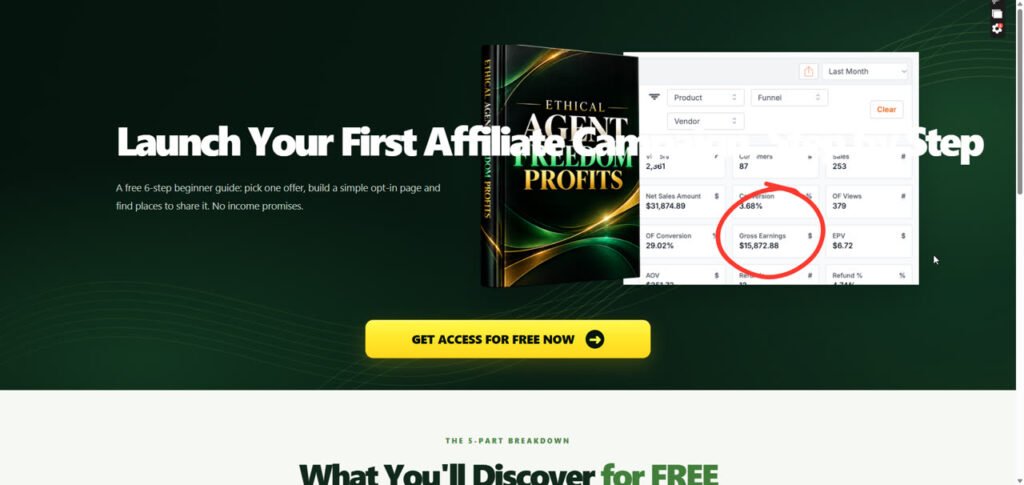
Even so, I’d still fix two things on the live page. My longer headline runs over the hero image, and that hero image is a screenshot of someone’s earnings dashboard, circled in red. There’s an earnings disclaimer in the footer, but I’d swap that image before sending anyone to the page.
Generating a Reddit Post and Image
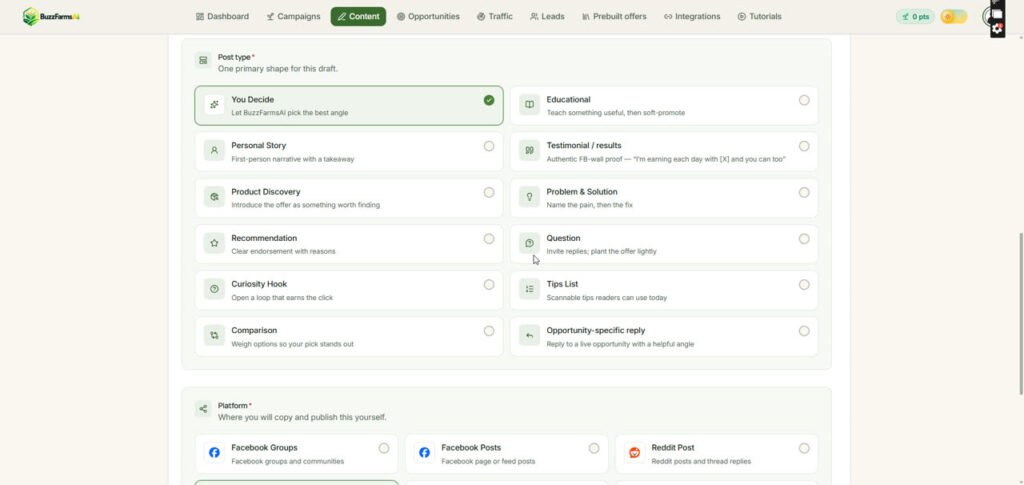
From the live-link page, Generate My Content opens the post builder. You can add a short note about what the post should cover, pick a saved “personality” (writing voice), choose a post type and choose the platform.
There are 12 post types: Educational, Personal Story, Tips List, Comparison, Question and more. One of them is “Testimonial / results”, described as authentic proof like “I’m earning each day with [X] and you can too”. Skip that one unless it’s literally true for you. I chose Tips List and Reddit Post.
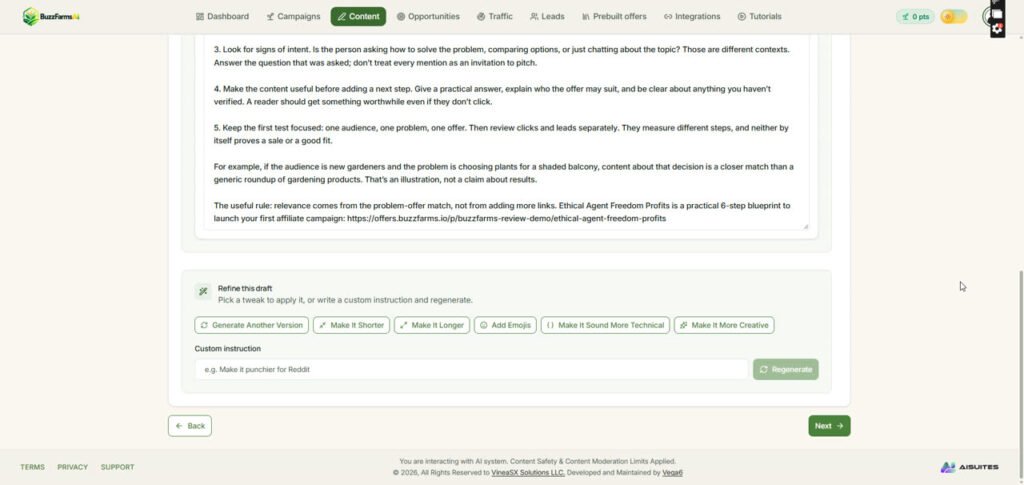
After that, the draft arrived in about 20 seconds, and honestly, it’s good. It’s calm and useful, it gives five practical steps, it even says its example is “an illustration, not a claim about results”, and it ends with my opt-in link. You can make it shorter or longer, add emojis, make it more technical or creative, or regenerate it with your own instruction.
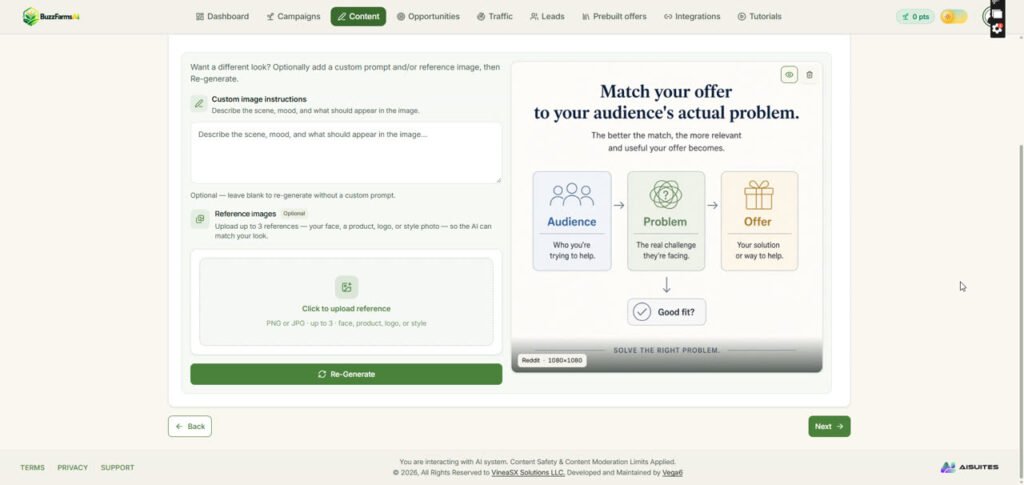
Then it made a square 1080×1080 image for the post in about 45 seconds: a clean infographic that matches the tips. You can add your own image instructions or upload up to three reference images (your face, a product or a logo) and regenerate.
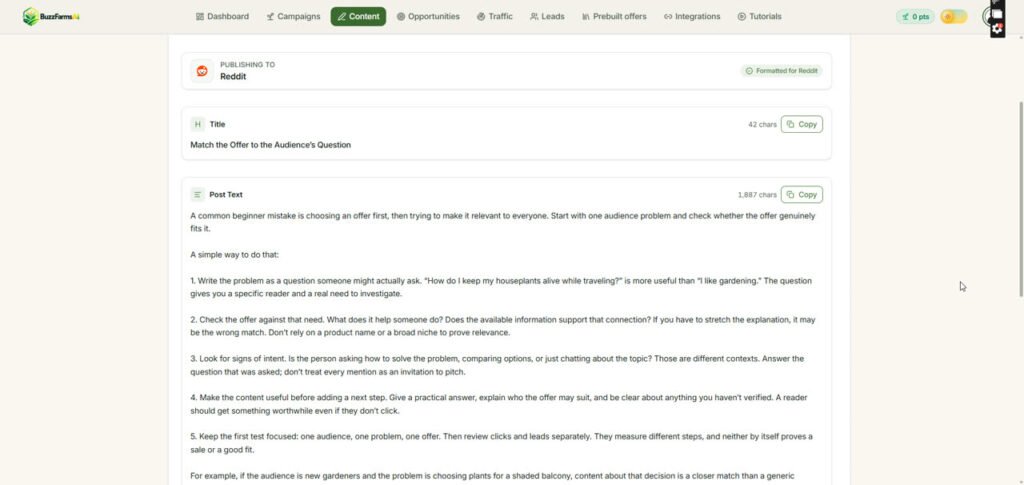
Finally, the last screen gives you the title and the post text with Copy buttons. That’s important: BuzzFarms doesn’t post to Reddit for you. You copy it and post it yourself.
The Opportunities Finder: Where to Post It
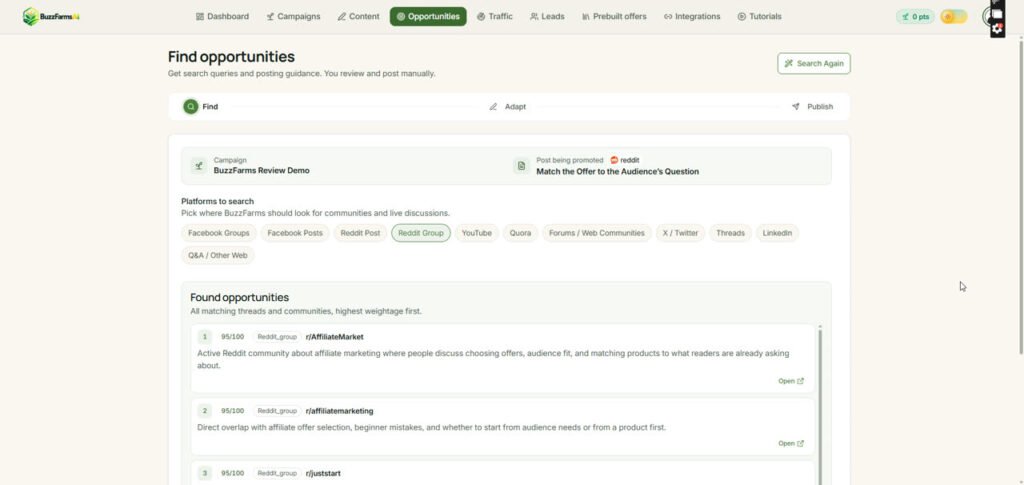
The sales page calls this a “Real-Time Buyer-Traffic Opportunity Finder” that finds Reddit discussions, Facebook groups, Quora questions and forums where people are already talking about your topic. I opened my campaign, started a new adaptation and let it search. It took about a minute and a half.
In the end, it found five subreddits, including r/AffiliateMarket, r/affiliatemarketing and r/juststart, and every one got the same score: 95 out of 100. A test campaign earlier gave almost the same list. These are communities, not live threads with buyers asking questions. And many affiliate and side-hustle subreddits don’t allow self-promotion, so read their rules before you post anything.
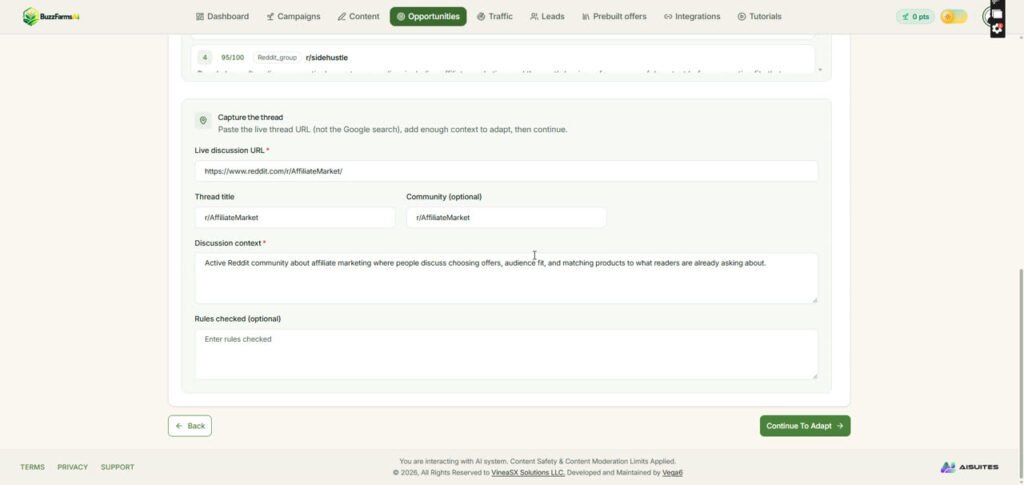
To adapt your post, BuzzFarms asks you to paste a live thread link yourself (it pre-fills the subreddit link), add some context, and note the rules you’ve checked. I like that rules field; it’s a good nudge.
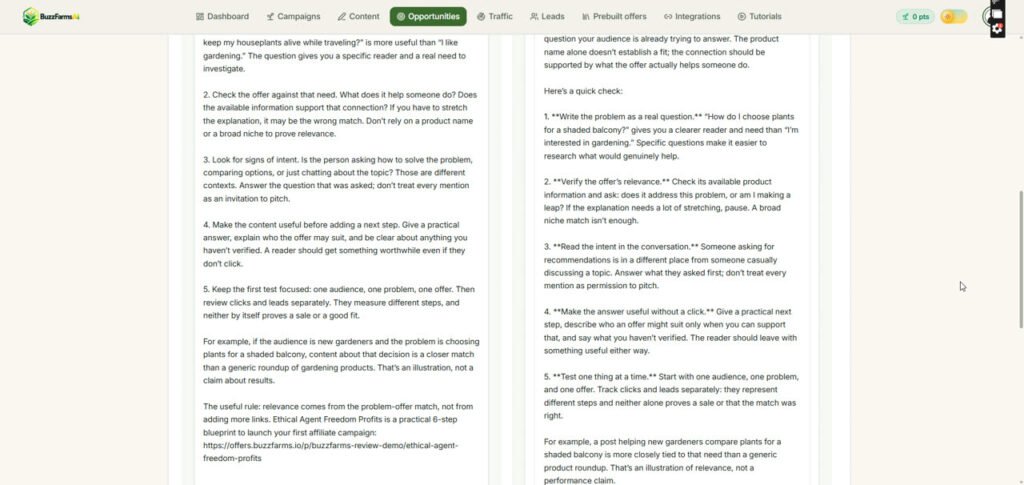
Then it rewrites your post for that community and shows it side by side with the original. It’s a helpful writing assistant, but you still find the thread and post it by hand.
BuzzFarm Advance: Building an AI Farm Site
The Advanced side builds whole sites. Creating a Farm is an eight-step wizard: a goal (promote one affiliate product, several products, local leads, appointments, a niche media site or your own product), product info and source links, a site template, a brand, then Assisted or Autopilot mode. Preview and activation stay manual in both modes.
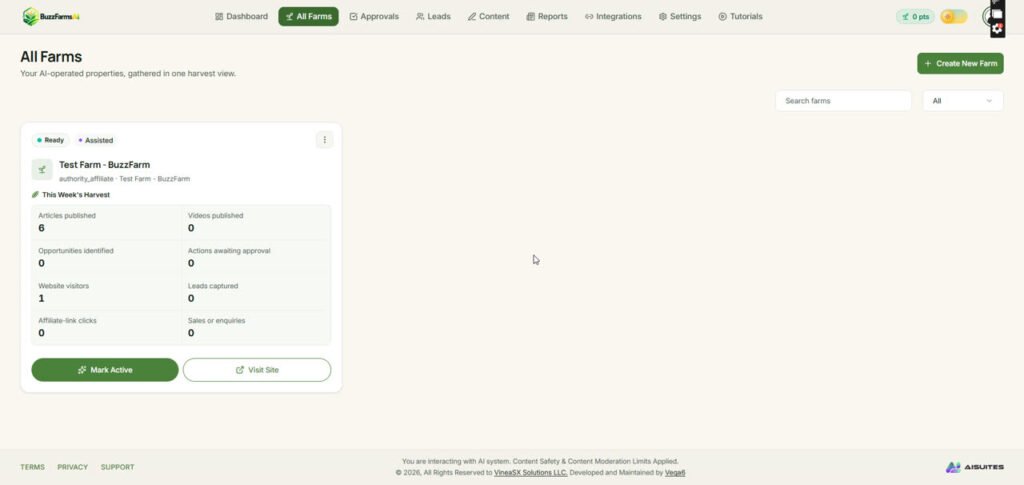
In Assisted mode, it first writes a Farm Brief for you to approve, and I was impressed by it. It listed claims to avoid, like guaranteed earnings, told me to check each community’s rules, to verify the price before publishing, and to disclose the affiliate link. A couple of minutes after I approved it, the Farm was ready with six articles published, and the Harvest card had already counted my visit.
Overall, the site itself looks modern: a dark design, clear calls to action, a lead magnet sign-up, a guides section and an affiliate disclosure in the footer.
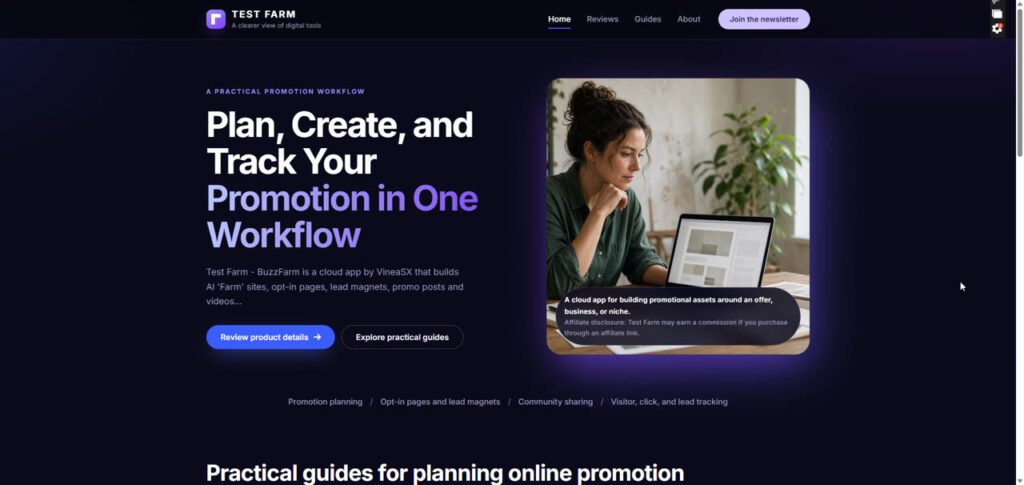
However, the articles are short: about a two-minute read, roughly 350 words each, and full of careful hedging. That’s far from the “longform content” the sales page promises. On the sign-up form, the email field was squeezed so small you couldn’t read it. And because I named my test Farm “Test Farm – BuzzFarm”, the AI used that name as the product name everywhere, so name your Farm carefully.

BuzzFarms AI Price and Upgrades
During the launch (until November 30, 2026, 11:59 pm EDT), BuzzFarms AI costs $37 one-time for the front end, called Premium, with commercial rights to sell sites to clients. The sales page says there are no monthly fees and shows a money-back guarantee.

After checkout you’ll see upgrades. You don’t need them to try the app:
- Bundle deal: $317 to $647, coupon FARM takes $50 off
- Fastpass Bundle (OTO 1): $230
- Gold: $197, unlimited farms, videos, content and opportunity searches, plus 15 agency licenses. This tells you the front end has usage limits
- Elite: $127, other languages and countries, and no BuzzFarmsAI branding
- Platinum: $197, white label, 100 agency accounts, reseller rights and team members
Finally, one more honest note about the sales page: it promises things like beginners earning $20K a month, shows testimonials about $12,000 and $4,500 in commissions, and has “recently purchased” pop-ups. Treat those as marketing, not as what you’ll earn.
BuzzFarms AI Review: Pros and Cons
What I like
- It’s fast: a live opt-in page, a PDF lead magnet, a post and an image in a few minutes
- The AI writing is calm, useful and honest by default
- The Farm Brief adds real guardrails against hype and spam
- Important steps wait for your approval, and there’s a rules field before you post
- Tracking for visitors, clicks and leads is built in, and hosting is included
What I don’t like
- Some defaults push income claims: the opt-in headline, the earnings-screenshot hero image and the “Testimonial / results” post type
- The opportunity finder lists subreddits, not live buyer threads, and scores them all the same
- You still post everything yourself
- The Advanced Farm articles are short, and there are small layout bugs
- The front end has usage limits that the $197 Gold upgrade removes
Who Is BuzzFarms AI For?
BuzzFarms AI fits beginners who want a guided way to build an opt-in page, a lead magnet and helpful posts for one offer, and who are happy to share those posts by hand, following each community’s rules. It also suits people who want a quick, decent-looking site around an offer without touching hosting.
If you expect AI to find buyers and make money on autopilot, this won’t do that. On the other hand, if you already have a funnel builder, an autoresponder and a writing tool you like, the main thing BuzzFarms adds is speed. For more from VineaSX, see my ChannelBuilderAI review, and for another live-tested affiliate site tool, my KDP Commission Engine review.
FAQ
Does BuzzFarms AI post to Reddit or Facebook for me?
No, not in my test. In Starter mode you get the post text and an image with Copy buttons, and you post them yourself. According to the vendor, the Advanced Farm can publish to your own properties, but third-party posts and replies wait for your approval.
Do I need my own website or hosting?
No. Opt-in pages and Farm sites are hosted on their domain. You can connect your own domain if you want.
Can I edit the opt-in page and the posts?
Yes. You can edit every line of the opt-in page, and I’d change the default headline before using it. Posts can be refined, regenerated and edited before you copy them.
Will I make money with BuzzFarms AI?
Nobody can promise that. Commissions depend on the offer you choose, where you share your content, whether people trust it, and your own work. The software speeds up the building; the traffic is still up to you.
BuzzFarms AI Review: Final Verdict
For $37, BuzzFarms AI is a solid content and funnel helper, and the writing is better than I expected. In a few minutes it gave me a live opt-in page, a PDF lead magnet, a useful Reddit post and a matching image. Just change the default income claims, read each community’s rules before posting, and treat the opportunity finder as a starting list, not a buyer list. That’s the honest bottom line of my BuzzFarms AI review.
Disclaimer: I can’t promise any income from BuzzFarms AI or any tool. Results depend on your offer, your traffic and your own work. Prices and features were checked on November 27, 2026, and may change after the launch.