
Heads-up: The Claude Business Toolkit mentioned in this post is my own product, so yes, I earn money if you buy it. Everything else here (the prompts, the formula, the tips) is free to use whether you buy anything or not.
Can I tell you about the most expensive habit I had last year?
I’d open Claude, stare at that empty chat box, type something like “write me a sales email”, and get back… a perfectly polite, perfectly forgettable email. So I’d rewrite the request. Then rewrite it again. Twenty minutes later I’d give up and write the thing myself.
Sound familiar?
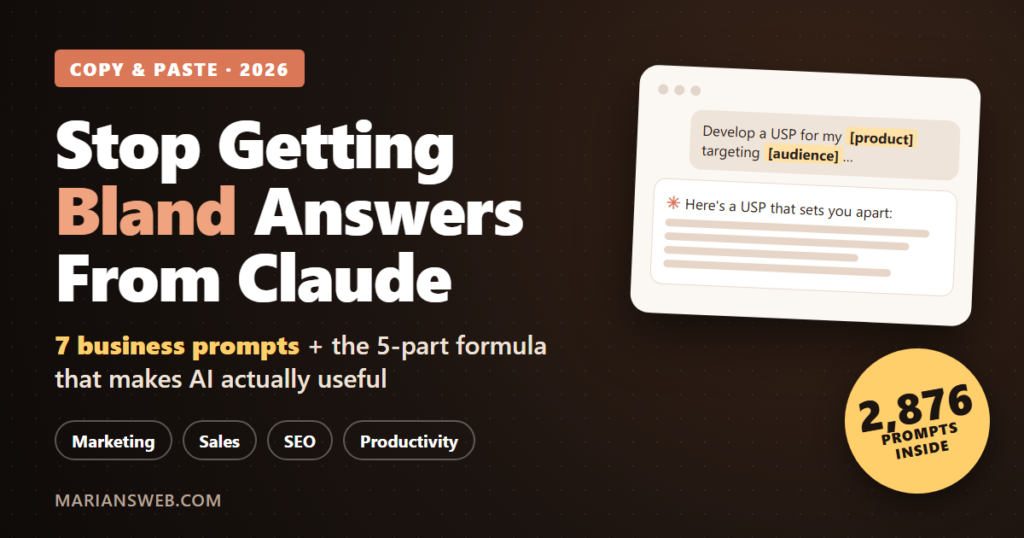
Here’s what took me way too long to figure out: Claude was never the problem. My prompts were. The gap between a “meh” answer and a genuinely useful one is almost always the words you type in. And once I started using proper, fill-in-the-blank Claude prompts for business tasks, the whole thing clicked.
So in this post I’m going to give you the simple formula I use, 7 copy-and-paste prompts you can try today (free Claude plan is fine), and the mistakes that keep most people stuck with bland AI answers.
Why Your Claude Answers Feel So Generic
Think of Claude as a brilliant new assistant on their very first day. Super smart, reads fast, writes well… but knows absolutely nothing about you, your business, or your customers.
If you walked up to a new hire and said “write a sales email,” you’d get something generic too. Not because they’re bad at their job, but because you gave them nothing to work with.
Most bland AI output comes down to three things:
- No context. Claude doesn’t know who you sell to, what you sell, or how you talk.
- A vague task. “Help with marketing” could mean a hundred different things.
- No format. You wanted a checklist, you got an essay. You wanted three options, you got one.
Fix those three and the answers get dramatically better. Here’s the easiest way I know to do it.
The 5-Part “Context Wrapper” That Upgrades Any Prompt
I wrap almost every business prompt in this little structure. It takes about 30 seconds to fill in, and it’s the single biggest upgrade you can make:
Role: You are an experienced [type of expert].
Context: My business is [what you do] for [who you serve].
Task: [what you want done]
Format: Answer as [a table / checklist / plan], about [length].
Check: Ask me up to 3 questions if anything is missing.
That last line is my favourite. Instead of guessing, Claude asks you what it needs to know first. It feels like working with a real person instead of a vending machine. (If you want the deeper version, I break it all down in my guide on how to write AI prompts.)
Now let’s put it to work.
7 Claude Prompts for Business You Can Copy Right Now
Just swap the parts in [brackets] for your own details, paste it into Claude, and go. They work in ChatGPT and Gemini too.
1. Find Your Unique Selling Point
Develop a USP for a new [product/service] targeting [target audience]. Consider the key features, benefits, and factors that differentiate it from existing offerings in the market.
Why it works: If you can’t say why someone should buy from you instead of the other guy, nothing else in your marketing will land. Start here.
2. Write a Welcome Email New Customers Actually Read
Craft a warm and inviting welcome email for your new customers that thanks them for choosing your [product/service] and sets expectations for what they can expect in the coming days or weeks.
Why it works: Your welcome email is usually the most-opened email you’ll ever send. Setting expectations early means fewer refund requests and more repeat buyers.
3. Create Urgency for a Holiday Sale (Without Being Pushy)
How can you create a sense of urgency for customers to make a purchase by promoting a limited-time holiday sale? [specific holiday]
Pro tip: With Black Friday and the holidays around the corner, run this one now and ask Claude for a 5-email countdown sequence as a follow-up.
4. Quick Local SEO Check-Up
You are a local SEO specialist. My business is a [type of business] in [city]. List the 10 most important on-page SEO fixes for my homepage, ranked by impact, as a checklist I can work through in one afternoon.
5. Turn Customer Complaints Into Better Service
Here are 5 recent customer complaints: [paste them]. Group them by root cause, suggest one practical fix for each, and write a friendly reply template I can use for each type.
6. A Simple A/B Test You Can Run This Week
I sell [product] to [audience] on [page or channel]. Suggest 3 A/B tests I could run this week with no extra tools. For each one, tell me what to change, what to measure, and how long to run it.
7. Plan a Focused Day (For When Everything Feels Urgent)
Here is my to-do list for today: [paste list]. I have [number] hours of real work time. Pick the 3 tasks that will move my business forward the most, explain why in one line each, and suggest what I can delay, delegate or delete.
Honestly, number 7 alone has saved me from a lot of “busy but nothing done” days.
5 Mistakes That Keep Your AI Answers Bland
- Accepting the first answer. The first reply is a draft. Say “make it shorter and more casual” or “give me 3 more options”. The magic is in the follow-up.
- Leaving out your audience. “Write a post” vs. “write a post for busy moms who sell on Etsy” gives you two completely different results.
- Asking for everything at once. One task per prompt. Build the plan, then the emails, then the posts.
- Not saving prompts that work. When a prompt nails it, keep it. A personal prompt library is worth gold over time.
- Skipping the fact-check. Claude is a great helper, not a final authority. Always read before you publish or send.
The Shortcut: 2,876 Ready-to-Paste Business Prompts
Here’s the catch with mistake #4: building your own prompt library takes months. You write a prompt, test it, tweak it, forget where you saved it, and start over.
That’s exactly why I put together The Claude Business Toolkit. The prompts you just used (#1, #2 and #3) come straight out of it, and there are 2,876 more where they came from, organized so you can find the right one in seconds.
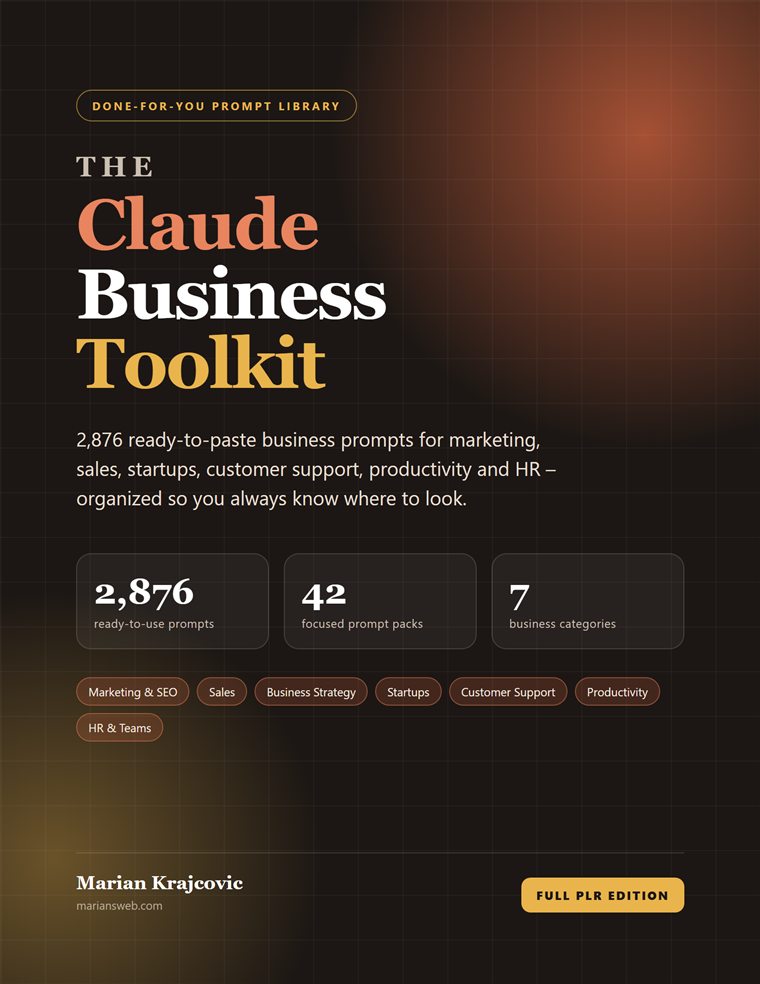
It’s split into 42 focused prompt packs across 7 categories:
- 📣 Marketing & SEO (288 prompts): email marketing, on-page and off-page SEO, local SEO, Pinterest ideas
- 📈 Sales & Market Research (450 prompts): finding new leads, trend analysis, keyword research, holiday promotions
- 💼 Business & Strategy (405 prompts): USP, ROI, business proposals, leadership
- 🚀 Startup & Growth (449 prompts): product-market fit, brand identity, A/B testing, content campaigns
- 🤝 Customer Support (426 prompts): customer service, trust, feedback surveys, influencer collaborations
- ⚡ Productivity & Focus (458 prompts): daily goals, focus, motivation, solving business challenges
- 👥 HR & Teams (400 prompts): welcome emails, performance reviews, compliance, job offers
Here’s what lands in your download:
- ✅ A designed 275-page PDF with clickable contents and every placeholder highlighted
- ✅ 42 editable Word (DOCX) files, one per pack, so you can tweak them
- ✅ Fast-action bonus: my Claude Quick-Start Playbook (setting up Projects, the 5-part formula, 7 habits for better answers and 20 power prompts)
- ✅ Full PLR rights: put your own name on it, sell it, bundle it or use it as a lead magnet
That last point is a nice bonus if you sell digital products: you’re not just getting a tool for your own business, you’re getting something you can rebrand and offer to your own audience.
🔥 Launch Price: Starts at $1
It’s running as a dimesale right now: the price starts at $1 and goes up a little with every sale until it reaches $17. The earlier you grab it, the less you pay.
Is It Right for You?
I’ll be straight with you, because I’d rather you not buy than buy and be disappointed.
It’s a great fit if you’re a solopreneur, small business owner, coach, freelancer, marketer or startup founder who wants Claude to handle more of the everyday work, without learning “prompt engineering”. If you can fill in a form, you can use it.
It’s probably not for you if you’re looking for a software tool or an automation that does the work while you sleep. These are templates. You still fill in your details, read the answers and decide what to use. That’s what keeps the results yours.
Frequently Asked Questions
Do I need a paid Claude account to use these prompts?
No. Every prompt in this post (and in the toolkit) works on the free plan at claude.ai. A paid plan just gives you more messages per day.
Do Claude prompts work in ChatGPT or Gemini?
Yes. They’re plain-English templates, so they work in any AI chat tool. I write and test them with Claude in mind, but they travel well.
What makes a good Claude prompt for business?
Give it a role, context about your business and customers, one clear task, the format you want, and permission to ask questions. That’s the context wrapper above, and it works for almost anything.
What can I do with the PLR rights?
Rebrand it, edit it, sell it, bundle it, give it away to build your email list, or add it to a membership site. The full license is included in the download.
Your Next Step
Pick one prompt from this post and try it today. Seriously, right after you finish reading. Fill in the brackets, paste it into Claude and see what comes back. I think you’ll be surprised how much better it is than “write me a sales email”.
And if you like what you see and want a prompt ready for every job on your list, the toolkit is waiting for you, at the lowest price it’ll ever be.
Which prompt are you going to try first? Let me know in the comments. I read every one.
Claude is a trademark of Anthropic. The Claude Business Toolkit is an independent product and is not affiliated with, endorsed or sponsored by Anthropic. ChatGPT and Gemini are trademarks of their respective owners. No income or specific results are promised: results from using AI tools depend on your own input, effort and review.