


If you want to build a website or blog that looks good and actually works, you don’t need to know how to code. You need three things done right: a good domain name, reliable hosting (or an all-in-one platform), and a clear structure that helps visitors find what they came for. This guide walks through each decision in plain English.
Disclosure: some links in this post are affiliate links. If you buy through them I may earn a commission at no extra cost to you.
Step 1: Choose a Domain Name
Your domain is your address online and part of your brand. Good domains are:
- Relevant: they hint at your topic or brand.
- Short and simple: easy to spell, say and remember. Avoid hyphens and numbers.
- Brandable: a name you can grow into, not one locked to a single product.
- The right extension: .com is still the most trusted; country domains suit local businesses.
- Free of trademarks: never use another company’s brand name.
Search availability and register with a reputable registrar like Namecheap. Turn on domain privacy so your personal details aren’t public.
Step 2: Choose Where Your Site Lives
| Option | Best for | Trade-offs |
|---|---|---|
| WordPress + web hosting | Blogs, content sites, long-term SEO | More setup and maintenance |
| All-in-one platform (e.g. Systeme.io) | Funnels, courses, email and simple sites together | Less design flexibility |
| Website builders | Simple business sites | Monthly fees, less control |
Web hosting for WordPress
Reliable hosting affects speed, uptime and security, all of which affect your visitors and your Google rankings. Look for fast servers, free SSL, daily backups, easy WordPress installation and helpful support. Hostinger is a budget-friendly option with AI website tools; see my step-by-step Hostinger guide.
All-in-one: Systeme.io
Systeme.io combines a website and blog builder with funnels, email marketing, courses and payments, with a free plan to start. It’s ideal if you want to sell products and build a list without connecting several tools. Compare it in Systeme.io vs WordPress.
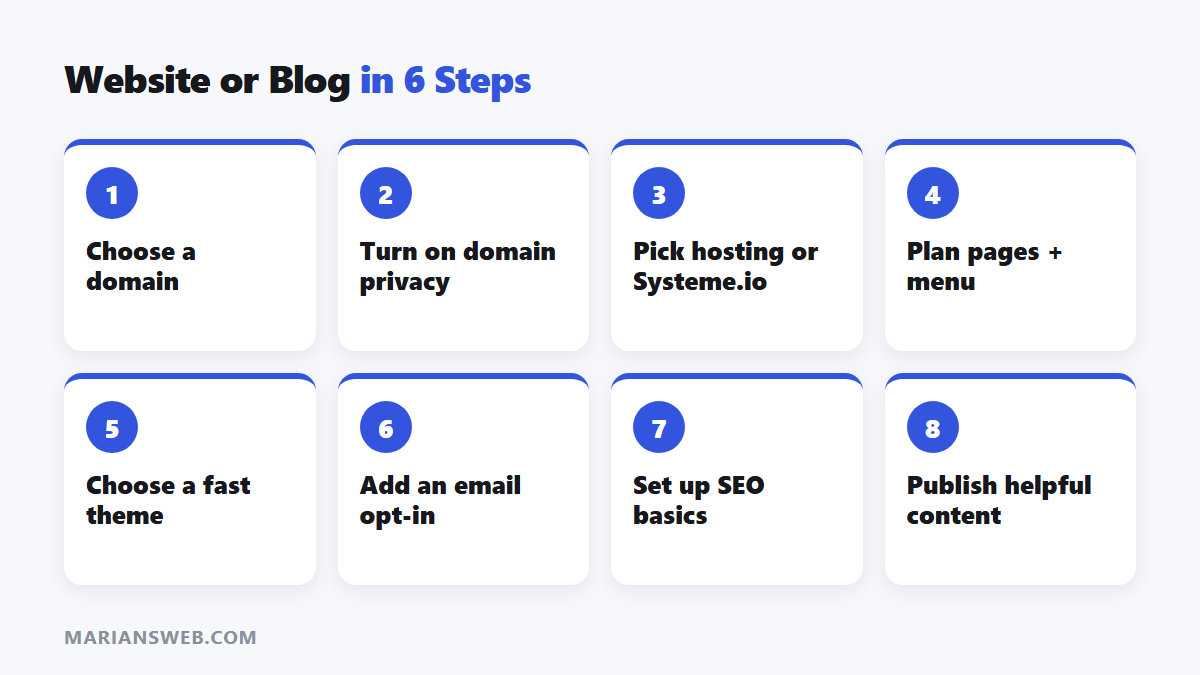
Step 3: Plan a Clear Structure
- Homepage: who you help, what you offer, one main call to action.
- About page: your story and why visitors should trust you.
- Blog or resources: organized into a few clear categories.
- Offer pages: products, services or a free lead magnet.
- Contact page and legal pages (privacy policy, disclosures).
Step 4: Design for Readers
- Choose a clean, fast theme and two fonts at most.
- Use plenty of white space and readable font sizes.
- Make sure it looks good on phones; most visitors are mobile.
- Compress images and avoid unnecessary plugins.
- Keep navigation simple: five or six menu items.
Step 5: Make It Functional
- Email opt-in: collect subscribers from day one. My free guide The $0 Funnel shows how.
- SEO basics: install an SEO plugin, write clear titles and connect Google Search Console.
- Analytics: track visitors and popular pages.
- Security and backups: keep software updated and back up regularly.
Step 6: Publish Helpful Content
A website starts working once it answers real questions. Publish consistently and use AI to speed up drafting while adding your own experience; see how to build a blog using AI and GravityWrite.
Build a Website or Blog: FAQ
How much does a website cost?
A domain plus budget hosting can cost under $100 a year. All-in-one platforms have free plans with paid upgrades.
WordPress or Systeme.io?
WordPress for content and SEO-focused blogs; Systeme.io if selling, funnels and email matter most.
Can I build a site with no tech skills?
Yes. Modern hosts and builders use templates and guided setup, and AI tools can help with content.
Want a free website to practise with? See free monthly websites.



Pingback: How to Build a Blog Using AI (Realistic $100K Path)