


Seeing the DeepSeek server is busy message (“The server is busy. Please try again later.”)? You’re not alone. It’s one of the most common DeepSeek errors, and it usually means DeepSeek’s servers are overloaded rather than anything wrong on your side. Here’s how to check, what to try, and what to use while you wait.
Why the “Server Is Busy” Error Happens
- High demand: too many people using DeepSeek at once, especially at peak hours.
- Outages or maintenance on DeepSeek’s side.
- Traffic protection: services sometimes limit requests during attacks or abuse.
- Local issues: stale browser data, VPNs or network problems can occasionally make it worse.
Step 1: Check DeepSeek’s Status
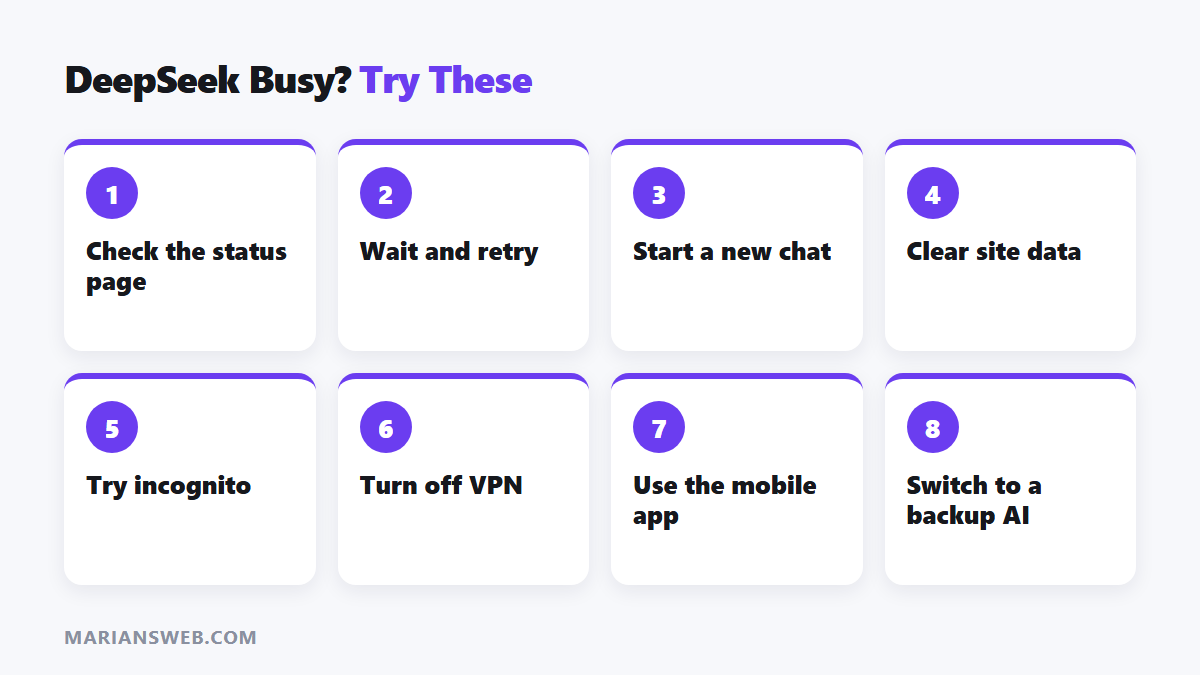
Visit the official DeepSeek status page. If it shows an outage or degraded performance, the problem is on DeepSeek’s end, and waiting is the only real fix.
Step 2: Quick Fixes to Try
- Wait a minute and retry. Short spikes often clear quickly.
- Start a new chat. Very long conversations can be slower to process.
- Refresh or log out and back in.
- Clear cookies and site data for DeepSeek in your browser settings.
- Try another browser or an incognito window, and disable extensions that modify pages.
- Turn off your VPN, or switch servers.
- Reset your network: restart your router or switch between Wi-Fi and mobile data.
- Use the DeepSeek mobile app instead of the website, or vice versa.
- Try off-peak hours when fewer people are online.
Step 3: Alternatives While DeepSeek Is Busy
- ChatGPT, Claude or Gemini: paste the same prompt; most tasks work just as well.
- DeepSeek’s API (for developers) can be more reliable than the free chat during busy periods; check current availability and pricing.
- Third-party platforms that host DeepSeek models may offer access when the official chat is overloaded; review their privacy terms first.
Using DeepSeek to make money? See affiliate marketing using DeepSeek AI and my guide to writing better AI prompts that work in any AI tool.
Prevent Work From Getting Lost
- Save important prompts in a document so you can paste them anywhere.
- Copy long answers as soon as you get them.
- Keep a second AI tool logged in as a backup.
DeepSeek Server Is Busy: FAQ
Is it my internet connection?
Usually not. If other sites work fine, the issue is almost always DeepSeek’s server load.
How long does it last?
Often minutes; during major outages it can be longer. The status page is the best guide.
Will paying fix it?
The consumer chat is free; the developer API is a separate paid service that may be more stable for heavy users.