


Disclosure: Some links in this Working Ads review are affiliate links. If you buy through them, I may earn a commission at no extra cost to you. The vendor gave me free review access to the Pro version. I tested it live on my own WordPress site before writing this, and I’ll tell you honestly where it falls short. No income claims: ad results depend on your offer, budget and testing.
I picked one business type, clicked one button, and a few seconds later I had a stack of ready-to-run ads. A couple of clicks later, the plugin rewrote them for one specific audience. Then it made me a finished, professional-looking image ad in about 20 seconds. All of it inside my WordPress dashboard.
In this Working Ads review I’ll walk you through my real test, step by step with screenshots: how the AI ad generator works, what the ads look like, the one mistake you should avoid with image ads, the Black Friday prices, the honest pros and cons, and the bonus you get from me.
Working Ads Review: Quick Summary
- What it is: a WordPress plugin that writes targeted ads for almost any local business, rewrites them for a chosen audience, and (in Pro) turns them into image ads
- Vendor: Matthew McDonald (MasteryLabs), sold on WarriorPlus with a Black Friday launch offer
- Price: one-time during the launch: Starter $10.99 (1 site), Plus $27 (3 sites), Pro $47 (unlimited sites + image ads), 30-day money-back guarantee
- My test: 20 business categories, ad ideas in seconds, an audience rewrite for “new parents”, and a finished square image ad in about 20 seconds
- Biggest catch: image ads need your own OpenAI API key (OpenAI charges a few cents per image), and the image uses the business name stored in the ad, so fix that first
- My bonus: buy through my link and you also get my Mega Bonus Vault (38 marketing resources + my $0 Funnel guide)
- My verdict: fast and beginner-friendly. At the launch price, Pro is the one to get, because the image ads save the most time
Watch My Working Ads Video Review
Prefer to watch? This is a live screen recording of my test on mariansweb.com, under 4 minutes:
What Is Working Ads?
Working Ads is an AI ad generator plugin for WordPress. You install it like any other plugin, and it adds a “Working Ads” screen to your dashboard. You tell it what kind of business you run and what service you sell, and it gives you complete search-style ads: a business name, a display URL, a headline and a description, each one written around a different angle.
The plugin has four screens: the ad generator, your saved ads, settings (where you paste your OpenAI API key) and your license. It’s made for local businesses, freelancers and marketers who need ad ideas fast, without hiring a copywriter.
How I Created an Ad With Working Ads (Step by Step)
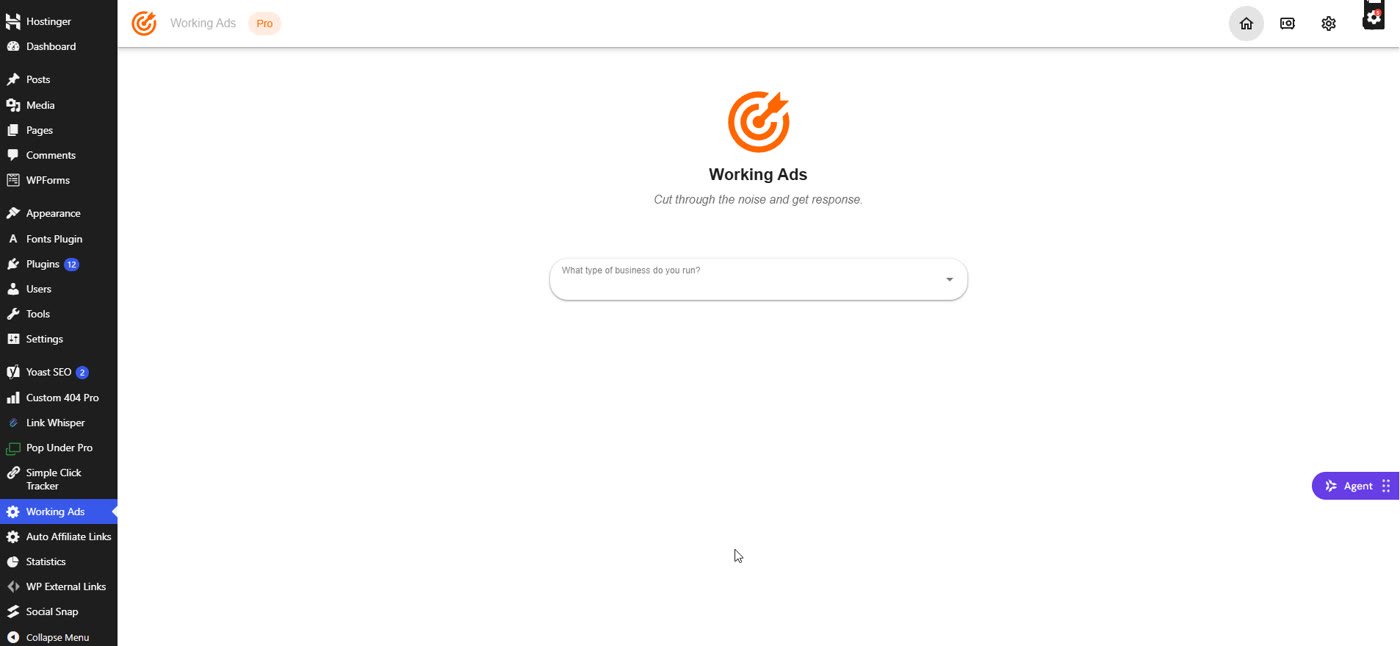
1. Pick your type of business
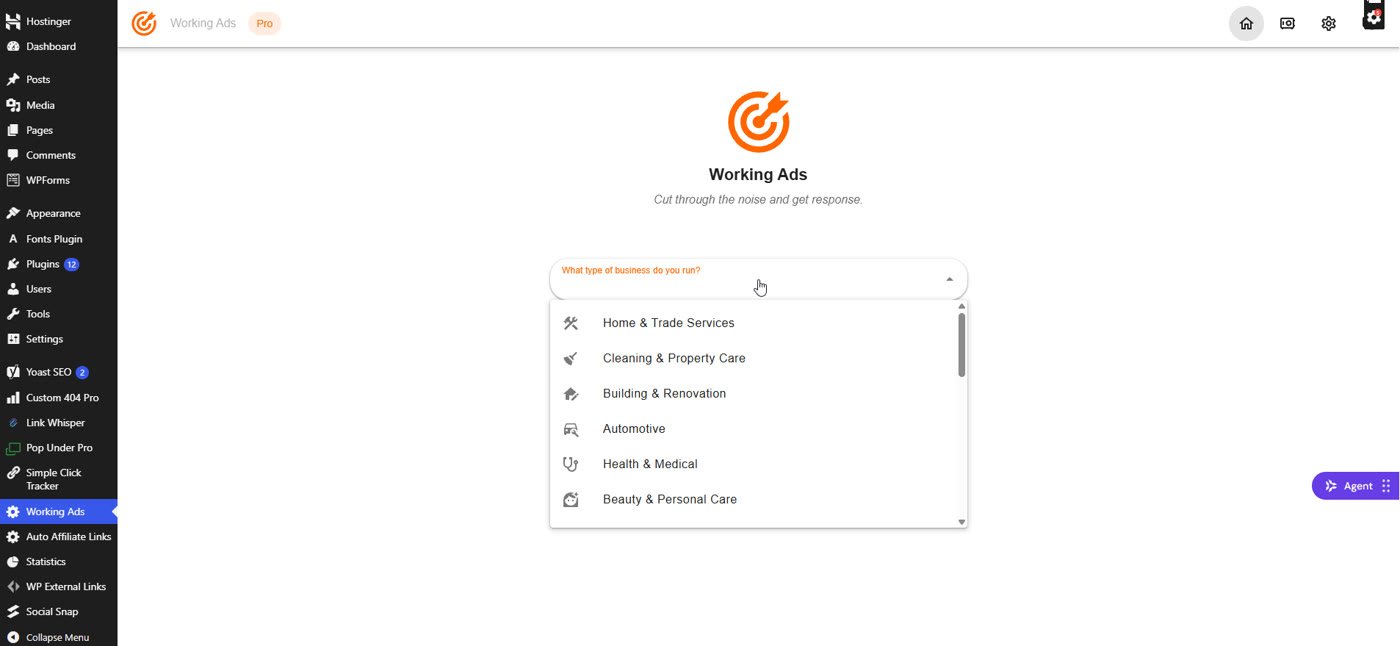
The first question is “What type of business do you run?”. There are 20 categories, from Home & Trade Services, Health & Medical and Automotive to Marketing, Design & IT, Travel and Agriculture. You can scroll, or just type a few letters to filter the list.
2. Choose the service you sell
Each category has its own list of services. For my test I chose Fitness & Wellness and then Personal Trainer. Other options in that category were Gym, Yoga & Pilates, Group Fitness, Martial Arts, Dance Studio, Nutritionist and more.
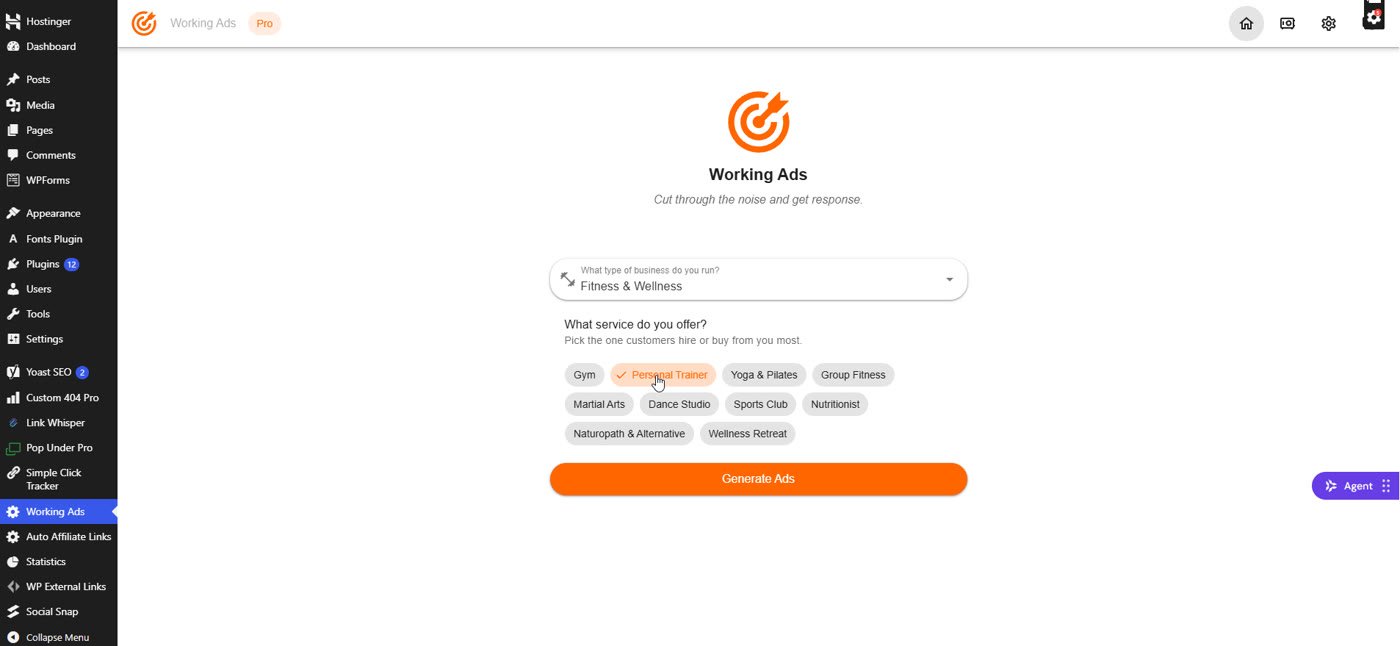
3. Click Generate Ads
A few seconds later I had a list of ads, each with a different angle: “Personal Trainer Near You”, “Personal Training Plans”, “Strength Training Coach”, “Weight Loss Trainer”, “Beginner Personal Training” and more. These are search-style ads, the kind you see at the top of Google results.
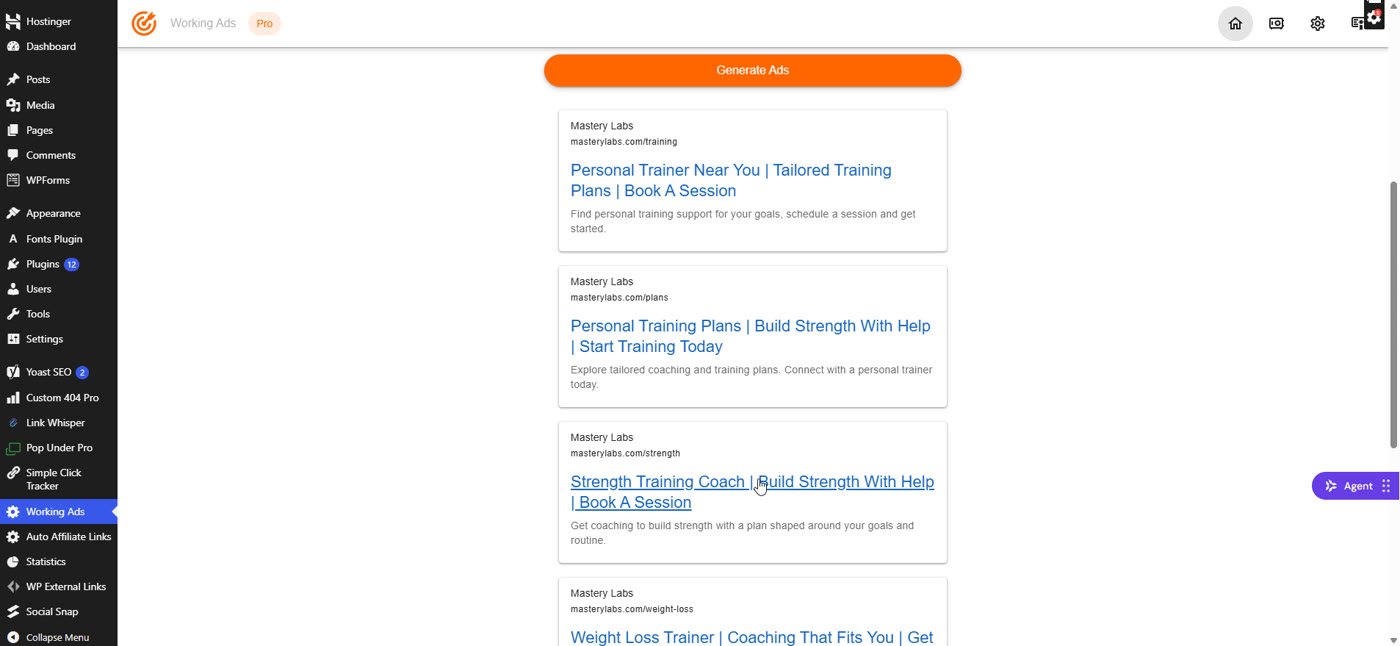
Every ad uses a placeholder business name and website (the vendor’s “Mastery Labs”). That’s normal: you replace it with your own in the next steps.
4. Target your audience
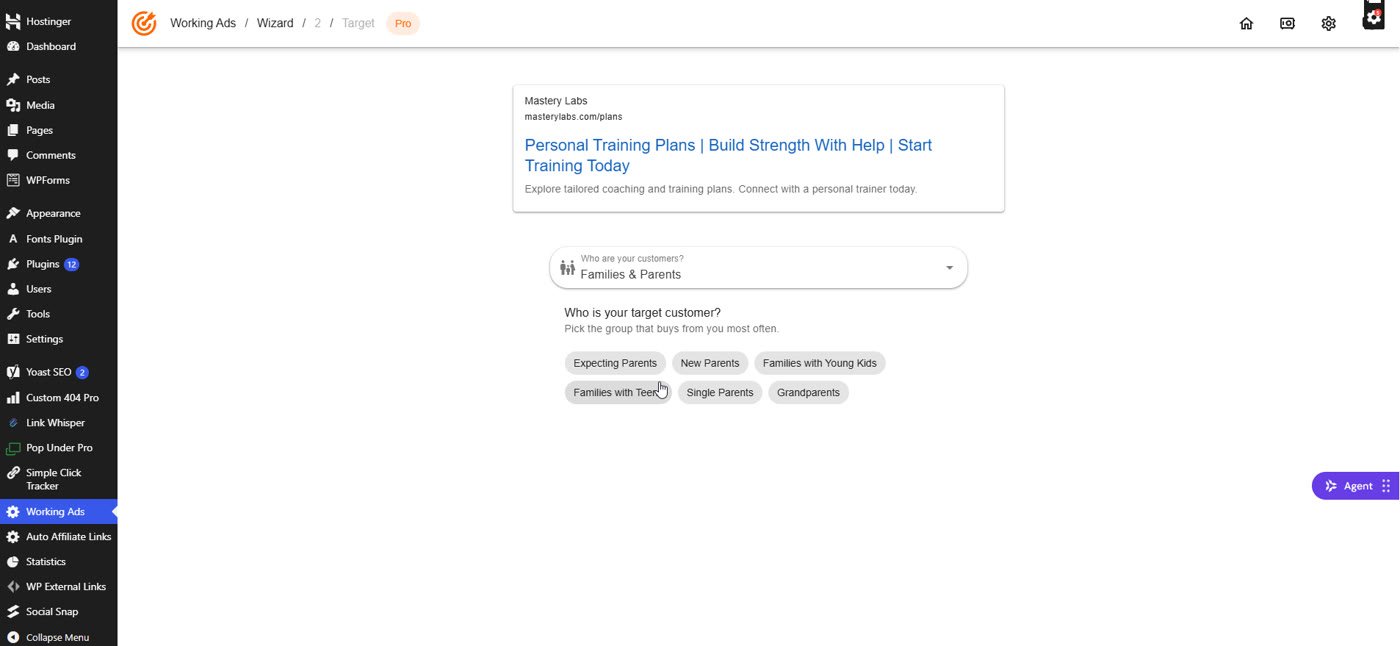
This is the clever part. Click any ad, and Working Ads asks who your customers are. I chose Families & Parents, then the exact target customer: New Parents. Other groups included Homeowners, Renters, Seniors, Young Adults & Students and Couples & Singles, each with its own sub-groups.
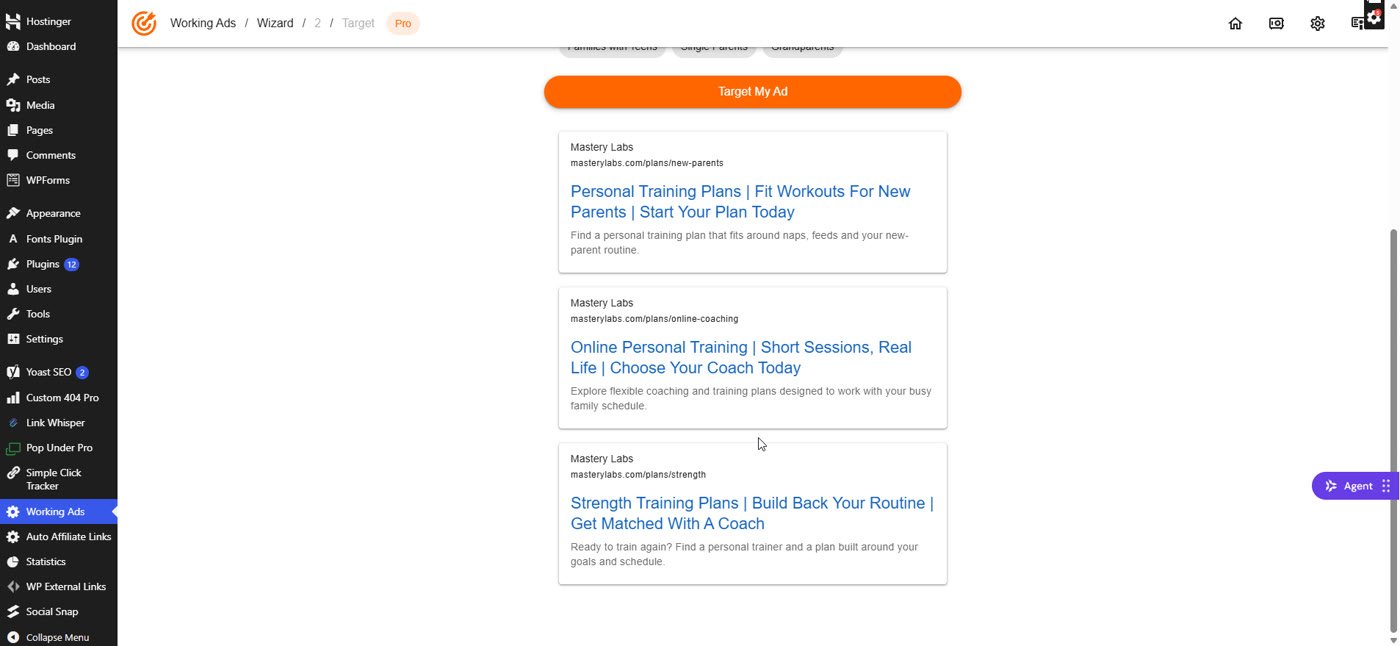
After “Target My Ad”, the plugin rewrote the ad for that audience. My favourite result: “Fitness Plans For New Parents | Build A Routine After Baby | Personal Coaching Plans”. In my earlier test run it wrote “Find a personal training plan that fits around naps, feeds and your new-parent routine”. That’s the kind of line a busy parent actually stops for.
5. Tweak it, brand it and save it
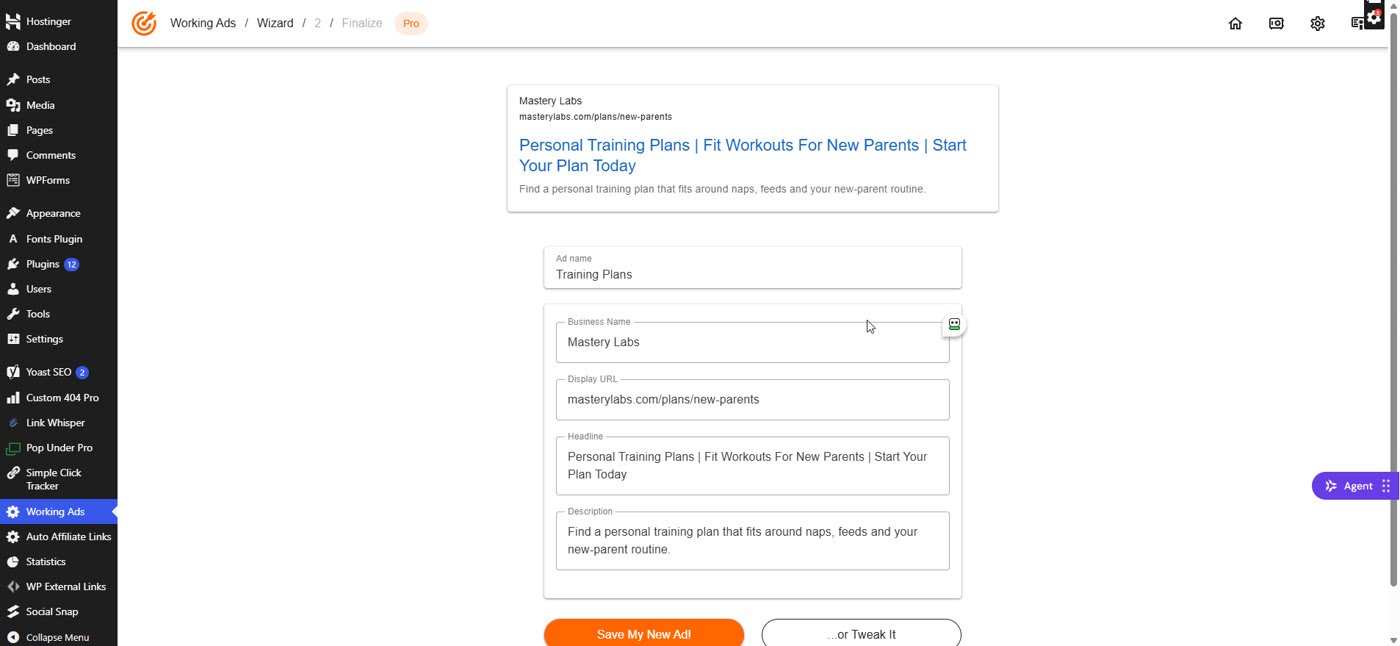
Pick your favourite, give it a name, and click “…or Tweak It”. Now you can edit the business name, the display URL, the headline and the description. I changed the business to Bright Start Fitness and the URL to brightstartfitness.com/new-parents (both made up for the demo), then saved it.
Saved ads are grouped and tagged with the category, the service and the audience. From each ad you can add a new audience (the + button, great for testing one ad on several groups), edit it, copy the text to your clipboard or clone it.
Working Ads Pro: Image Ads (My Favourite Feature)
In the Pro version, every saved ad has an image icon. Click it, add a contact name, a phone number and (optionally) extra information, then click Generate Image. I typed “Free first session for new parents” as the extra information.
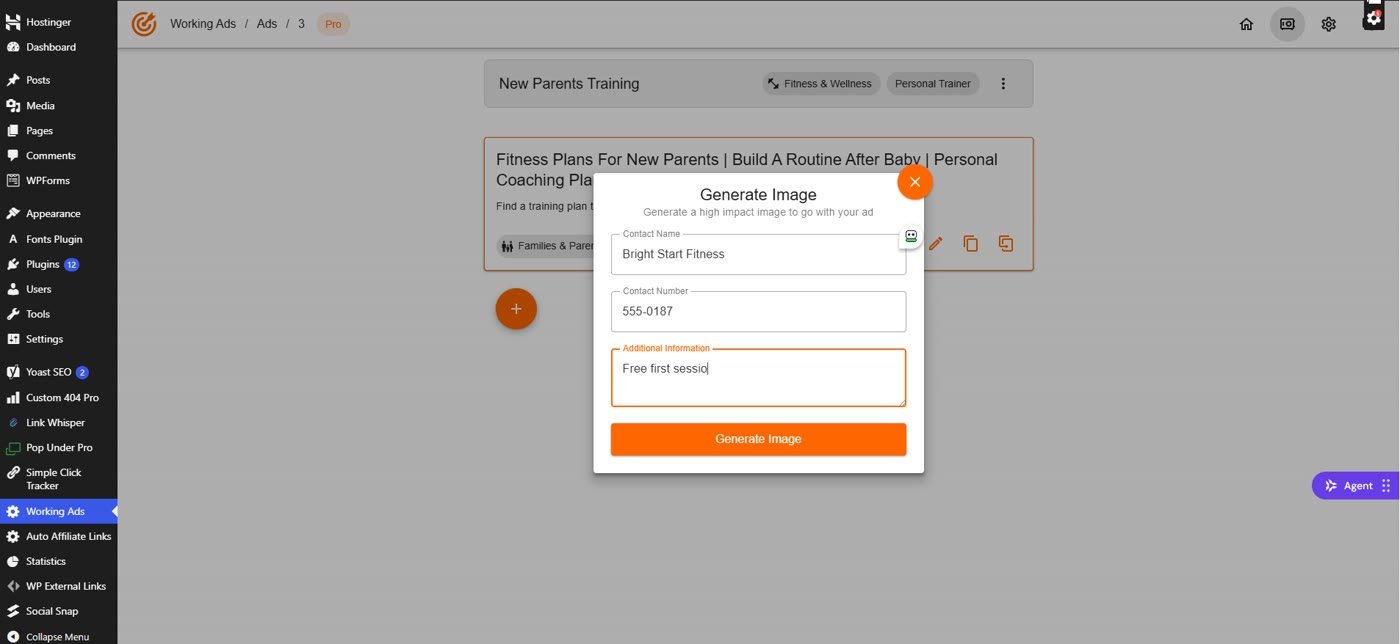
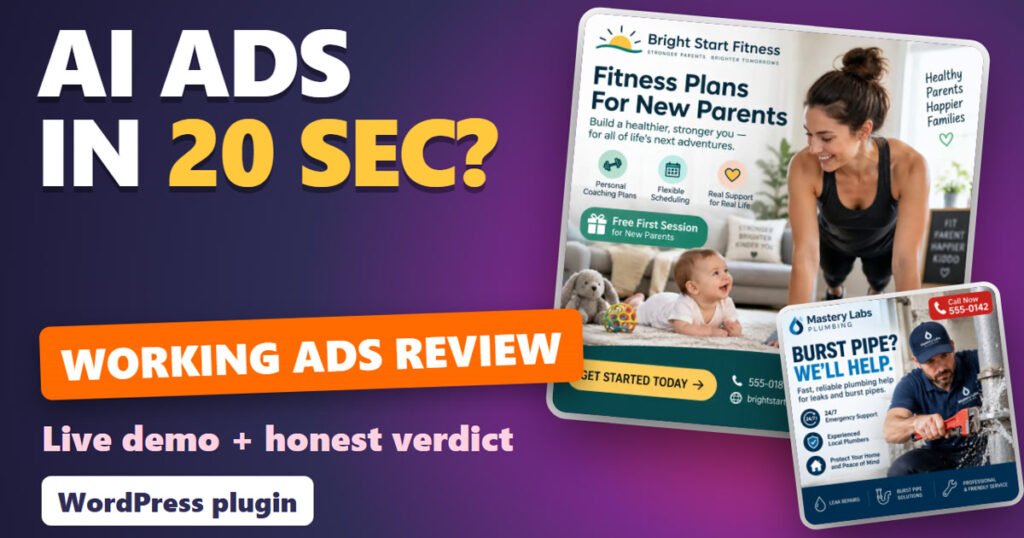
About 20 seconds later I had a finished square image ad: the business name and logo, a big headline, three benefit icons, my “Free First Session” offer, a “Get Started Today” button, the phone number and the website. One click on Download, and it’s ready to upload to Facebook, Instagram or Google display ads.

The one mistake to avoid
In my first test (a plumber ad), I typed “Bright Pipe Plumbing” as the contact name, but the image showed “Mastery Labs Plumbing”, the placeholder name stored in the ad. The image uses the ad’s business name, not the contact name you type. So always fix the business name in “Tweak It” (or with the edit pencil) before you generate the image.

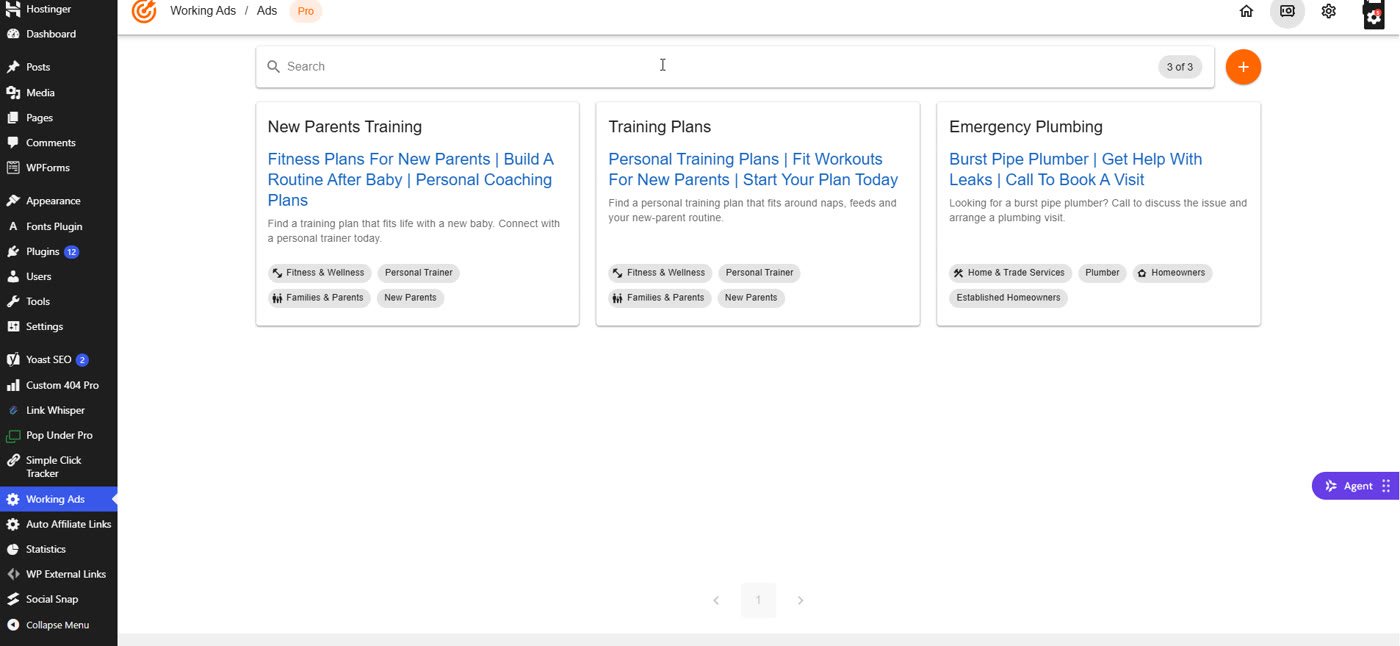
Everything you create stays organised in Saved Ads, with a search box, so you can find any campaign later.
Working Ads Price and Upgrades
These are the Black Friday launch prices I saw on November 21, 2026. All are one-time payments, with a 30-day money-back guarantee:
| Plan | Launch price | Regular price (sales page) | What you get |
|---|---|---|---|
| Starter | $10.99 | $97 | 1 site, ad discovery + download, video guides |
| Plus | $27 | $197 | Up to 3 sites, the AI ad engine, retargeting ad blueprints |
| Pro | $47 | $297 | Unlimited sites, all AI models, image ads |
The funnel also offers an Ultimate upgrade ($97) and an Agency bundle ($497). You don’t need either of them for anything I showed in this review. Prices can change after the launch, so check the order page.
Extra cost to know: image ads run on your own OpenAI API key, and OpenAI bills you directly (a few cents per image in my test). You paste the key once in Working Ads > Settings.
Working Ads Review: Pros and Cons
The good
- Fast: ad ideas in seconds, an audience rewrite in about 10 seconds, an image ad in about 20
- Simple: a complete beginner can use it; it’s all dropdowns and buttons
- Broad: 20 business categories, each with around 10 services
- Audience targeting that actually changes the message, not just a word or two
- Image ads look genuinely professional and include your phone number and URL
- One-time price during the launch, 30-day money-back guarantee
The not so good
- Image ads need your own OpenAI API key, and OpenAI charges a few cents per image
- The text ads are search-style (headline + description). For Facebook or Instagram you’ll adapt them a little
- There’s no performance data inside: you still need to test your ads in your ad account
- Placeholder business names: fix them before you make images
- WordPress only; it’s built for local businesses more than for online products
Who Is Working Ads For?
- Local business owners who run their own Google or Facebook ads
- Freelancers and agencies who write ads for clients and need fresh angles fast
- Marketers who want to test several audiences without rewriting every ad by hand
If you never run ads and don’t plan to, you can skip it. And if you’re new to AI tools in general, my guide on how to write AI prompts is a good free start.
My Working Ads Bonus: The Mega Bonus Vault
If you get Working Ads through my link, you also get my Mega Bonus Vault: 38 extra marketing resources plus my own $0 Funnel guide, available right after your purchase. You’ll find the claim link on the WarriorPlus purchase page after checkout.
Working Ads Review: FAQ
Do I need an OpenAI API key?
For image ads, yes. You paste your own key in the plugin’s Settings, and OpenAI bills you per use. In my test, generating and targeting the text ads also worked, but plan for the key if you buy Pro for the images.
Does it work for Facebook and Google ads?
The text ads are written in Google search-ad format. The square image ads work well on Facebook, Instagram and display networks. For Facebook text, use the headline and description as your starting point and shorten or rephrase them.
Which version should I buy?
Pro ($47 at launch), if you want image ads; that’s the feature that saves the most time. Starter is enough if you only want text ad ideas for one site.
Is there a refund?
Yes. The sales page offers a 30-day money-back guarantee: email the vendor’s support within 30 days.
Related: other AI tools I tested hands-on: my TubeHarvest review and my FusionVision review.
Final Verdict
Working Ads does what the name says: it gets you working ad copy fast, and the audience targeting makes it more than a generic AI writer. The Pro image ads were the real surprise, finished and good-looking in about 20 seconds. Just remember your own OpenAI key, fix the business name before making images, and test your ads properly. At the Black Friday price, Pro is the one I’d get.
Earnings disclaimer: I can’t promise clicks, leads or sales from Working Ads or any tool. Results depend on your offer, your budget, your targeting and your testing. Working Ads is not affiliated with Google, Meta or OpenAI. Prices and features were checked on November 21, 2026 and may change after the launch.